
Settings
License
This page explains how the addon decides whether the admin may operate it. It is for the WHMCS administrator who saves the license key.
The License screen shows the ServLayer subscription for Uptime Monitor 2. Verification uses HTTPS to www.uni-art.io. A failed check is remembered for a short time so the rest of WHMCS does not wait on the license server on every page.
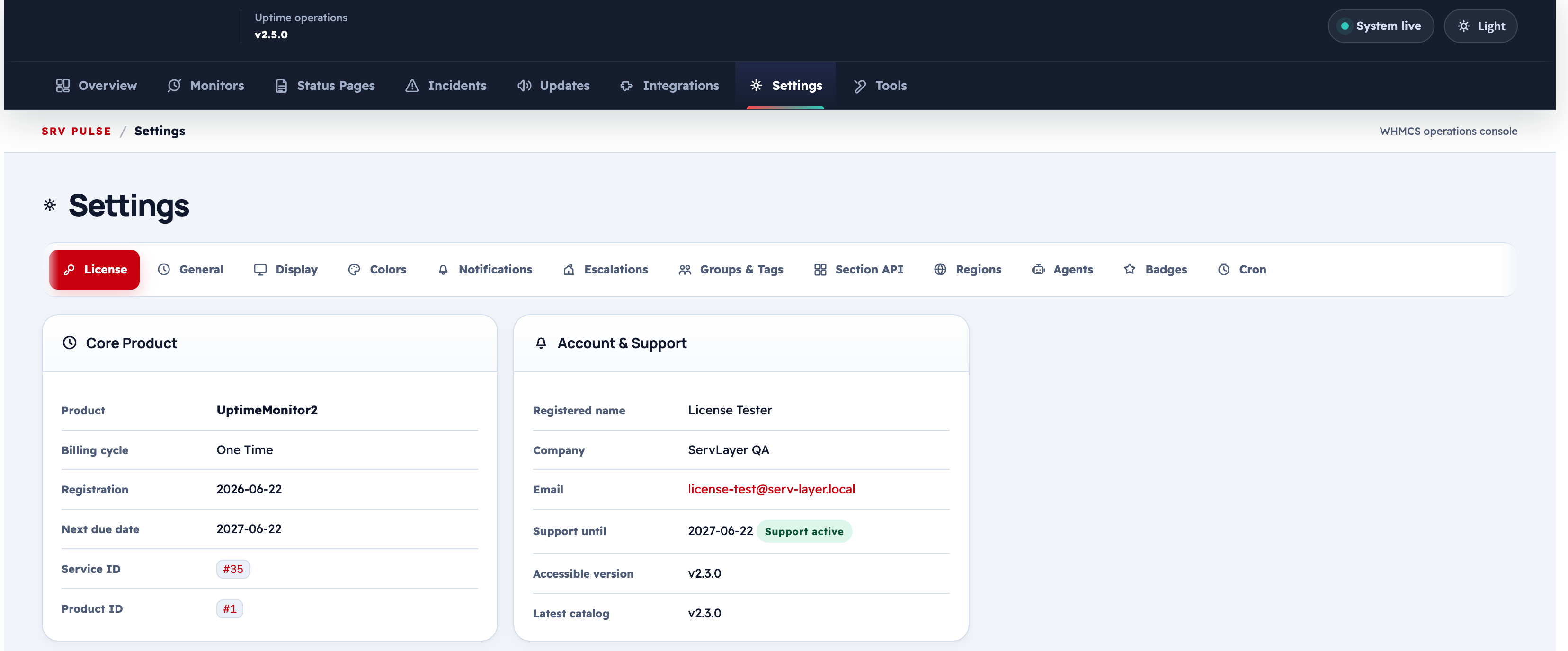
License Status Panel
The top panel shows the current license verification result:
| Field | Description |
|---|---|
| Status | Active — license is valid and the addon is fully operational |
| Support Expires | Date your active support window ends; builds released after this date require a renewed subscription to install |
| Billing Status | Whether the underlying WHMCS service is active or suspended |
| Product | The ServLayer product name linked to this license key |
| Key Prefix | Keys for this product start with SRV-UM2- |
Binding Information
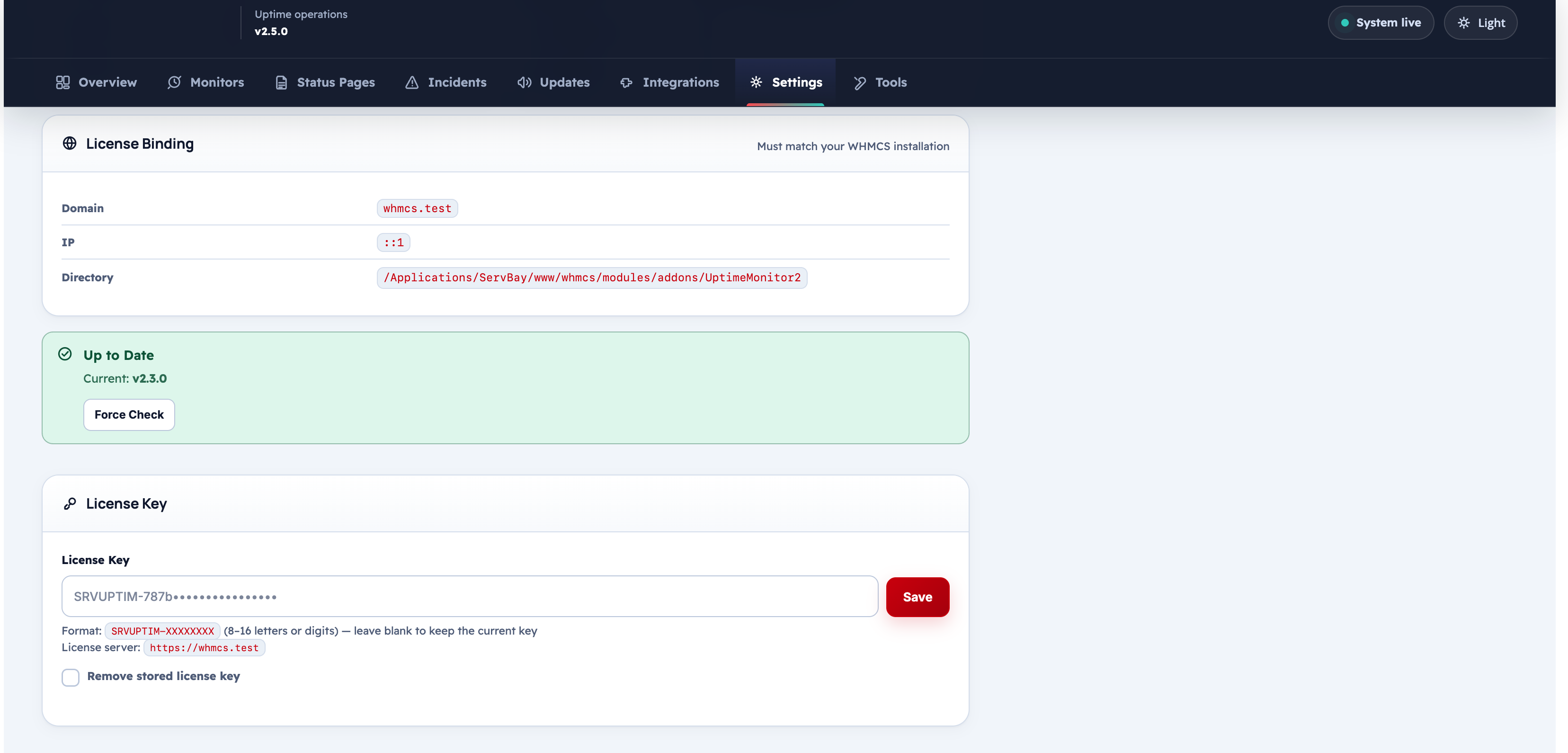
When a license key is first verified, it binds to the installation environment:
| Binding field | Value |
|---|---|
| Domain | The WHMCS domain at time of first verify |
| IP Address | The server IP at time of first verify |
Note
If you move to a new server or domain, contact ServLayer support to reissue the key and reset the binding.
Update Notifications
The update panel shows whether a newer version of Uptime Monitor 2 is available:
| Field | Description |
|---|---|
| Installed Version | The UM2_BUILD_VERSION constant in the current build |
| Latest Available | The newest version registered on the ServLayer release server |
| Release Date | When the latest version was published |
Click View Changelog to open an in-panel modal with the tagged release notes for the current and newer versions.
Note
Update information is fetched only after a successful license verification. If the license is invalid, the update banner is not shown.
License Key Field
| Field | Description |
|---|---|
| License Key | Enter or replace the SRV-UM2- key |
After entering the key:
- Click Save License Key to store it.
- Click Force Check to immediately verify the key against the ServLayer license server and refresh all status fields.
Extension Licenses
The bottom section of the License tab lists extensions and their license status:
| Extension | Status field |
|---|---|
| Multi-Region | Active / Not licensed |
| Status Page Pro | Active / Not licensed |
Extension licensing is managed through the same ServLayer subscription as the core addon.
What Happens When the License Is Invalid
If the license check fails or the key is missing:
- The admin area is limited to the license screen, with renewal guidance
- Scheduled checks stop
- Public status pages keep showing the last known state. Visitors can read that state. They cannot change it
A blocked extension does not turn off the core addon. The core keeps running, and that extension stays disabled until its own entitlement is valid.
[!IMPORTANT] Builds released after the support window is closed are blocked. A build released before that date keeps running. Only a newer build requires renewal.
Troubleshooting
| Problem | Fix |
|---|---|
| Status shows "Invalid" | Verify the key is correct; check domain/IP binding |
| Status shows "Version Blocked" | The installed build was released after your support expiry; renew or downgrade |
| Force Check fails | Allow outbound HTTPS from the server to www.uni-art.io |
| Extension shows "Not licensed" | Contact ServLayer to add the extension to your subscription |