
Settings
Behavior Settings
This page covers the Settings → Behavior tab, where an administrator tunes how the assistant behaves: how strictly it stays on-topic, which model handles background tasks, how often the knowledge base re-indexes, rate limits, engagement prompts, client-group access, and retrieval tuning.
Navigate to Addons → AI Copilot Suite → Settings → Behavior. The left-hand Categories list has seven sections: Scope Guard (site-only answers), Models & Tokens, Indexing, Rate Limits, Engagement, Access control, and RAG retrieval.
Scope Guard (site-only answers)
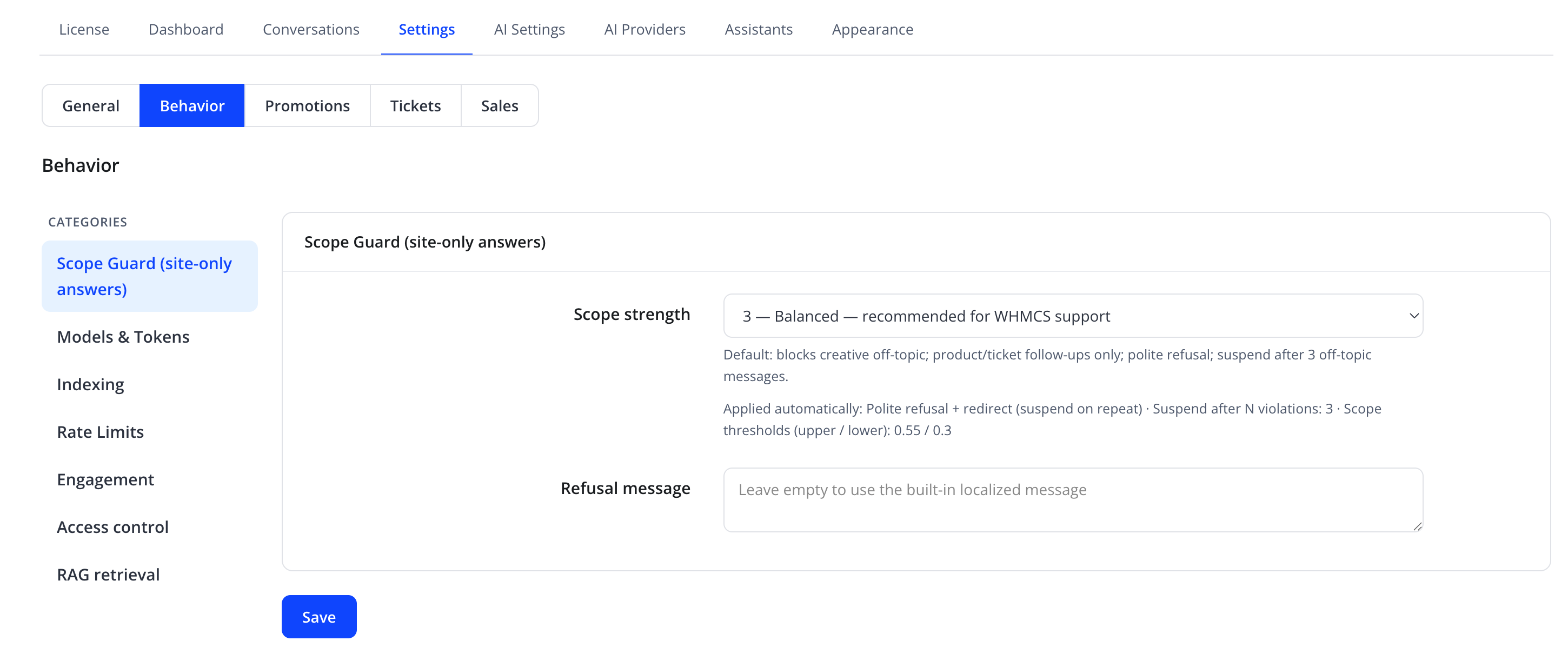
Controls how strictly the assistant stays within your site's content.
| Friendly name | System name | Type | Default |
|---|---|---|---|
| Scope strength | scope_strength |
select, e.g. "3 — Balanced — recommended for WHMCS support" | 3 |
| Refusal message | refusal_message |
textarea, placeholder "Leave empty to use the built-in localized message" | empty |
Each scope-strength level shows its own description in the UI. For level 3 ("Balanced"), the panel explains: "Default: blocks creative off-topic; product/ticket follow-ups only; polite refusal; suspend after 3 off-topic messages." and lists the applied thresholds (polite refusal + redirect, suspend after N violations, and the underlying similarity thresholds).
Tip
Raise Scope strength if the assistant starts answering general knowledge questions unrelated to your hosting business. Lower it only if legitimate, relevant questions are being incorrectly refused.
Models & Tokens
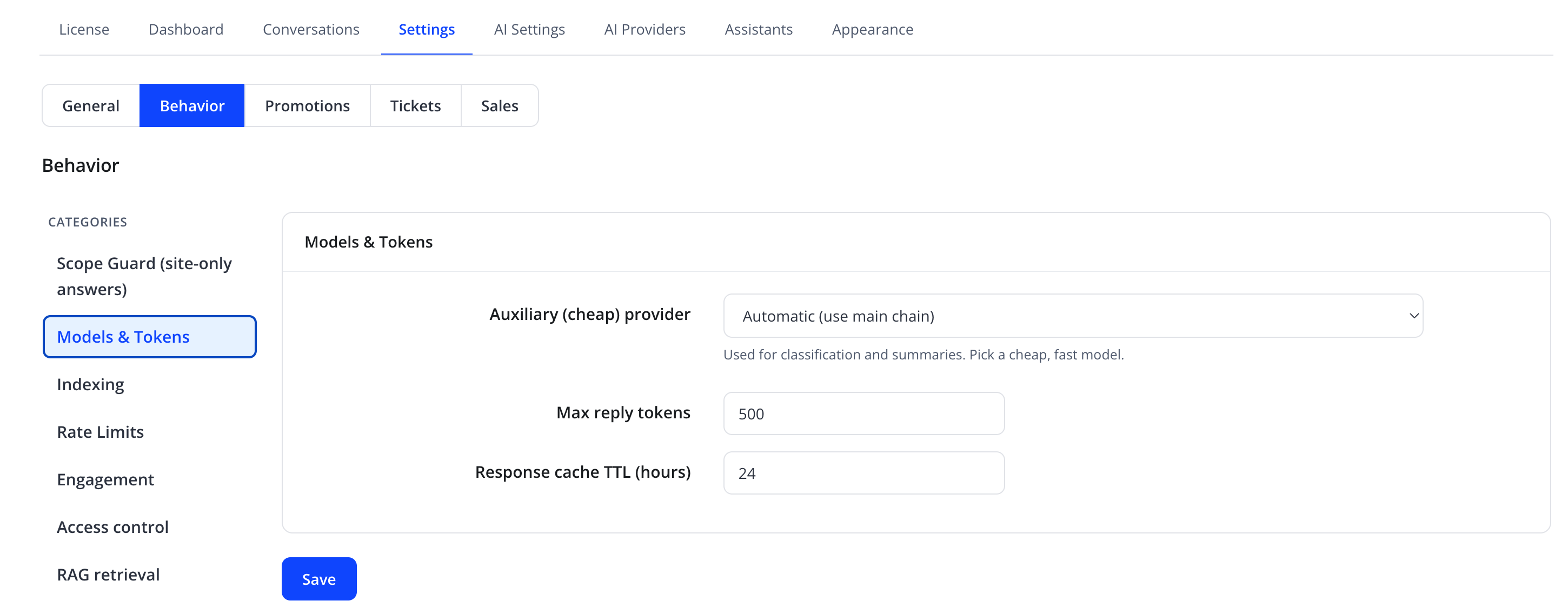
| Friendly name | System name | Type | Default |
|---|---|---|---|
| Auxiliary (cheap) provider | aux_provider_id |
select — "Automatic (use main chain)" or a specific provider | Automatic |
| Max reply tokens | max_output_tokens |
number | 500 |
| Response cache TTL (hours) | cache_ttl_hours |
number | 24 |
The Auxiliary (cheap) provider is used for classification and summaries — pick a cheap, fast model here, separate from the main chat provider assigned to each assistant.
Indexing
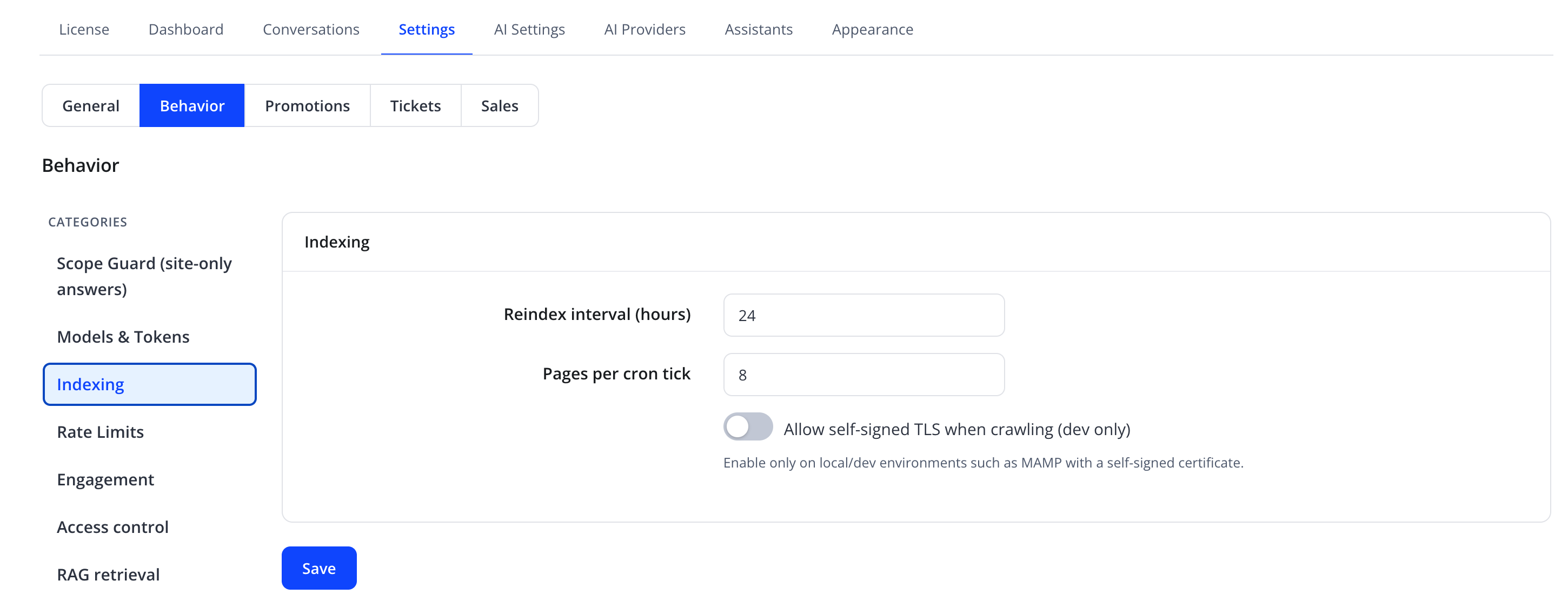
| Friendly name | System name | Type | Default |
|---|---|---|---|
| Reindex interval (hours) | reindex_hours |
number | 24 |
| Pages per cron tick | — | number | 8 |
| Allow self-signed TLS when crawling (dev only) | — | toggle | Off |
Warning
Enable Allow self-signed TLS when crawling only on local/dev environments (such as MAMP) with a self-signed certificate. Leaving it on in production reduces the security of the content-crawling process.
Rate Limits
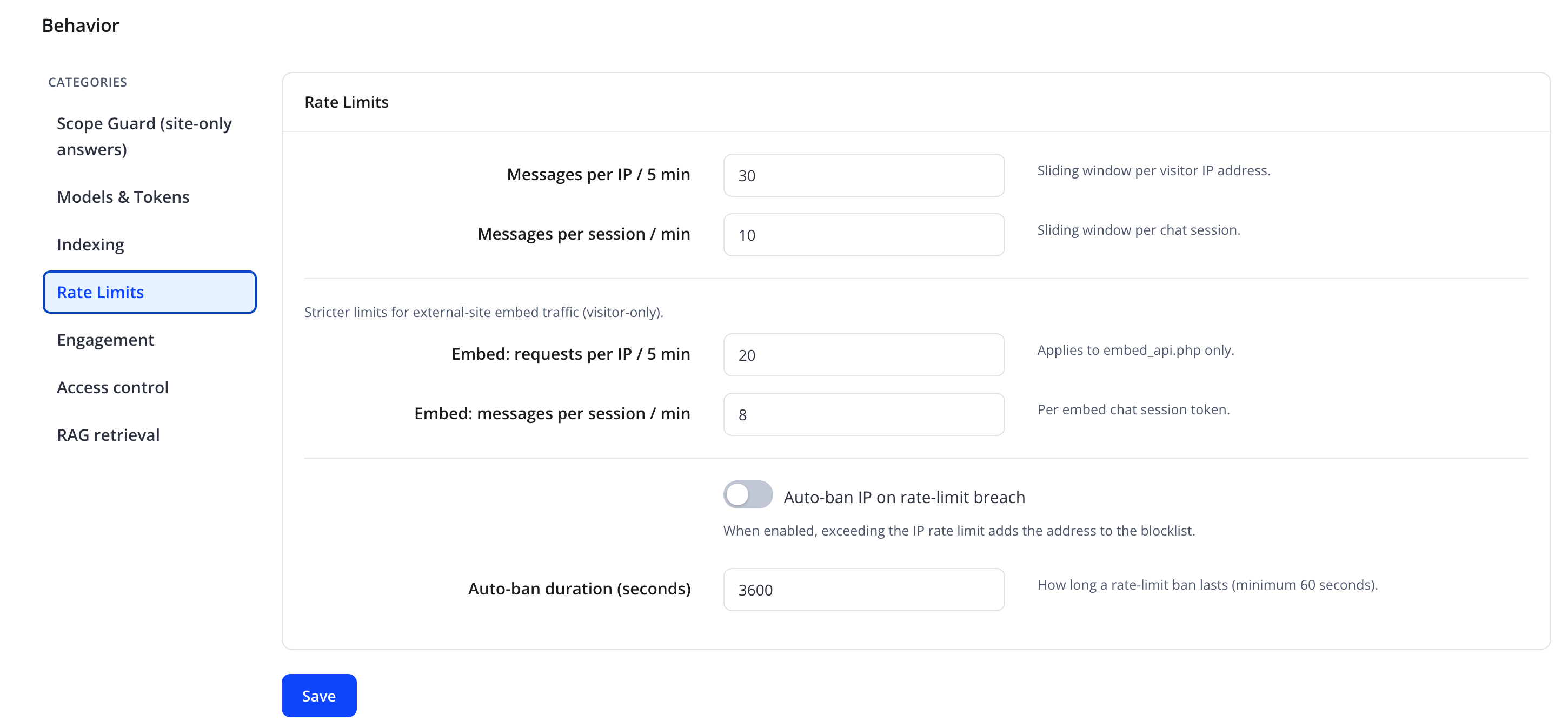
| Friendly name | System name | Type | Default |
|---|---|---|---|
| Messages per IP / 5 min | rate_ip_max |
number | 30 |
| Messages per session / min | rate_session_max |
number | 10 |
| Embed: requests per IP / 5 min | — | number | 20 |
| Embed: messages per session / min | — | number | 8 |
| Auto-ban IP on rate-limit breach | ip_block_enabled |
toggle | Off |
| Auto-ban duration (seconds) | ip_block_duration |
number (minimum 60) | 3600 |
The Embed limits apply only to embed_api.php traffic (the external embed widget) and are stricter, since that traffic is visitor-only. When Auto-ban IP on rate-limit breach is on, exceeding the IP rate limit adds the address to the blocklist for the configured duration. See Security & Rate Limits for the blocked-IP list and unban action.
Engagement
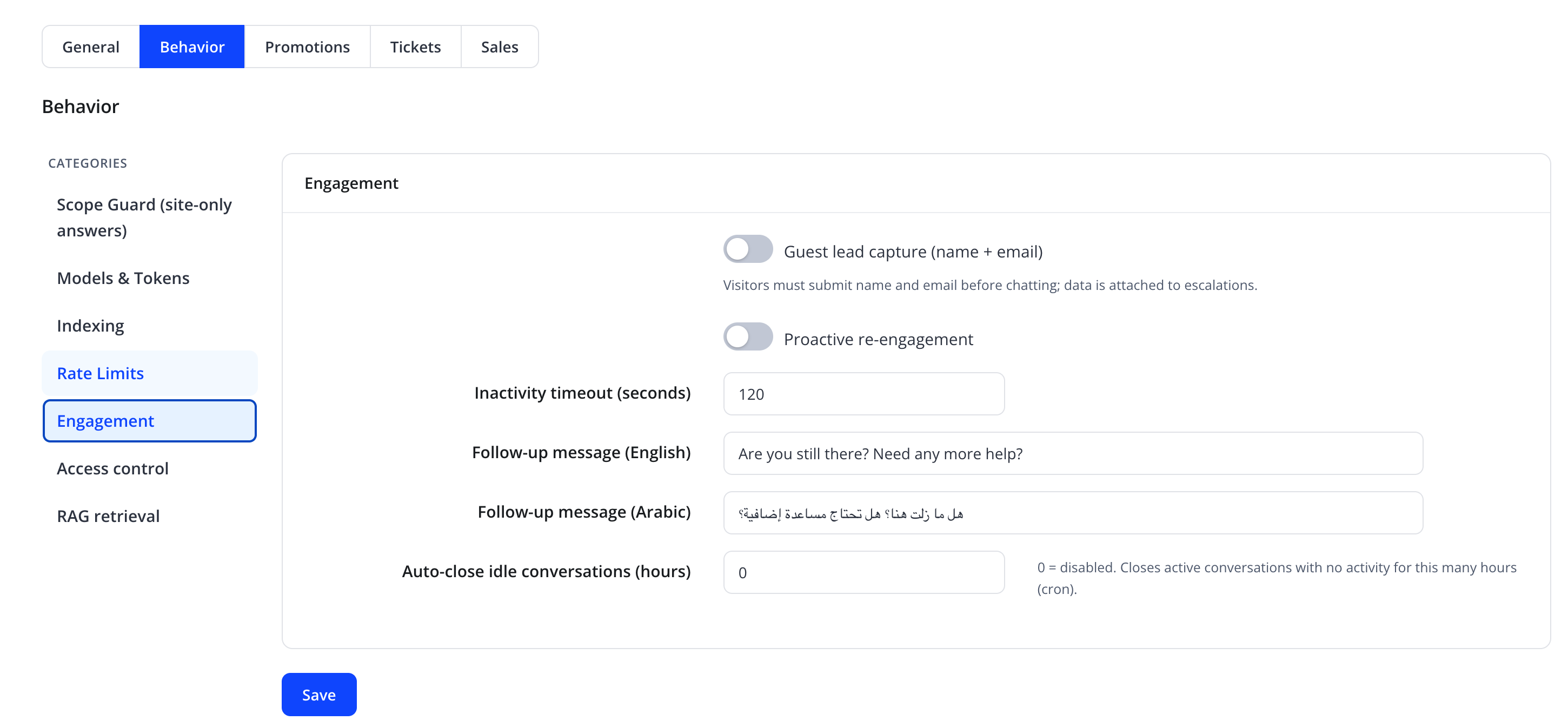
| Friendly name | System name | Type | Default |
|---|---|---|---|
| Guest lead capture (name + email) | lead_capture_enabled |
toggle | Off |
| Proactive re-engagement | reengagement_enabled |
toggle | Off |
| Inactivity timeout (seconds) | reengagement_idle_seconds |
number | 120 |
| Follow-up message (English) | — | text | "Are you still there? Need any more help?" |
| Follow-up message (Arabic) | — | text | هل ما زلت هنا؟ هل تحتاج مساعدة إضافية؟ |
| Auto-close idle conversations (hours) | conversation_auto_close_hours |
number, 0 = disabled |
0 |
Guest lead capture requires visitors to submit their name and email before chatting; that data is then attached to any escalation. Proactive re-engagement sends the follow-up message to a client who has left the chat panel open without responding for the configured idle period. Auto-close idle conversations runs on cron and closes active conversations with no activity for the configured number of hours.
Access control
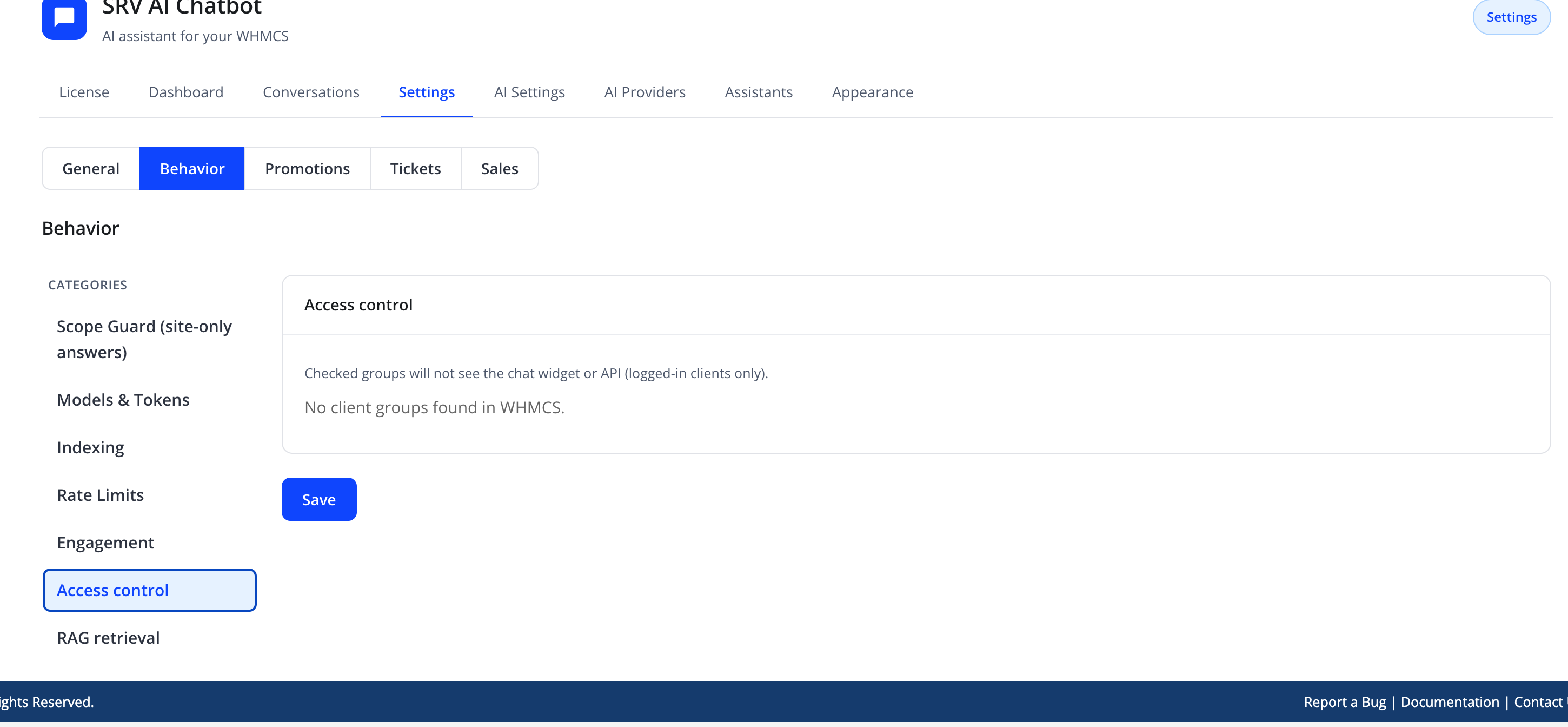
| Friendly name | System name | Type | Default |
|---|---|---|---|
| Client groups to disable the assistant for | disable_ai_client_groups[] |
checkbox list of WHMCS client groups | none selected |
"Checked groups will not see the chat widget or API (logged-in clients only)." If your WHMCS installation has no client groups configured yet, this pane shows "No client groups found in WHMCS." instead of the checkbox list.
RAG retrieval
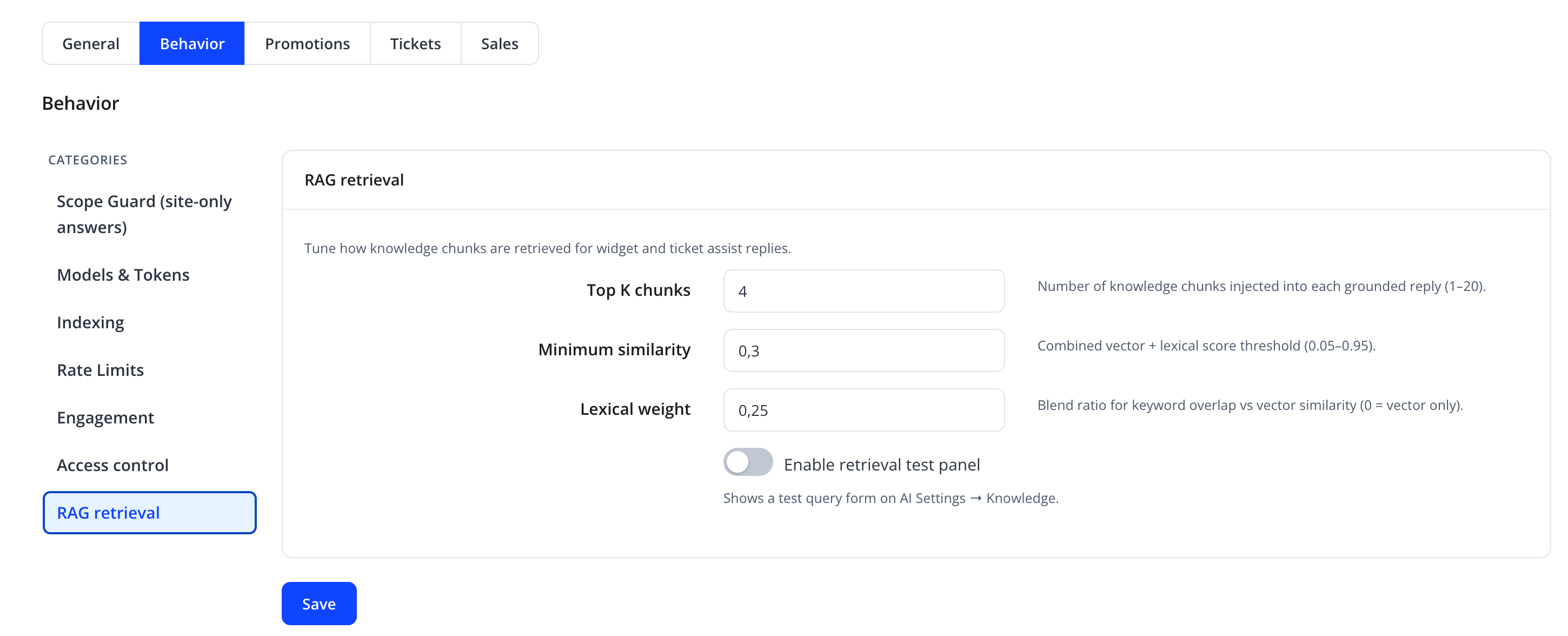
RAG stands for Retrieval-Augmented Generation — the process of searching your knowledge base for relevant content before the AI drafts an answer. This pane tunes how knowledge chunks are retrieved for widget and ticket-assist replies.
| Friendly name | System name | Type | Default |
|---|---|---|---|
| Top K chunks | rag_top_k |
number (1–20) | 4 |
| Minimum similarity | rag_min_similarity |
decimal (0.05–0.95) | 0.3 |
| Lexical weight | rag_lexical_weight |
decimal (0 = vector only) | 0.25 |
| Abstain when retrieval is empty | rag_abstain_when_empty |
toggle | On |
| Cite sources in replies | rag_cite_sources |
toggle | On |
| Enable retrieval test panel | rag_debug_enabled |
toggle | Off |
Top K chunks is the number of knowledge chunks injected into each grounded reply. Lexical weight blends keyword/title overlap with vector similarity (a lexical prefilter boosts matching titles before ranking). When Abstain when retrieval is empty is on, the assistant declines to invent answers for guest questions with no knowledge hit (logged-in account intents that need tools may still proceed). When Cite sources is on, grounded replies append a short Sources list.
Product, announcement, and related WHMCS edits trigger targeted knowledge reindex hooks so answers stay fresher without waiting for the full cron interval.
Note
Turning on Enable retrieval test panel shows a test query form on Knowledge, letting you see exactly which sources match a sample question and with what relevance score.
Action
Click Save at the bottom of each category to apply changes.
Troubleshooting
| Problem | Fix |
|---|---|
| Assistant answers off-topic questions | Increase Scope strength |
| Assistant refuses relevant questions | Decrease Scope strength; verify the topic is covered by an indexed knowledge source |
| Knowledge base feels outdated | Lower Reindex interval (hours), or trigger a manual reindex from Knowledge |
| Retrieval misses obviously relevant content | Increase Top K chunks or lower Minimum similarity in RAG retrieval |