
Settings
Security & Rate Limits
This page consolidates the security-related controls found under Settings → Behavior (the Rate Limits and Access control categories) — rate limiting, automatic IP blocking, and client-group access restriction. It is for administrators hardening the widget against abuse.
Navigate to Addons → AI Copilot Suite → Settings → Behavior → Rate Limits (and → Access control).
Rate limiting
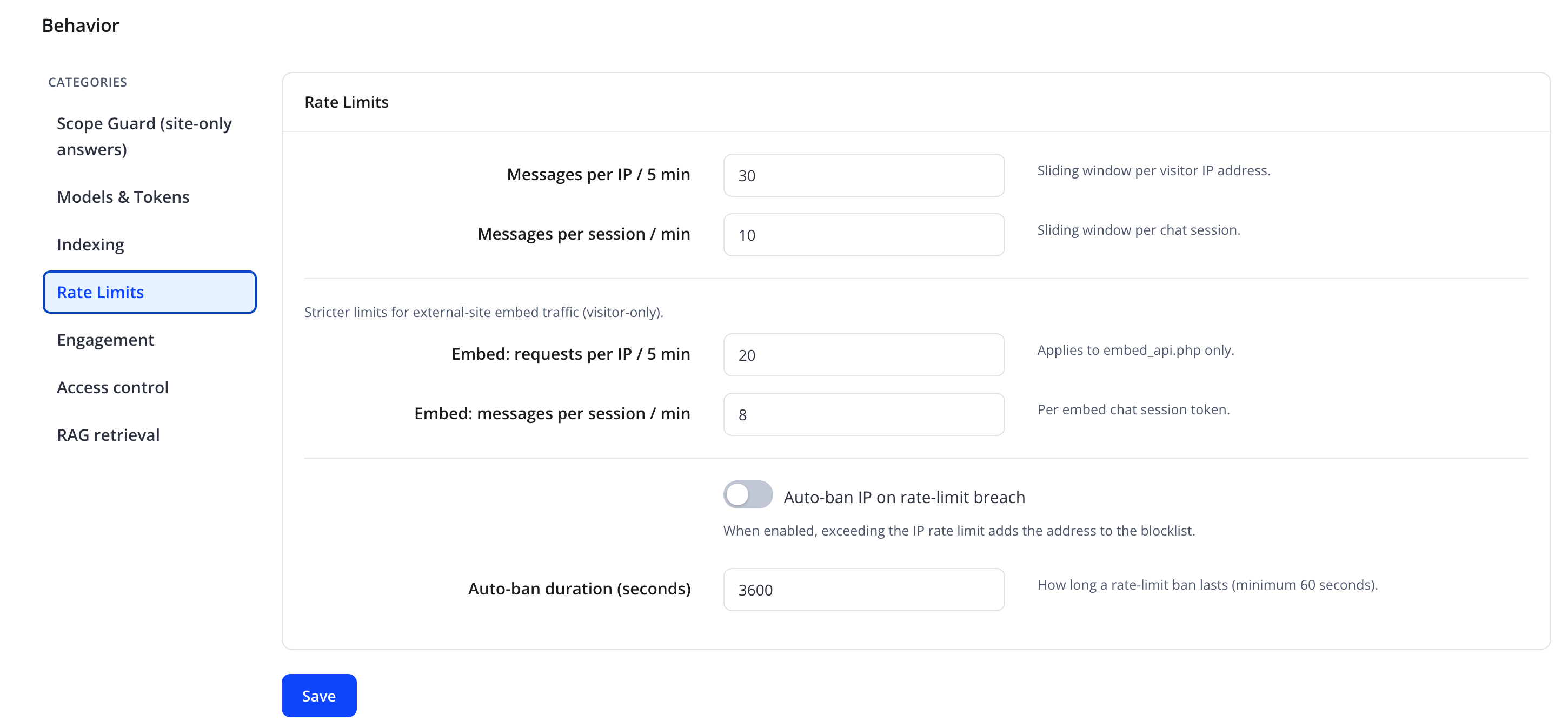
| Friendly name | Type | Default |
|---|---|---|
| Messages per IP / 5 min | number | 30 |
| Messages per session / min | number | 10 |
| Embed: requests per IP / 5 min | number | 20 |
| Embed: messages per session / min | number | 8 |
Rate limits are tracked separately for the normal client-area widget and for the external embed widget (the Embed fields, which apply only to embed_api.php traffic), so you can apply stricter limits to public embeds if desired.
Tip
Start with conservative rate limits and loosen them only if legitimate clients are being throttled. It is easier to relax a limit than to clean up after an abuse incident.
Automatic IP blocking
| Friendly name | Type | Default |
|---|---|---|
| Auto-ban IP on rate-limit breach | toggle | Off |
| Auto-ban duration (seconds) | number, minimum 60 |
3600 |
"When enabled, exceeding the IP rate limit adds the address to the blocklist." "How long a rate-limit ban lasts (minimum 60 seconds)."
Client-group access control
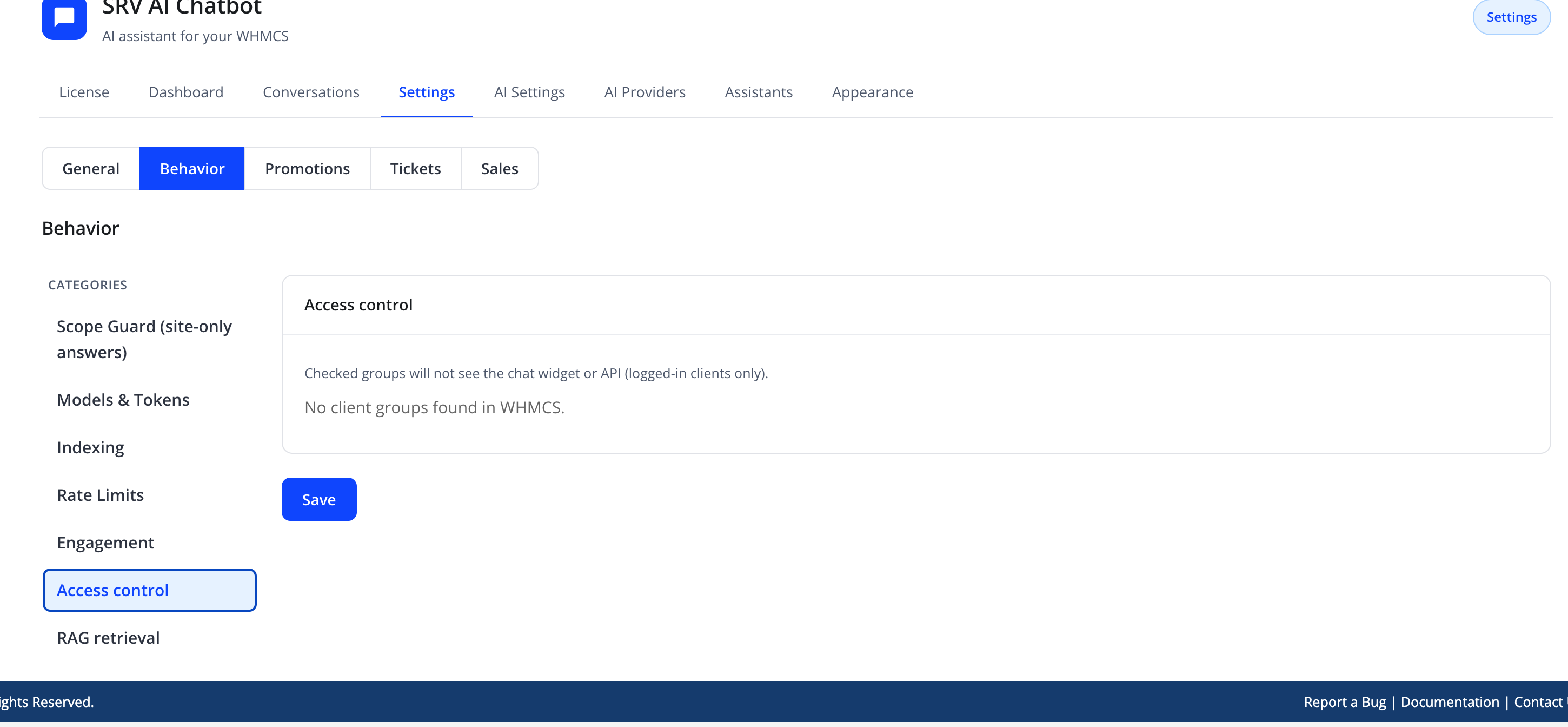
| Friendly name | Type | Default |
|---|---|---|
| Client groups to disable the assistant for | checkbox list of WHMCS client groups | none selected |
"Checked groups will not see the chat widget or API (logged-in clients only)." If your WHMCS installation has no client groups configured, this pane shows "No client groups found in WHMCS." instead of the checkbox list.
Selecting a client group here hides the widget entirely for members of that group — regardless of assistant routing, quick actions, or any other setting.
Built-in protections1.2.0
These are always-on application controls (not separate toggles on this page):
| Area | Behaviour |
|---|---|
| Knowledge crawler | Redirects are not auto-followed blindly; each hop is validated and DNS-pinned to block SSRF (including link-local targets). |
| Cart / session bridge | WHMCS CSRF token plus Origin/Referer checks; browser clients without Origin are rejected. |
| Sales AI API | Same-origin + CSRF; IP rate limit; ticket assist and KB summarize require login. |
| Assistant / widget icons | SVG upload and SVG icon URLs are rejected; content sniffing blocks polyglot files. |
| Custom CSS | Sanitized and scoped under #srv-aichatbot before save and output. |
| Account actions | Privileged product-group scopes fail closed when misconfigured; OTP still required for sensitive actions. |
See also Appearance (Custom CSS / Theme Studio) and Sales Assist.
Related controls
- Managing AI Providers — API key handling (stored encrypted, never displayed again after saving)
- General Settings — the master Enable chatbot / Enable external-site embed switches, and guarded account actions that also require one-time confirmation codes for sensitive operations, restricted by product group IDs (not client groups) under Action policies
- External Embed — the CORS origin allow-list that protects the embed endpoint
Troubleshooting
| Problem | Fix |
|---|---|
| A legitimate client is repeatedly blocked | Raise Messages per IP / 5 min or Messages per session / min |
| An entire office/NAT IP gets blocked from one abusive user | Consider raising the per-IP limit rather than the per-session limit, since a shared office IP serves many sessions |
| A client group still sees the widget after being disabled | Confirm the client is a member of the selected group in WHMCS, and that no cached page is being served |