
Guide
Ticket Assist
This page covers the Settings → Tickets tab, which configures AI assistance for support ticket handling: reply drafting, summaries, and optional fully automatic responses. It is for administrators and support managers.
Navigate to Addons → AI Copilot Suite → Settings → Tickets. The left-hand Categories list has two sections: Staff Ticket Assistant and Automatic Ticket Responder (cron).
Staff Ticket Assistant
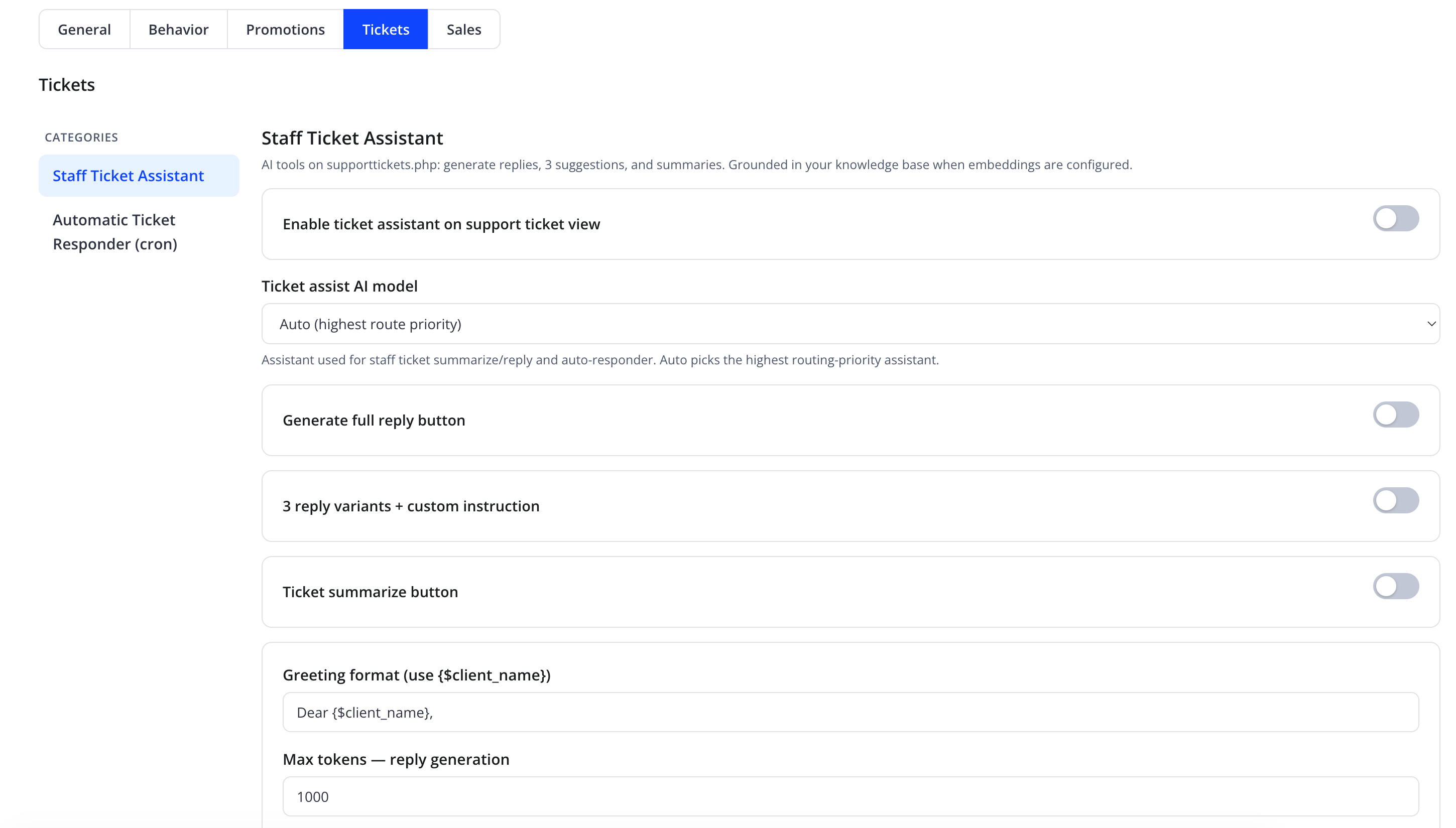
"AI tools on supporttickets.php: generate replies, 3 suggestions, and summaries. Grounded in your knowledge base when embeddings are configured."
| Friendly name | Type | Default |
|---|---|---|
| Enable ticket assistant on support ticket view | toggle | Off |
| Ticket assist AI model | select — "Auto (highest route priority)" or a specific assistant | Auto |
| Generate full reply button | toggle | Off |
| 3 reply variants + custom instruction | toggle | Off |
| Ticket summarize button | toggle | Off |
"Assistant used for staff ticket summarize/reply and auto-responder. Auto picks the highest routing-priority assistant."
With Enable ticket assistant on support ticket view on, support agents viewing a ticket in the WHMCS admin area gain the enabled AI-assisted tools above — a Generate full reply button, 3 reply variants + custom instruction, and/or a Ticket summarize button.

| Friendly name | Type | Default |
|---|---|---|
Greeting format (use {$client_name}) |
text | Dear {$client_name}, |
| Max tokens — reply generation | number | 1000 |
| Max tokens — summarize | number | 1000 |
Tip
Use Greeting format to standardize how AI-drafted replies open — insert the literal placeholder {$client_name} where the client's name should appear, keeping tone consistent across agents.
Automatic Ticket Responder (cron)
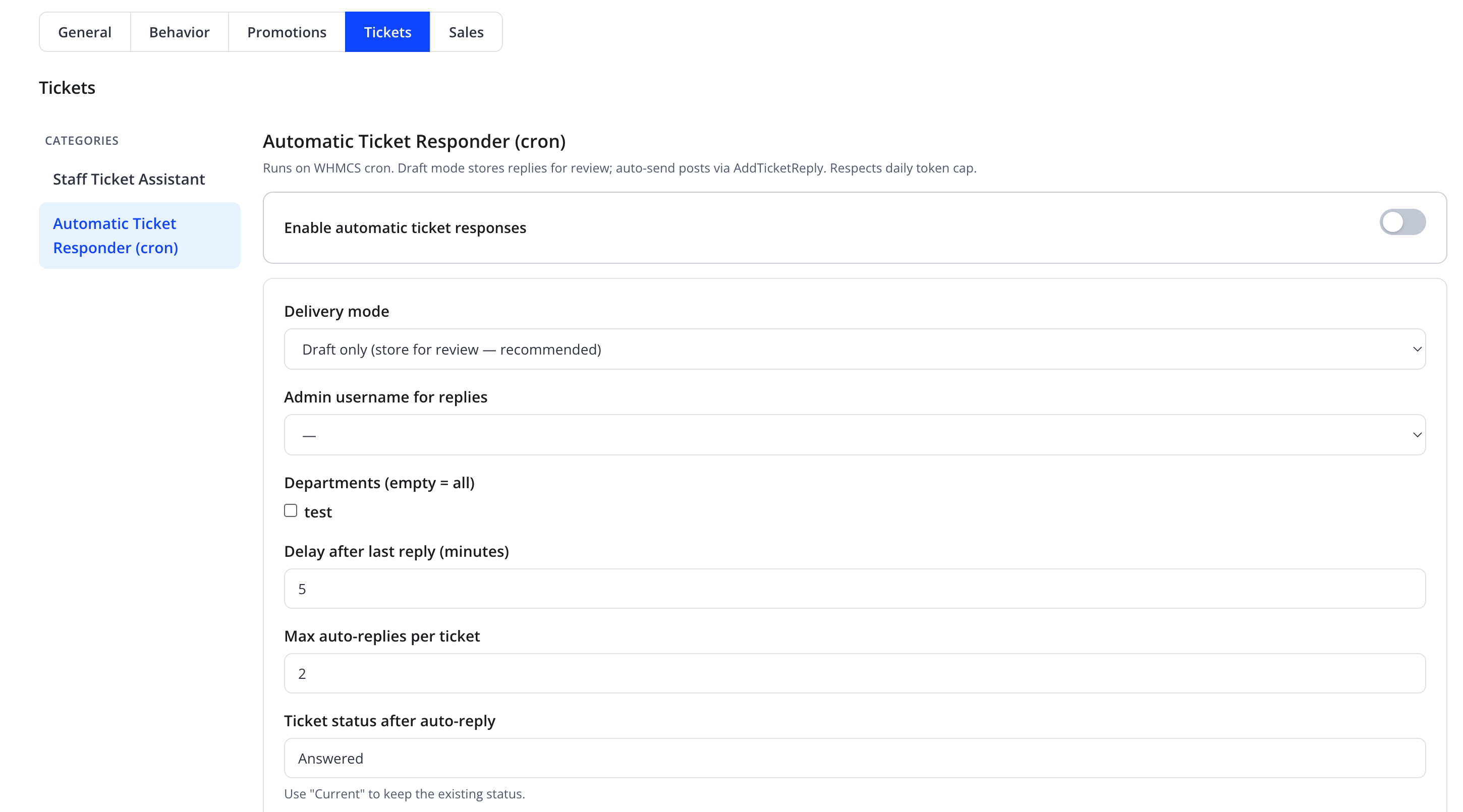
"Runs on WHMCS cron. Draft mode stores replies for review; auto-send posts via AddTicketReply. Respects daily token cap."
Automatic Ticket Responder goes further than Staff Ticket Assistant: it can draft — or, in Auto-Send mode, actually post — a reply on tickets automatically, on a schedule driven by the WHMCS cron, within tightly scoped rules.
| Friendly name | Type | Default |
|---|---|---|
| Enable automatic ticket responses | toggle | Off |
| Delivery mode | select — "Draft only (store for review — recommended)" or Auto-Send | Draft only |
| Admin username for replies | select of WHMCS admin users | — |
| Departments (empty = all) | checkbox list of WHMCS ticket departments | none checked = all |
| Delay after last reply (minutes) | number | 5 |
| Max auto-replies per ticket | number | 2 |

| Friendly name | Type | Default |
|---|---|---|
| Ticket status after auto-reply | text (use "Current" to keep the existing status) |
Answered |
| Only tickets opened within (hours) | number | 24 |
| Max tokens — auto-reply body | number | 500 |
Warning
Delivery mode → Auto-Send posts to the client via WHMCS's AddTicketReply action without human review. Start with Draft only, review the stored drafts for a period, and only switch to Auto-Send once you trust the quality and scope of replies for your selected departments.
Note
Max auto-replies per ticket caps how many automatic replies a single ticket can receive, preventing a runaway back-and-forth with an automated system on the client's side. The automatic responder also respects the daily token cap — once the cap is reached, it stops running until the next day.
Action
Click Save on each category.
Troubleshooting
| Problem | Fix |
|---|---|
| Generate full reply / summarize buttons are missing on a ticket | Confirm Enable ticket assistant on support ticket view and the specific feature toggle are on |
| Automatic Ticket Responder never triggers | Confirm the ticket's department is checked (or none are, to match all), the ticket's status/age fall within Only tickets opened within (hours), and the WHMCS cron is running |
| Replies feel generic or miss key facts | Review and expand the relevant Knowledge Sources |