
Guide
Training
This page covers the AI Settings → Training tab — quick shortcuts for keeping WHMCS-derived knowledge in sync and adding small pieces of content without going through the full Knowledge Sources form.
Navigate to Addons → AI Copilot Suite → AI Settings → Training.
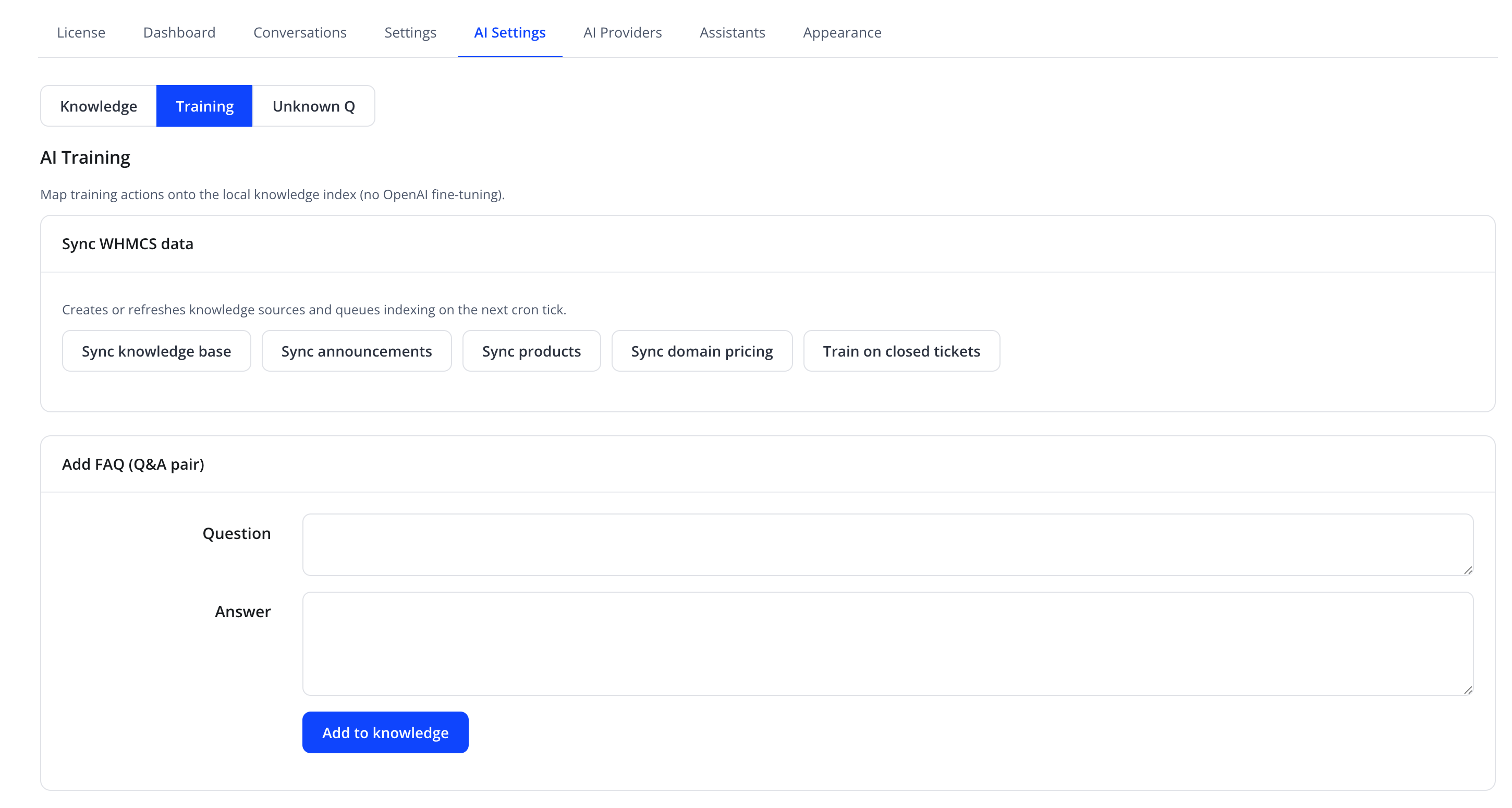
"Map training actions onto the local knowledge index (no OpenAI fine-tuning)." — training here never fine-tunes a model; it only creates or refreshes knowledge sources that are indexed like any other source.
Sync WHMCS data
"Creates or refreshes knowledge sources and queues indexing on the next cron tick."
| Button | Effect |
|---|---|
| Sync knowledge base | Re-imports all WHMCS knowledgebase articles as knowledge sources |
| Sync announcements | Re-imports WHMCS client-area announcements |
| Sync products | Re-imports the product/service catalog |
| Sync domain pricing | Re-imports supported domain TLD pricing/info |
| Train on closed tickets | Builds knowledge entries from resolved support ticket content |
Tip
Run these sync buttons again any time your WHMCS knowledgebase, announcements, products, or domain pricing change significantly, so the assistant's answers stay current.
Add FAQ (Q&A pair)
| Friendly name | Type |
|---|---|
| Question | textarea |
| Answer | textarea |
Click Add to knowledge to save the pair immediately as a Q&A knowledge source — equivalent to using the Q&A Pair type on Knowledge Sources, but faster for one-off entries.
Training file upload
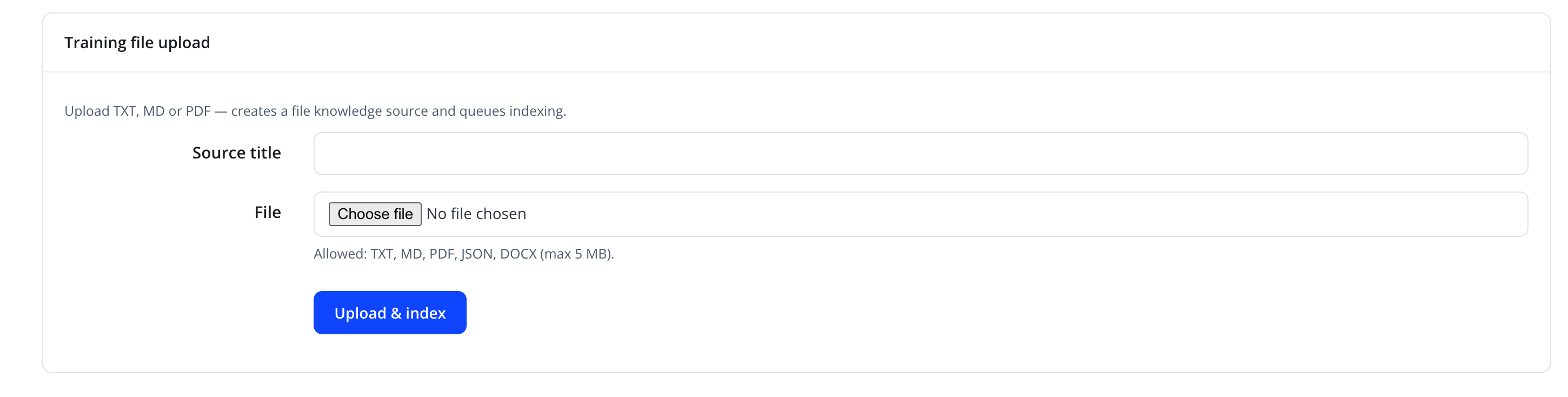
"Upload TXT, MD or PDF — creates a file knowledge source and queues indexing."
| Friendly name | Type |
|---|---|
| Source title | text |
| File | file — allowed: TXT, MD, PDF, JSON, DOCX (max 5 MB) |
Click Upload & index to add the document as a new knowledge source.
Troubleshooting
| Problem | Fix |
|---|---|
| Sync button appears to do nothing | Check the Knowledge Sources list — synced content appears there once indexing completes on the next cron tick |
| Uploaded file format is rejected | Confirm the file extension is one of .txt, .md, .pdf, .json, .docx and it is under 5 MB |