
Guide
Unknown Questions
This page covers the AI Settings → Unknown Q tab, where an administrator reviews questions the assistant could not confidently answer, and turns useful ones into permanent knowledge.
Navigate to Addons → AI Copilot Suite → AI Settings → Unknown Q.
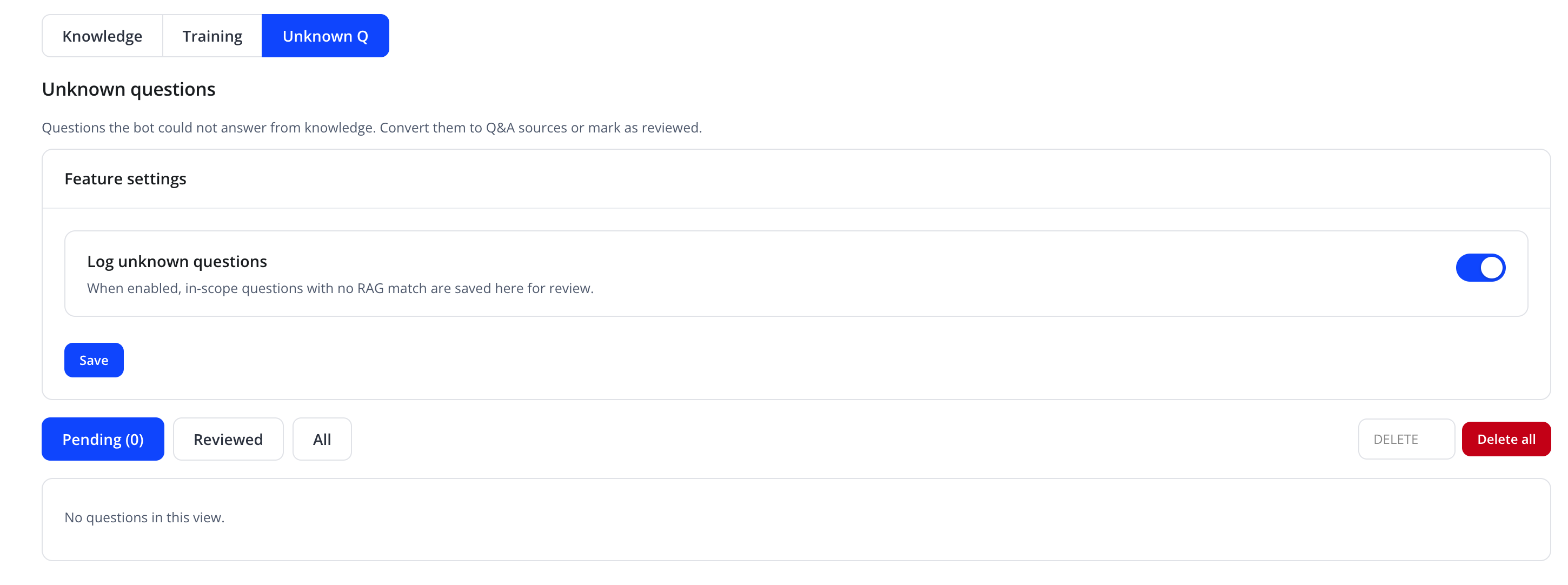
"Questions the bot could not answer from knowledge. Convert them to Q&A sources or mark as reviewed."
Feature settings
| Friendly name | System name | Type | Default |
|---|---|---|---|
| Log unknown questions | — | toggle | On |
"When enabled, in-scope questions with no RAG match are saved here for review." Click Save after changing this setting.
Reviewing questions
Filter tabs: Pending (N) (with a live count), Reviewed, and All. When there are no questions in the selected view, it shows "No questions in this view."
For pending rows, an inline Convert to Q&A action opens an answer field that creates a permanent Q&A knowledge source (same effect as Training → Add FAQ), and a Mark Reviewed action dismisses the question without adding it to the knowledge base.
Bulk action
| Action | Effect |
|---|---|
| Delete all | Removes every logged unknown question |
| DELETE | Removes a single selected question (per row) |
Tip
Review this list regularly during the first weeks after launch — it is the fastest way to discover real gaps in your Knowledge Sources.
Related pages
- Knowledge Sources
- Training
- Dashboard — shows a compact preview of pending unknown questions