
Settings
General Settings & Account Actions
This page covers the Settings → General tab — the master switch for the whole module, plus which quick actions and guarded account actions the assistant is allowed to perform for clients. It is for administrators deciding what the assistant can and cannot do on a client's account.
Navigate to Addons → AI Copilot Suite → Settings → General. The left-hand Categories list has four sections: General, Widget Quick Actions, Account Actions (AI tools), and Action policies.
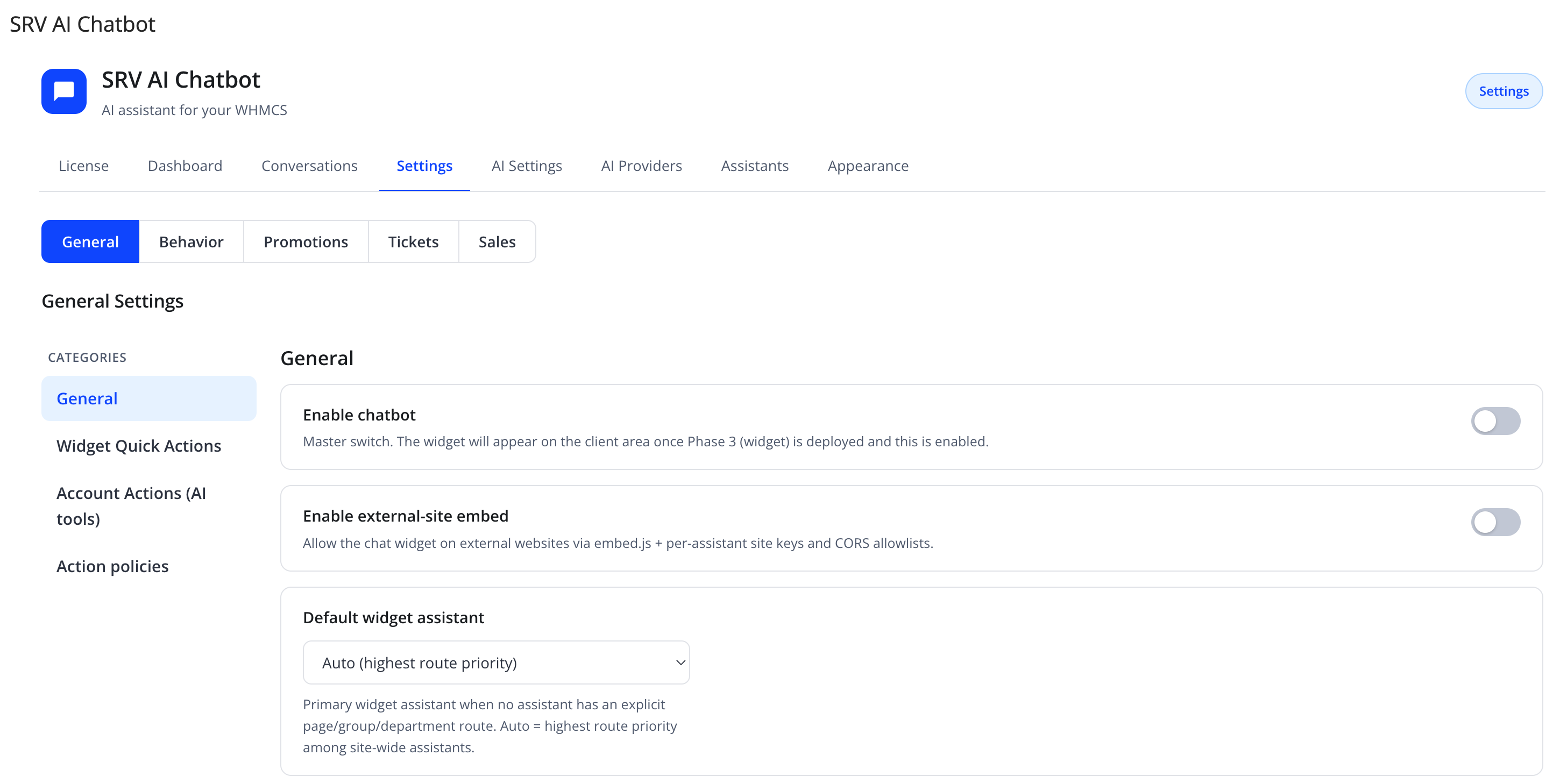
General
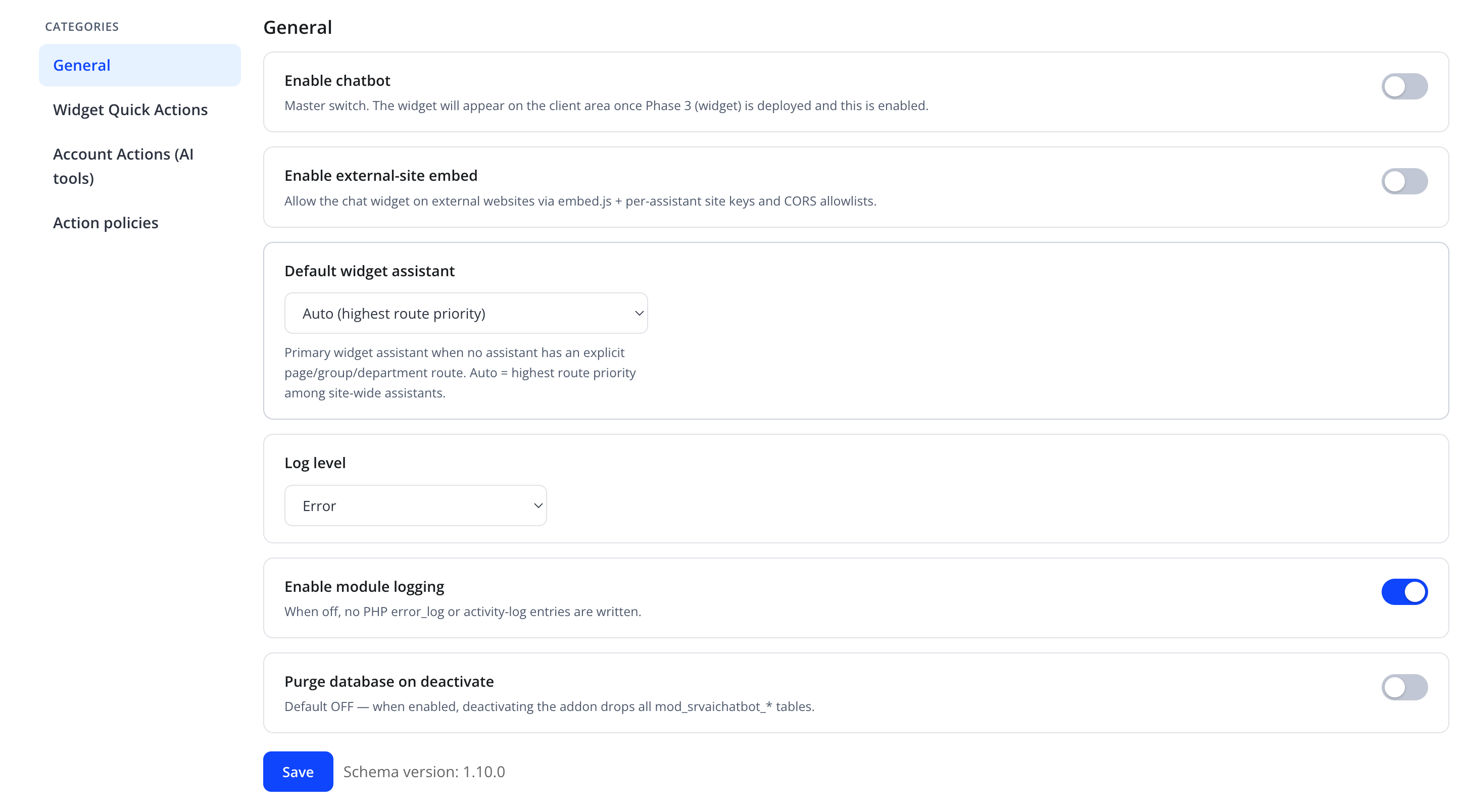
| Friendly name | Type | Default |
|---|---|---|
| Enable chatbot | toggle | Off |
| Enable external-site embed | toggle | Off |
| Default widget assistant | select — "Auto (highest route priority)" or a specific assistant | Auto |
| Log level | select (e.g. Error) | Error |
| Enable module logging | toggle | On |
| Purge database on deactivate | toggle | Off |
Warning
Enable chatbot is the master switch. "The widget will appear on the client area once Phase 3 (widget) is deployed and this is enabled." Turning it off immediately hides the widget for all clients, regardless of assistant or routing configuration.
Enable external-site embed: "Allow the chat widget on external websites via embed.js + per-assistant site keys and CORS allowlists." This is the global switch — each assistant also has its own embed toggle and allowed-origins list in its own settings; both must be on for that assistant's embed to work. See External Embed.
Default widget assistant: "Primary widget assistant when no assistant has an explicit page/group/department route. Auto = highest route priority among site-wide assistants."
Enable module logging: "When off, no PHP error_log or activity-log entries are written."
Caution
Purge database on deactivate — default off. When enabled, deactivating the addon (in Setup → Addon Modules) permanently drops the module's own database tables, deleting all conversations, knowledge sources, and configuration. Leave this off unless you intend a full data wipe.
Widget Quick Actions
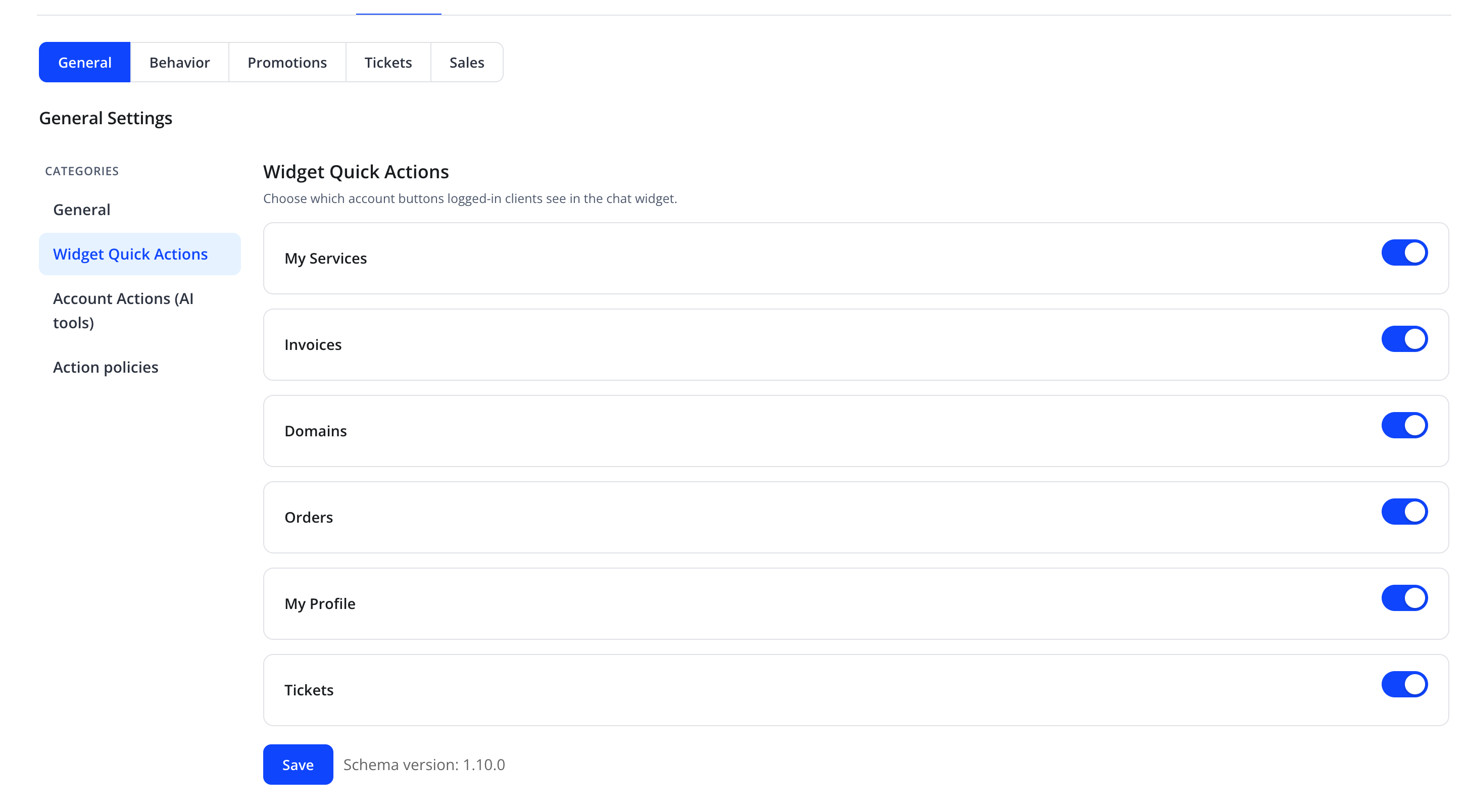
"Choose which account buttons logged-in clients see in the chat widget."
| Friendly name | Type | Default |
|---|---|---|
| My Services | toggle | On |
| Invoices | toggle | On |
| Domains | toggle | On |
| Orders | toggle | On |
| My Profile | toggle | On |
| Tickets | toggle | On |
Each toggle shows or hides the corresponding one-tap quick-action button in the widget for logged-in clients.
Account Actions (AI tools)
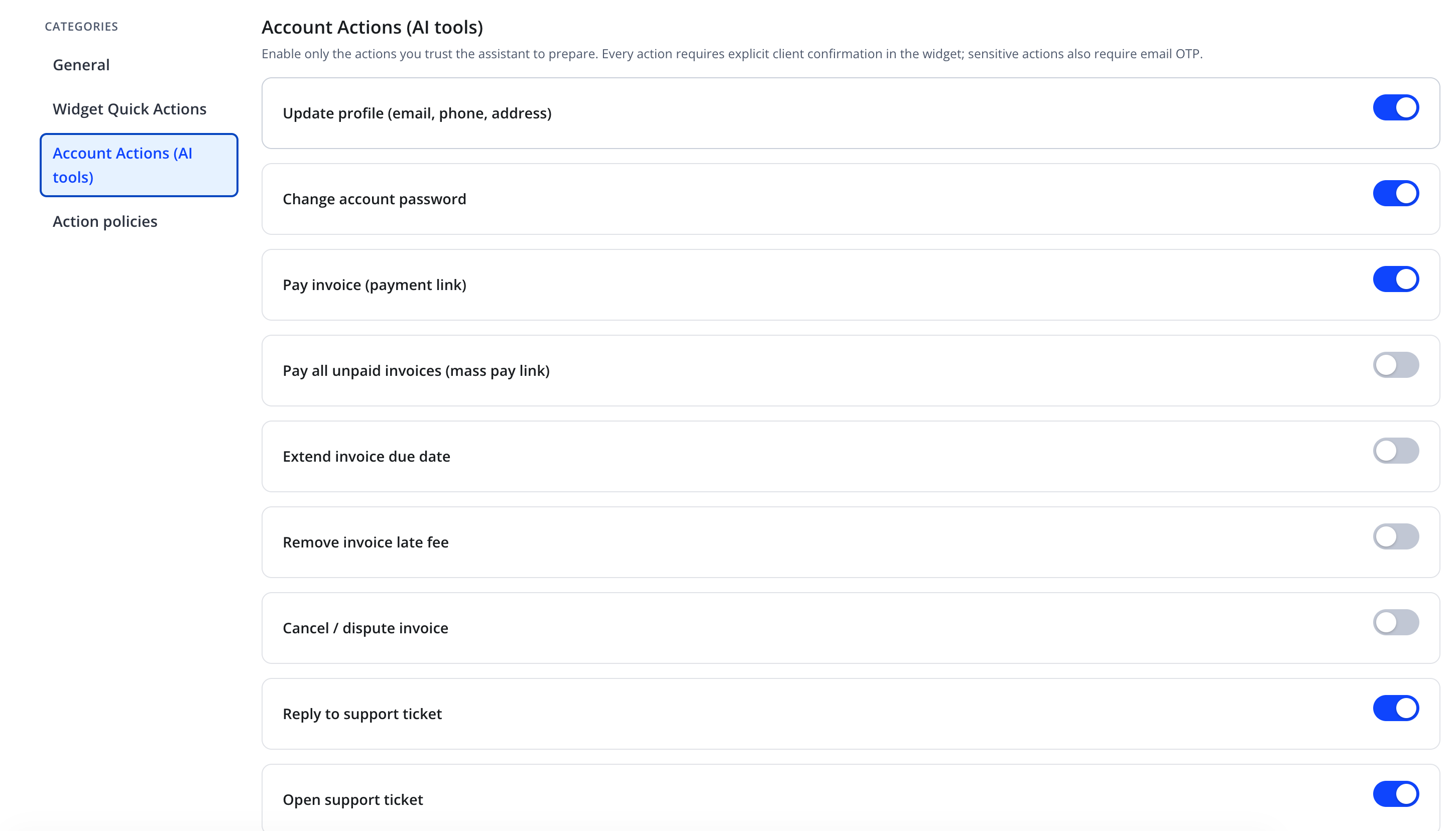
"Enable only the actions you trust the assistant to prepare. Every action requires explicit client confirmation in the widget; sensitive actions also require email OTP."
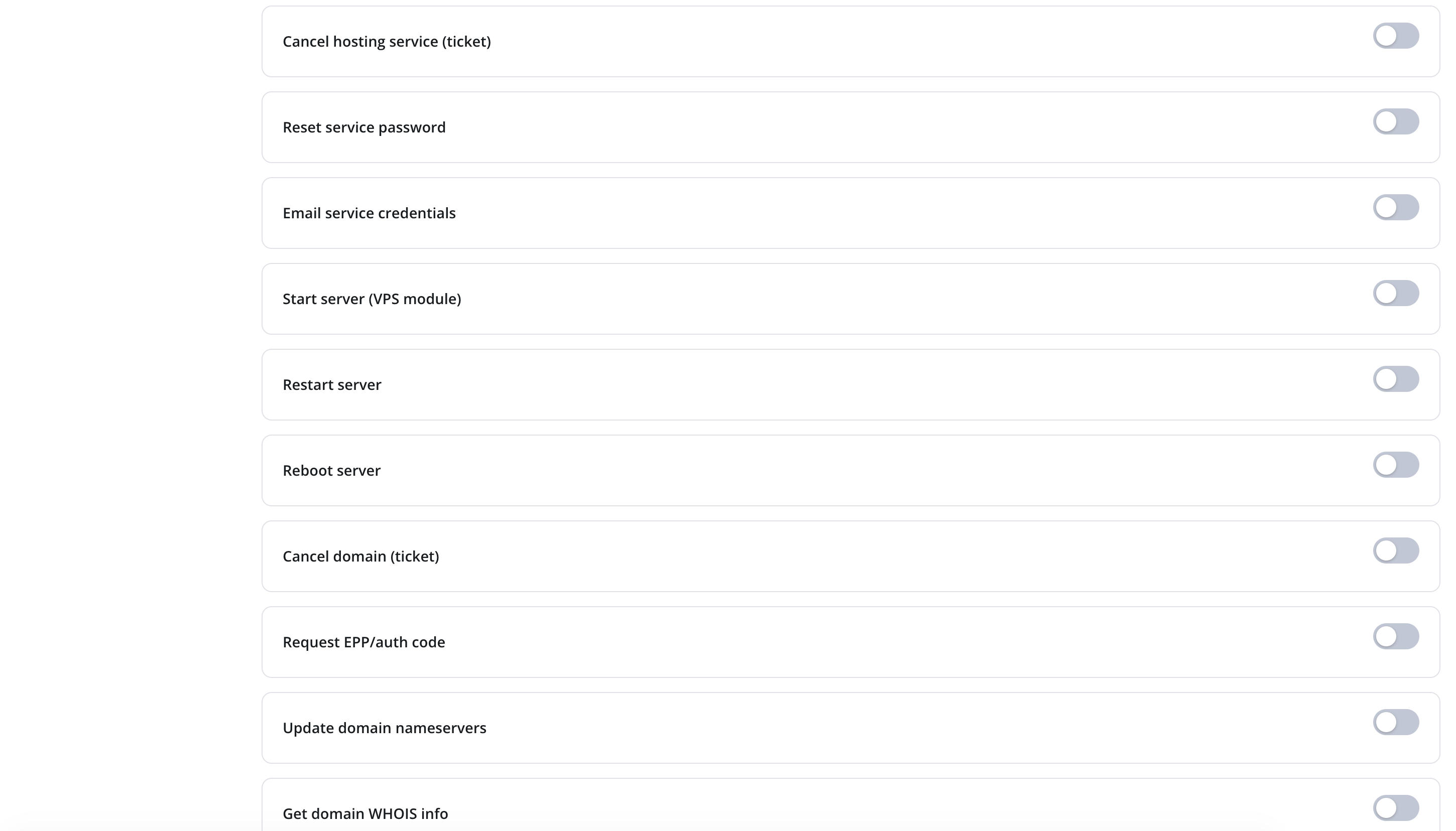

| Toggle | Default |
|---|---|
| Update profile (email, phone, address) | On |
| Change account password | On |
| Pay invoice (payment link) | On |
| Pay all unpaid invoices (mass pay link) | Off |
| Extend invoice due date | Off |
| Remove invoice late fee | Off |
| Cancel / dispute invoice | Off |
| Reply to support ticket | On |
| Open support ticket | On |
| Cancel hosting service (ticket) | Off |
| Reset service password | Off |
| Email service credentials | Off |
| Start server (VPS module) | Off |
| Restart server | Off |
| Reboot server | Off |
| Cancel domain (ticket) | Off |
| Request EPP/auth code | Off |
| Update domain nameservers | Off |
| Get domain WHOIS info | Off |
| Cancel order (ticket) | Off |
Note
Every action, once enabled, still requires the client to explicitly confirm it in the chat widget before it runs. Sensitive actions (such as changing a password, resetting a service password, or emailing credentials) additionally require the client to confirm a one-time code (OTP) sent to their account email.
Action policies
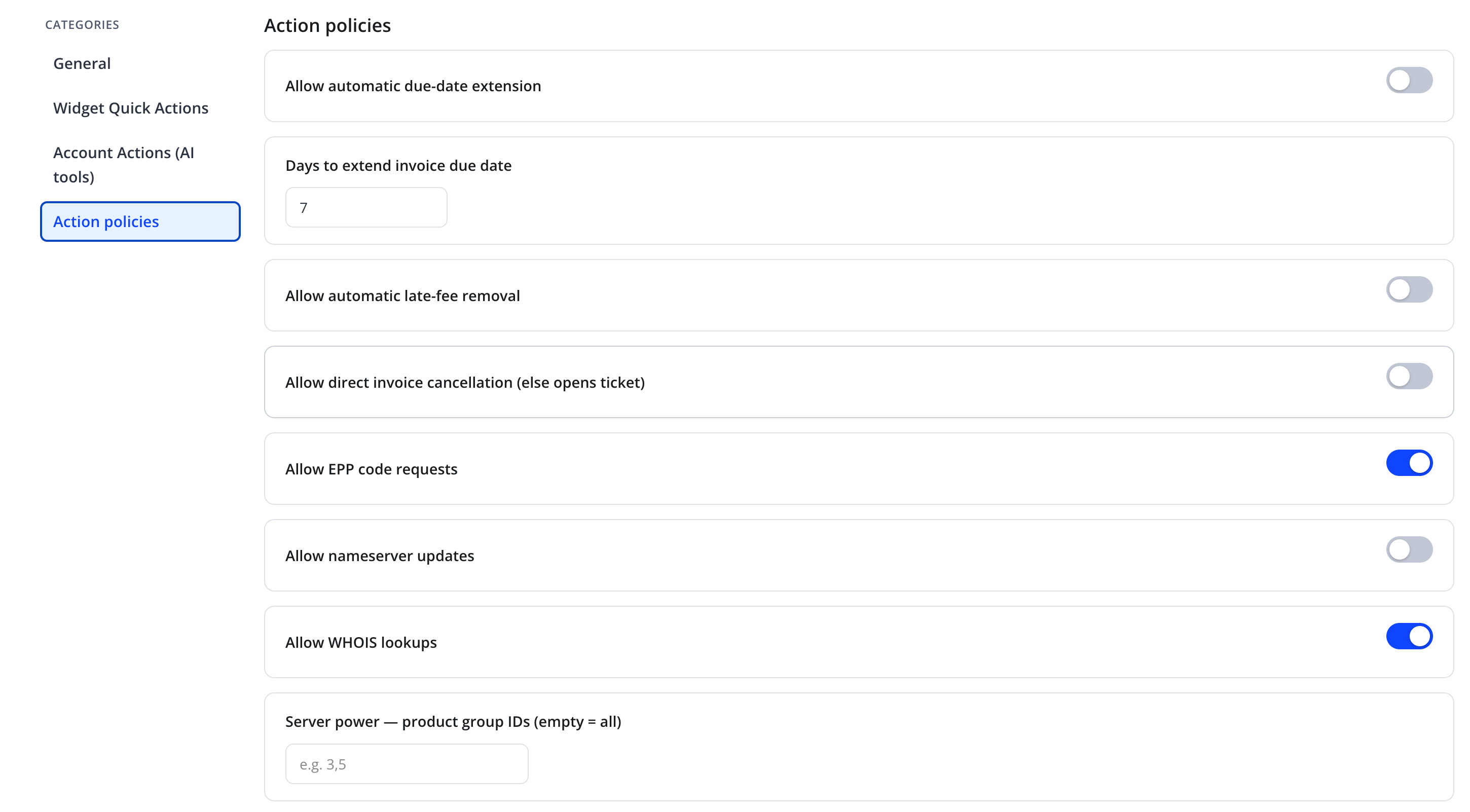
Fine-tunes the higher-risk actions enabled above.
| Friendly name | Type | Default |
|---|---|---|
| Allow automatic due-date extension | toggle | Off |
| Days to extend invoice due date | number | 7 |
| Allow automatic late-fee removal | toggle | Off |
| Allow direct invoice cancellation (else opens ticket) | toggle | Off |
| Allow EPP code requests | toggle | On |
| Allow nameserver updates | toggle | Off |
| Allow WHOIS lookups | toggle | On |
| Server power — product group IDs (empty = all) | text, comma-separated WHMCS product group IDs, e.g. 3,5 |
empty = all |
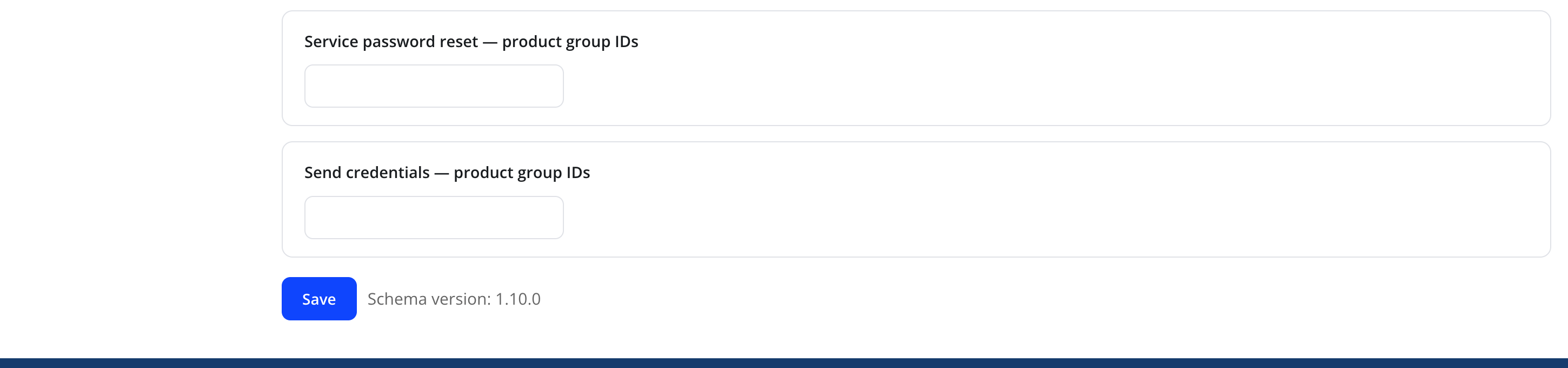
| Service password reset — product group IDs | text, comma-separated WHMCS product group IDs | empty = all |
| Send credentials — product group IDs | text, comma-separated WHMCS product group IDs | empty = all |
Warning
The three product group IDs fields restrict server power control, service password reset, and credential emailing to specific WHMCS product groups — not client groups. Leave a field empty to allow the action (once enabled above) for services in any product group.
Note
"Allow direct invoice cancellation (else opens ticket)" — when this is off, a client-requested invoice cancellation is routed to a support ticket instead of being executed directly, even if the base "Cancel / dispute invoice" action is enabled.
Action
Click Save on each category (the schema version is shown next to the button for reference).
Troubleshooting
| Problem | Fix |
|---|---|
| Widget does not appear anywhere | Confirm Enable chatbot is on |
| A quick action button is missing from the widget | Enable it in Widget Quick Actions |
| Assistant refuses to perform an action a client requests | Confirm the corresponding toggle is enabled in Account Actions (AI tools), and any product group ID restriction in Action policies includes the client's service's product group |
| Client never receives a confirmation code for a sensitive action | Check the client's contact email is valid and that outbound email delivery from WHMCS is working |