
Guide
Knowledge Sources
This page explains how to build and maintain the knowledge base the assistant searches before answering — the RAG (Retrieval-Augmented Generation) corpus. It is for administrators curating what the assistant is allowed to "know."
Navigate to Addons → AI Copilot Suite → AI Settings → Knowledge.
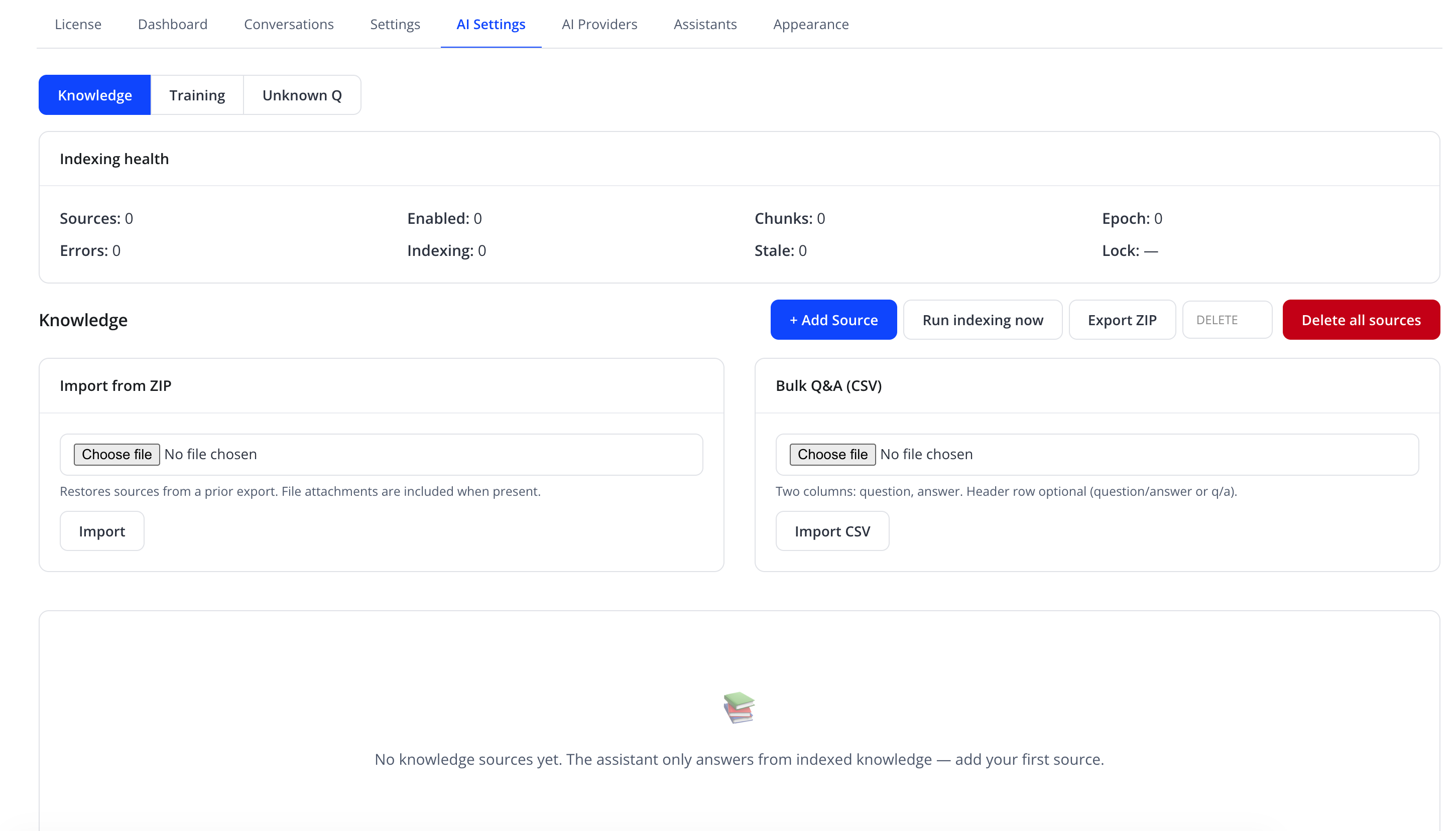
Indexing health
A summary card at the top shows:
| Metric | Meaning |
|---|---|
| Sources | Number of knowledge sources configured |
| Enabled | Number currently active for search |
| Chunks | Total searchable text chunks produced from all sources |
| Epoch | Internal indexing generation counter, useful for support diagnostics |
| Errors | Sources that failed to index |
| Indexing | Sources currently being (re)indexed |
| Stale | Sources due for re-indexing |
| Lock | Shows the active indexing lock owner, or — if none |
Source list
Once sources exist, each row shows its title, chunk count, last-indexed timestamp (or "Indexing…" / "Pending"), enabled/disabled status, and row actions (reindex, enable/disable, delete). Before any source is added, the panel shows: "No knowledge sources yet. The assistant only answers from indexed knowledge — add your first source."
Adding a source
Click + Add Source and choose a source type — Website URL, Sitemap, Manual Text, Q&A Pair, File Upload, or one of the WHMCS-data types (knowledgebase articles, products, announcements, domain pricing, etc.), then fill in the type-specific fields (title, URL, text, question/answer, or file).
Tip
Use a Sitemap source with an exclude-paths option to index an entire section of your site while skipping irrelevant pages like /cart/ or /login/.
RAG test panel
When Enable retrieval test panel is turned on (see Behavior Settings), a query test box appears here, letting you confirm the assistant will find the right content for a real client question.
Bulk import/export
| Card | Field | Purpose |
|---|---|---|
| Import from ZIP | file (Choose file) | Restores sources from a prior export; file attachments are included when present |
| Bulk Q&A (CSV) | file (Choose file) | Two columns: question, answer — header row optional (question/answer or q/a) |
Actions
| Action | Effect |
|---|---|
| + Add Source | Opens the add-source form |
| Run indexing now | Triggers indexing for all pending/stale sources |
| Export ZIP | Downloads all current sources |
| DELETE | Removes a selected source (per row, confirmation required) |
| Delete all sources | Removes every source at once |
| Import (ZIP card) | Restores sources from a previously exported ZIP |
| Import CSV | Bulk-loads Q&A pairs from a CSV file |
Caution
Delete all sources cannot be undone. Use Export ZIP first if you may need the content again.
Troubleshooting
| Problem | Fix |
|---|---|
| A source shows an error status | Reindex it; if it persists, confirm the URL is reachable or the file format is supported |
| New content isn't reflected in answers | Reindex the relevant source, or wait for the next scheduled reindex interval (see Behavior Settings) |
| RAG test box is missing | Enable Enable retrieval test panel under Behavior Settings |
Related pages
- Training — one-click WHMCS sync shortcuts and quick FAQ/file uploads
- Unknown Questions — review questions the assistant could not answer