
Guide
Adding an Assistant
This page walks through creating or editing an assistant in full detail. It is for administrators configuring a new AI persona or adjusting an existing one.
From Addons → AI Copilot Suite → Assistants, click + Add assistant (or Edit on an existing row).
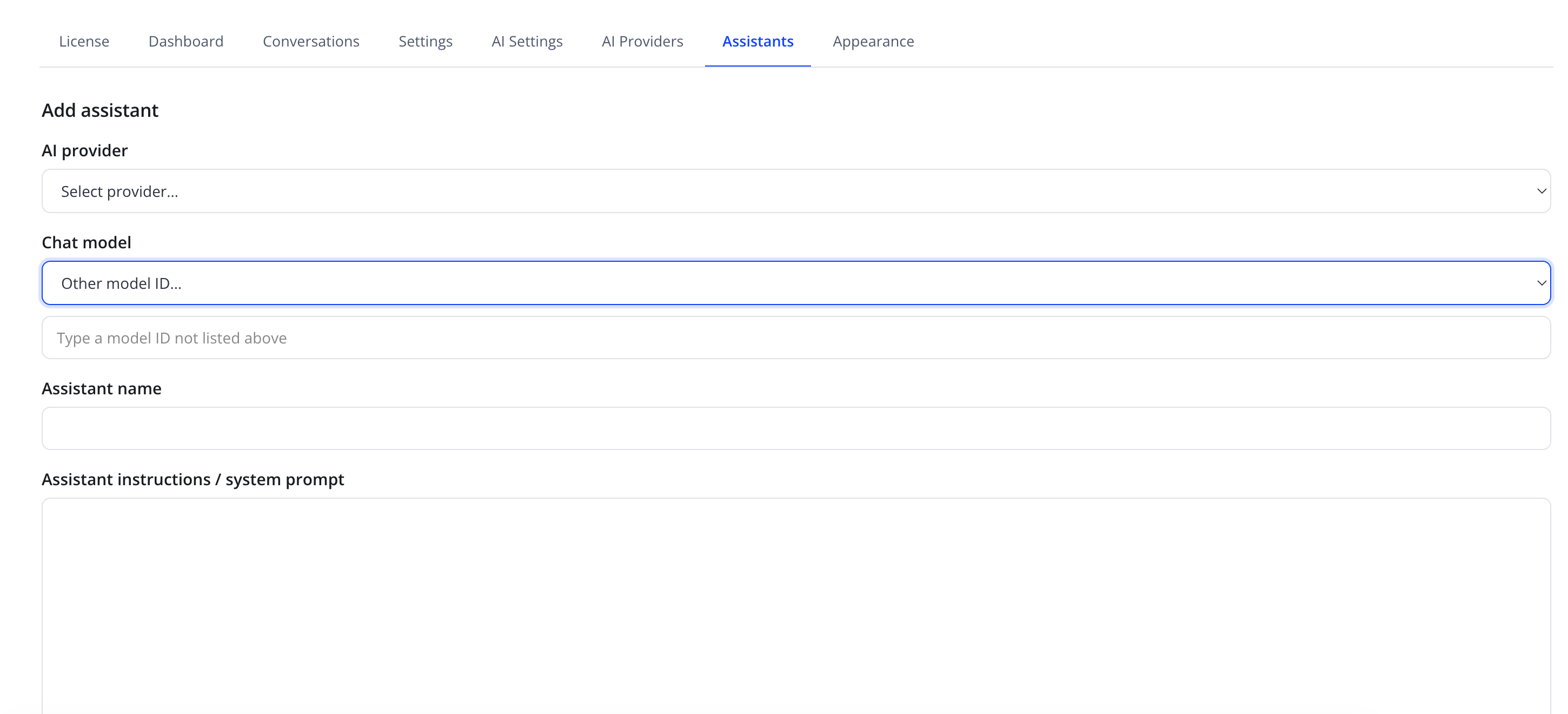
Identity and model
| Friendly name | System name | Type | Default |
|---|---|---|---|
| AI provider | provider_id |
select — "Select provider..." plus your configured providers | — |
| Chat model | chat_model |
select, populated from the provider's model catalog; default option is "Other model ID..." with a free-text field below it | — |
| Assistant name | name |
text | — |
If your provider offers a model not in the built-in catalog, choose Other model ID... and type the model ID directly in "Type a model ID not listed above".
Instructions (system prompt)
| Friendly name | System name | Type | Default |
|---|---|---|---|
| Assistant instructions / system prompt | system_prompt |
textarea | — |
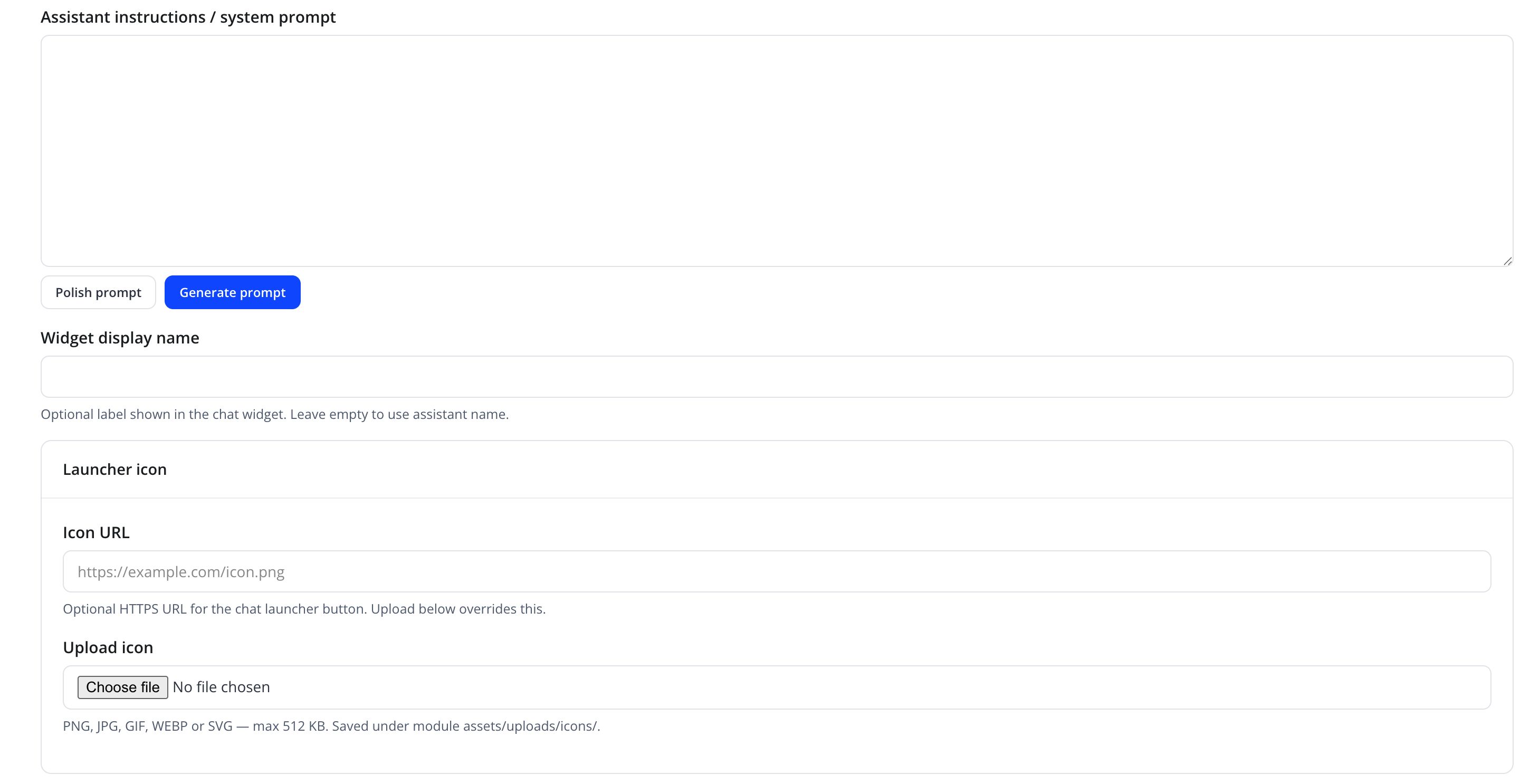
This is the core behavior definition for the assistant — its role, tone, and any special instructions. Two AI-assisted helper buttons sit below the field:
| Button | Effect |
|---|---|
| Polish prompt | Refines the current draft for clarity and consistency, keeping its meaning |
| Generate prompt | Drafts a system prompt for you |
Tip
Keep the system prompt focused on tone, role, and boundaries. Product facts and hosting details belong in the Knowledge Base, not hard-coded into the prompt — this keeps answers accurate as your catalog changes.
Widget display name and launcher icon
| Friendly name | System name | Type | Default |
|---|---|---|---|
| Widget display name | — | text | empty (uses assistant name) |
| Icon URL | — | text, placeholder https://example.com/icon.png |
— |
| Upload icon | — | file — PNG, JPG, GIF or WEBP (no SVG), max 512 KB | — |
Widget display name is optional — leave it empty to show the assistant's internal Assistant name in the chat widget header instead. Uploaded icons are saved under the module's assets/uploads/icons/ folder.
Routing
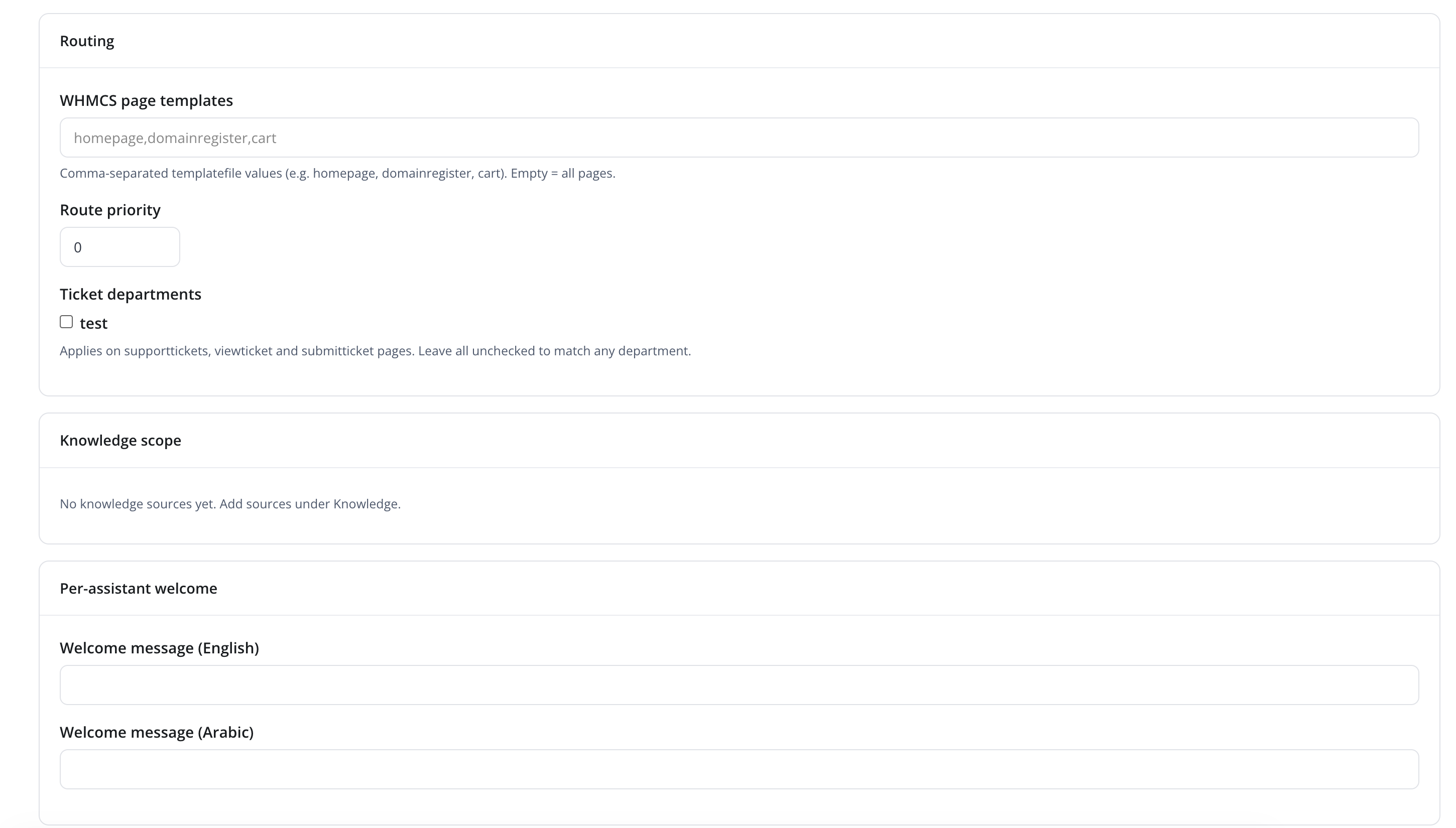
Routing rules decide which pages and ticket departments will show this assistant.
| Friendly name | System name | Type | Default |
|---|---|---|---|
| WHMCS page templates | route_pages |
text, comma-separated template names (e.g. homepage,domainregister,cart) |
empty = all pages |
| Route priority | route_priority |
number | 0 |
| Ticket departments | route_ticket_departments[] |
checkbox list of WHMCS ticket departments | none checked = all departments |
Ticket department routing applies on the supporttickets, viewticket, and submitticket pages.
Note
When more than one enabled assistant matches the current page, the one with the highest Route priority value wins. To restrict a widget-wide default, use Default widget assistant in General Settings instead.
Knowledge scope
| Friendly name | System name | Type | Default |
|---|---|---|---|
| Knowledge scope | knowledge_source_ids[] |
checkbox list of your knowledge sources | none selected = uses all sources |
If no knowledge sources exist yet, this section shows "No knowledge sources yet. Add sources under Knowledge." Restricting an assistant to specific sources is useful when running multiple assistants for different product lines or brands.
Per-assistant welcome
| Friendly name | System name | Type | Default |
|---|---|---|---|
| Welcome message (English) | welcome_en |
text | — |
| Welcome message (Arabic) | welcome_ar |
text | — |
Shown as the assistant's first message when a client opens the chat panel, in the client's active language. Each assistant can also override its display name, icon, and welcome message independently — see Appearance for the site-wide fallback values.
Status and saving

| Friendly name | System name | Type | Default |
|---|---|---|---|
| Enabled | — | toggle | On |
| Action | Effect |
|---|---|
| Save | Creates or updates the assistant |
| Cancel | Discards unsaved changes and returns to the Assistants list |
| Delete | Removes the assistant (confirmation required, edit mode only) |
Troubleshooting
| Problem | Fix |
|---|---|
| Assistant answers generically despite a detailed prompt | Check that relevant Knowledge Sources are indexed and not excluded by this assistant's Knowledge scope restriction |
| Icon does not display in the widget | Confirm the icon file uploaded successfully, or that the Icon URL is publicly reachable over HTTPS |
| Assistant does not appear on the expected page | Verify WHMCS page templates contains the correct template name and the assistant is Enabled |