
Settings
Promotions & Escalation
This page covers the Settings → Promotions tab, which controls whether and how the assistant may offer discount codes, and how the support-escalation ticket flow behaves. It is for administrators managing pricing offers and support handoff policy.
Navigate to Addons → AI Copilot Suite → Settings → Promotions. The tab heading reads Promotions & Escalation.
Promotions
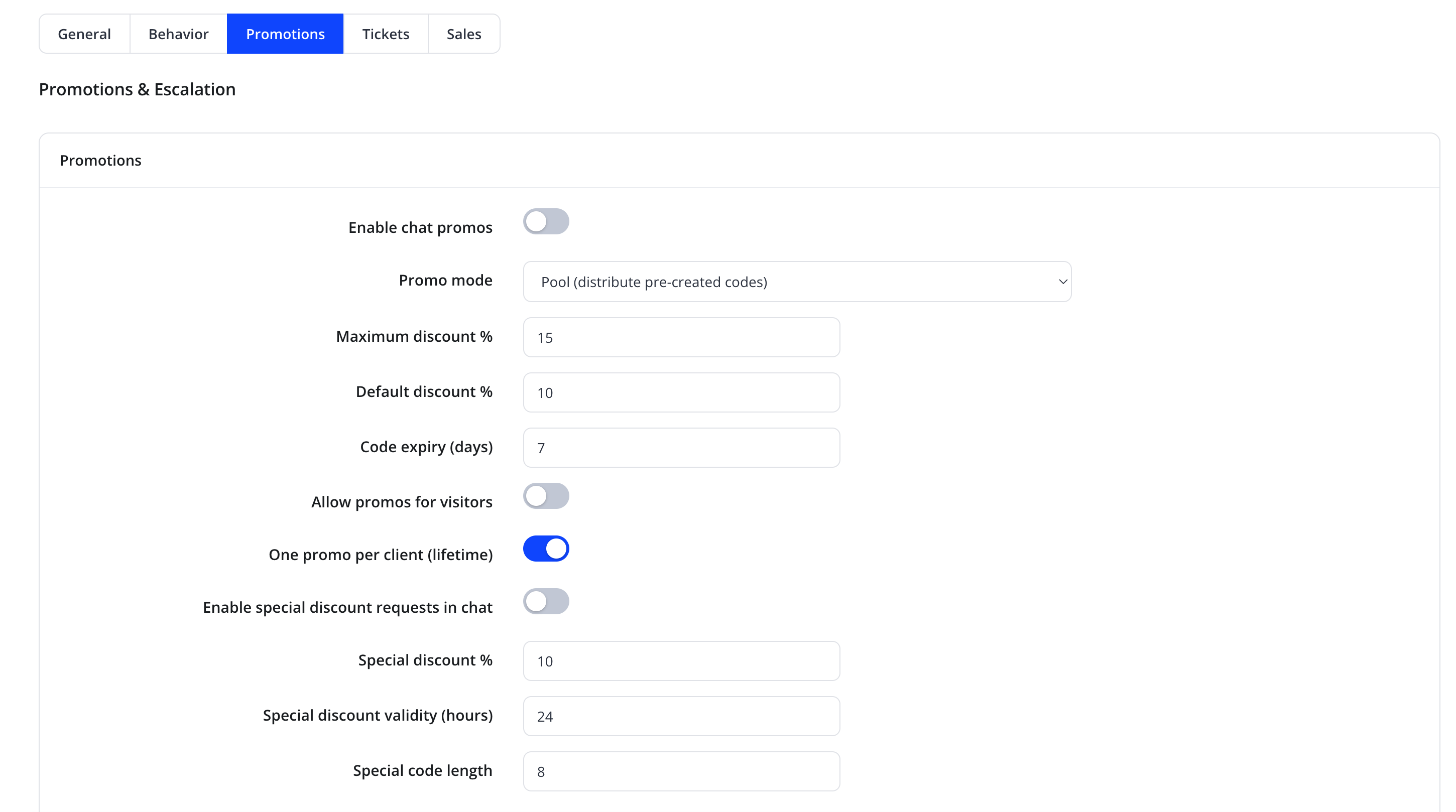
| Friendly name | Type | Default |
|---|---|---|
| Enable chat promos | toggle | Off |
| Promo mode | select — "Pool (distribute pre-created codes)" or a generated-codes mode | Pool |
| Maximum discount % | number | 15 |
| Default discount % | number | 10 |
| Code expiry (days) | number | 7 |
| Allow promos for visitors | toggle | Off |
| One promo per client (lifetime) | toggle | On |
| Enable special discount requests in chat | toggle | Off |
| Special discount % | number | 10 |
| Special discount validity (hours) | number | 24 |
| Special code length | number | 8 |
Promo modes
| Mode | Behavior |
|---|---|
| Pool | "Pool mode is the custom coupon catalog: add WHMCS promotion IDs the bot may hand out." The assistant grants codes drawn from the list you configure below |
| Generated codes | The assistant creates a new, single-use WHMCS promotion code on the fly, within the Maximum discount % / Default discount % limits |
Warning
Maximum discount % is a hard ceiling — the assistant cannot offer a discount above it even if a client negotiates. Set it conservatively for your margins.
Enable special discount requests in chat is a separate, typically more limited, one-off discount mechanism (its own percentage, validity window, and code length) that can be turned on independently of the main Promotions engine — useful for a short-lived campaign.
Ticket escalation
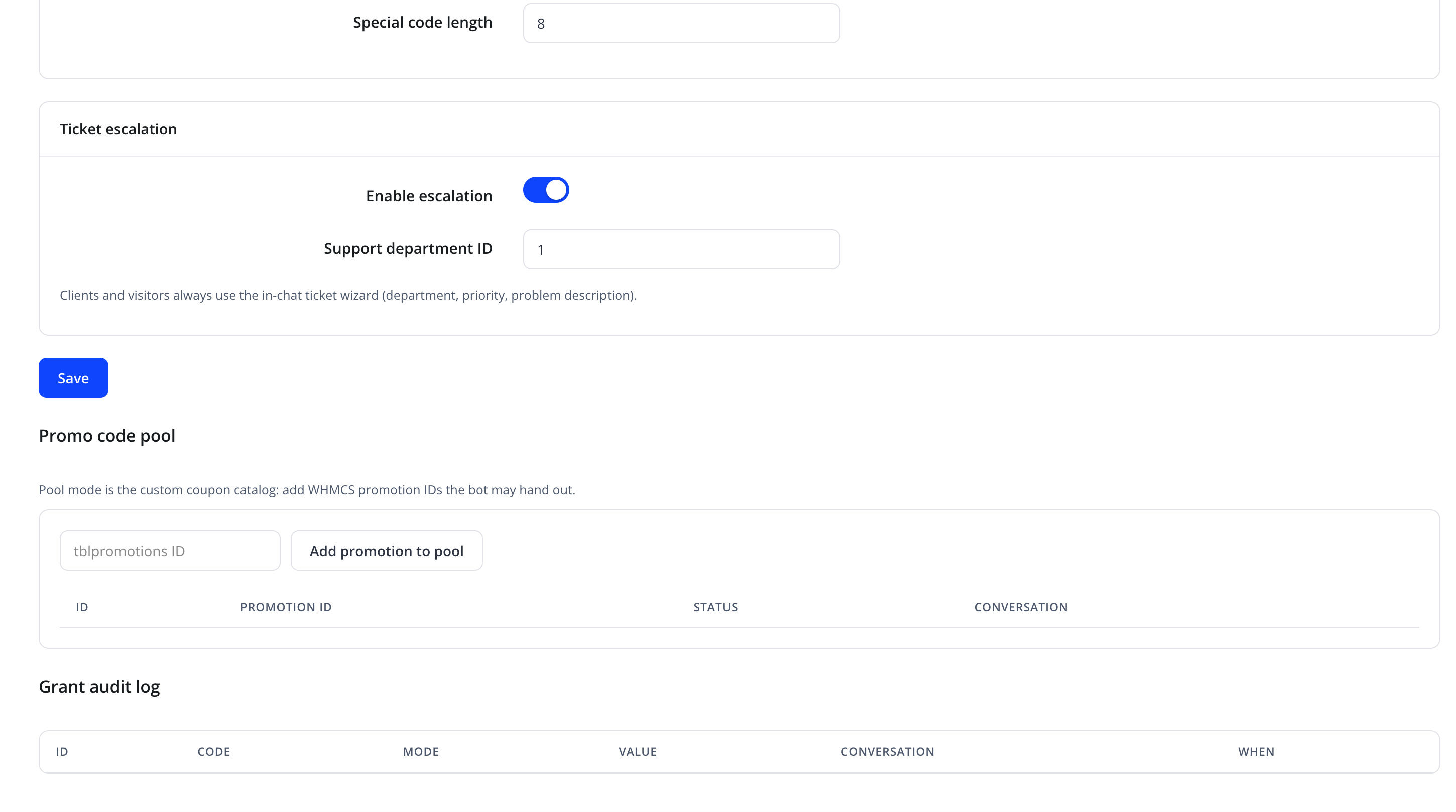
| Friendly name | Type | Default |
|---|---|---|
| Enable escalation | toggle | On |
| Support department ID | number (WHMCS ticket department ID) | 1 |
"Clients and visitors always use the in-chat ticket wizard (department, priority, problem description)." When enabled, a client can hand off the current conversation to a real support ticket filed in the specified department. See Conversations for how escalated conversations appear afterward.
Promo code pool (Pool mode)
"Pool mode is the custom coupon catalog: add WHMCS promotion IDs the bot may hand out."
| Field/Action | Purpose |
|---|---|
tblpromotions ID (text input) |
The ID of an existing WHMCS promotion record |
| Add promotion to pool | Registers that promotion so the assistant may offer it |
Pool table columns: ID, Promotion ID, Status, Conversation (which conversation received this code, if any).
Grant audit log
A read-only table records every code the assistant has actually granted, with columns ID, Code, Mode, Value, Conversation, and When.
Tip
Review the Grant audit log periodically to confirm the assistant's discounting behavior matches your pricing policy.
Action
Click Save to apply Promotions/Escalation settings.
Troubleshooting
| Problem | Fix |
|---|---|
| Assistant never offers a promo | Confirm Enable chat promos is on and, in Pool mode, that the Promo code pool has available entries |
| Assistant offers too large a discount | Lower Maximum discount % or Default discount % |
| Escalation option missing from the widget | Confirm Enable escalation is on and Support department ID points to a valid, active WHMCS department |