
Settings
Client Area Features
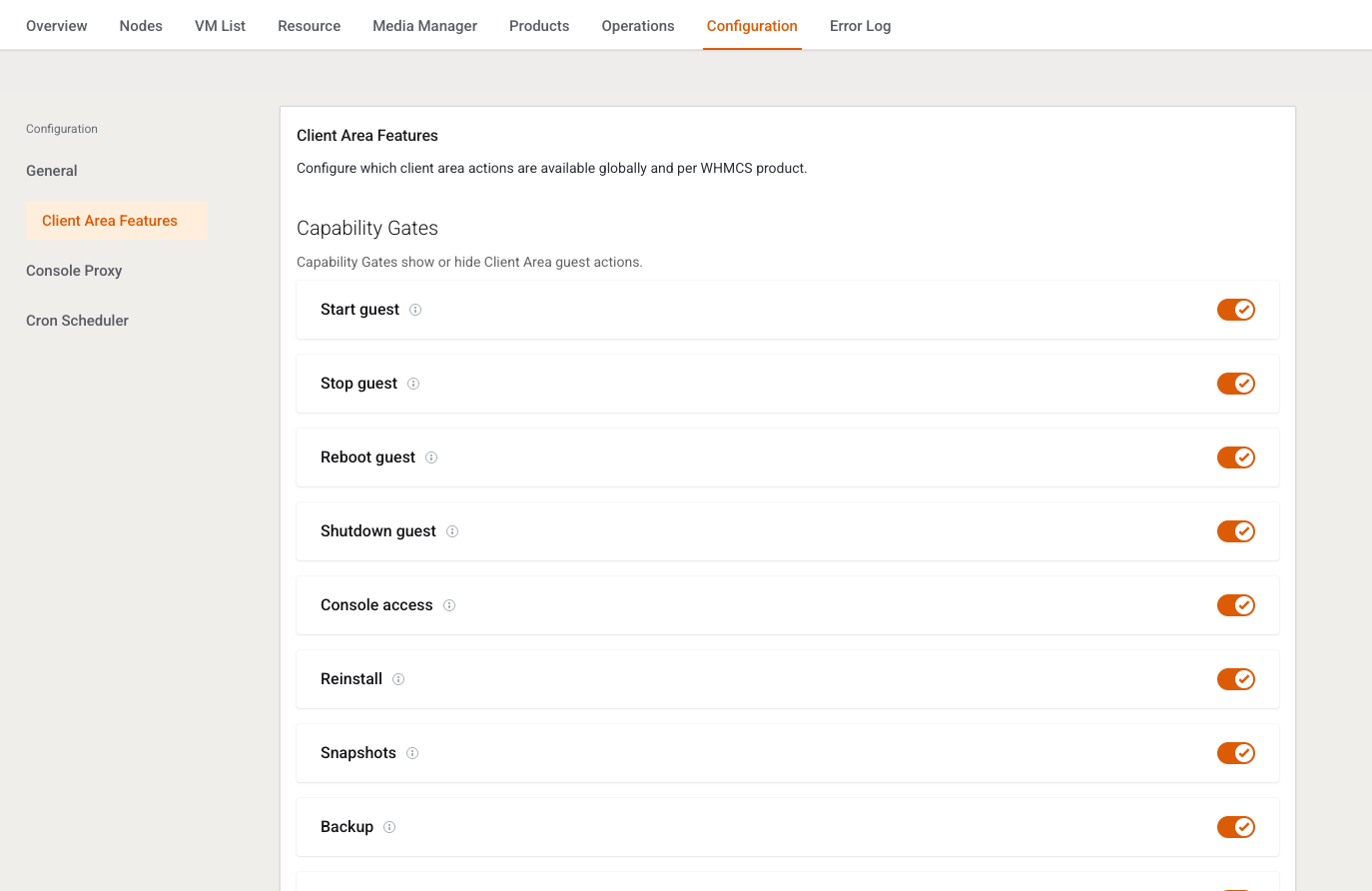
This page decides which client buttons exist. It is written for the owner setting a global ceiling and for the operator hiding one action on one product.
Menu: Addons → Proxmox Suite → Configuration → Client Area Features
Purpose
Intro: Configure which client area actions are available globally and per WHMCS product.
For a VPS service the effective gate is:
- Global switches on this page.
- A per-product override, only where that product differs.
Package switches on the VM Plan Client area features tab are saved and ignored for VPS.
Capability gates
Each row is a switch. Tip: Enable this client-area action globally (or for the selected product). Save writes the global JSON.
| Label | Default | What the client loses when off |
|---|---|---|
| Start guest | On | Start tile and start AJAX. |
| Stop guest | On | Stop tile. Power-task AJAX also uses this key. |
| Reboot guest | On | Reboot. |
| Shutdown guest | On | Shutdown. |
| Console access | On | Console, noVNC, xterm, and SPICE. SPICE also requires a KVM guest. |
| Reinstall | On | Reinstall page. |
| Snapshots | On | Snapshots and snapshot schedules. |
| Backup | Off | Backup page and backup schedules. |
| Restore backup | Off | Restore. |
| Firewall | Off | Firewall page. |
| IP sets | Off | IP set editing. |
| Network | On | Network tile and reconfigure. |
| Disks | On | Attach and detach disks. |
| Settings | On | Password and settings tile. |
| Private network | Off | Private network UI. The cloud surface that uses it is not in this build. |
| Additional disks | Off | Additional-disk UI tied to cloud packages. |
Graphs, monitoring, and the task list pages are not behind these switches.
Activation seeds start, stop, reboot, shutdown, console, reinstall, and snapshots on, and backup, restore, firewall, and IP sets off. Keys missing from older JSON pick up the defaults above when the gate is read.
Per-product overrides
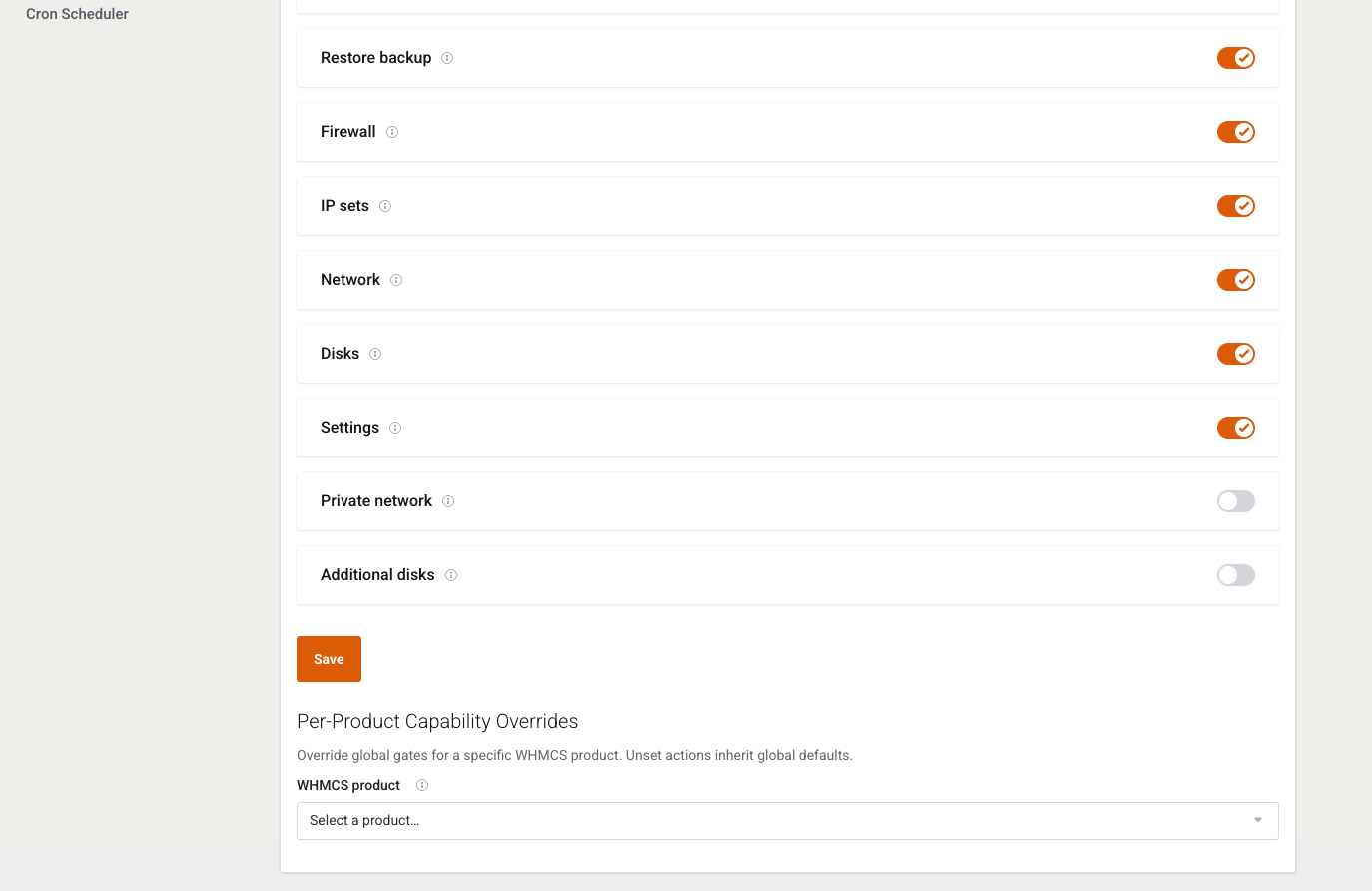
The product picker loads with product_id. Only values that differ from the global gate are stored. Clearing a product back to the global value removes that override.
Example
Backup is a paid add-on on one product only:
- Leave global Backup off. Save.
- Select that product.
- Turn Backup on for it. Save.
Other products stay without the backup page. The VM Plan switch does not change this.