
Guide
VMs List
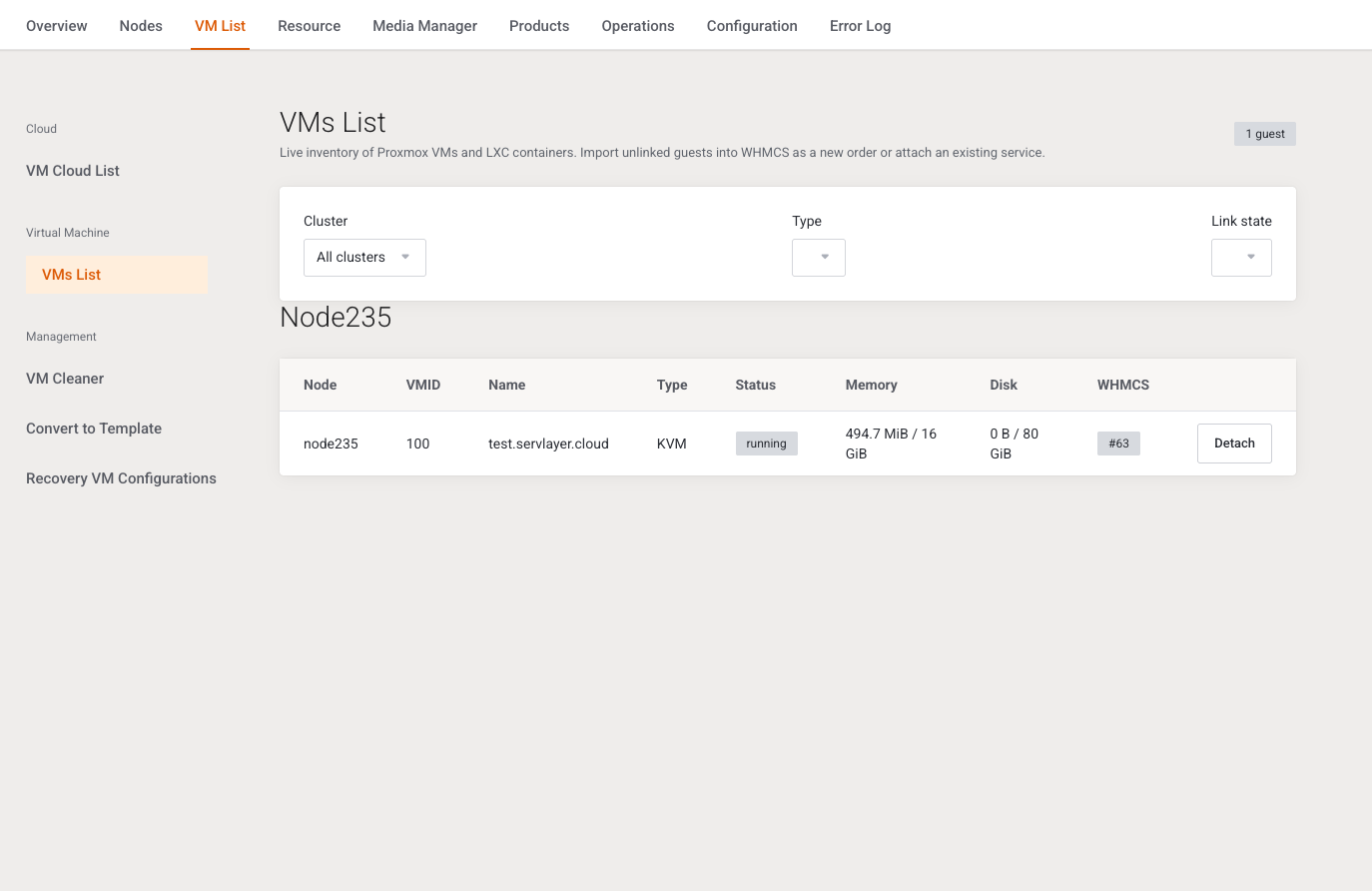
This page is the live guest inventory and the place to link a Proxmox guest to WHMCS. It is written for support and operators importing an existing VM.
Menu: Addons → Proxmox Suite → VM List → Virtual Machine → VMs List
Purpose
The list reads qemu and LXC guests on Active clusters and hides Proxmox templates. Each row is either linked to a WHMCS service or Unlinked.
Intro: Live inventory of Proxmox VMs and LXC containers. Import unlinked guests into WHMCS as a new order or attach an existing service.
VM Cloud List is not in the menu in this build.
Filters
Filters submit on change.
| Field | Options |
|---|---|
| Cluster | All clusters, or one active cluster |
| Type | All, KVM, LXC |
| Link state | All, Unlinked, Linked |
No active cluster: No active clusters configured. No match: No guests matched these filters.
Columns
Node, VMID, Name, Type (KVM or LXC), Status (running success, stopped neutral, anything else warning), Memory, Disk, WHMCS (# plus the service id, or Unlinked).
Row actions
| Action | When | What it does |
|---|---|---|
| Import | Unlinked | Opens the import panel for that cluster, node, type, VMID, and name. |
| Detach | Linked | Confirms Remove the WHMCS link for this guest? The VM will not be deleted. Deletes the mapping and releases IPs recorded for that service. The Proxmox guest stays. Flash: Detached Proxmox guest from WHMCS service #%d. |
Import panel
Heading Import guest. Cancel closes the panel and keeps the filters. Submit label: Import guest.
| Field | Type | What it does |
|---|---|---|
| Import mode | Radio | Create WHMCS order and link to client (default) or Attach existing service |
| Client | Select | Active WHMCS clients (up to 2000). Placeholder Select a client. Required for create. |
| Product | Select | Products whose server module is Proxmox Suite. Hidden products are marked (hidden). Placeholder Select a product. |
| Payment method | Text | Default mailin. Empty is forced back to mailin. |
| Skip invoice | Switch, default on | Passes noinvoice to WHMCS AddOrder. |
| Skip email | Switch, default on | Passes noemail to AddOrder. |
| Existing service ID | Number, minimum 1 | Required for attach. The service must be Pending or Active and not already linked. |
Create also accepts the order with autosetup off and the order email off. Flashes: Created WHMCS service #%d and linked Proxmox VMID %d. or Attached WHMCS service #%d to Proxmox VMID %d.
| Condition | Message |
|---|---|
| Create without client or product | Client and product are required. |
| Attach without a real service | WHMCS service not found. |
| Service already linked | Service is already linked to a Proxmox guest. |
| Guest already linked | This Proxmox guest is already linked to a WHMCS service. |
| VMID missing on that node | Guest was not found on Proxmox for the given cluster/node/VMID. |
Note
Import and attach record the link. They do not rebuild the guest. Detach does not delete the VM. Permanent delete of an unlinked guest is on VM Cleaner.
Example
An unlinked KVM on node pve1, VMID 104:
- Filter Link state = Unlinked.
- Import.
- Mode Attach existing service, service id of the Pending service.
- Import guest. The WHMCS column should show that service id.
Next step
Orphans you do not want to keep go to VM Cleaner.