
Settings
Console
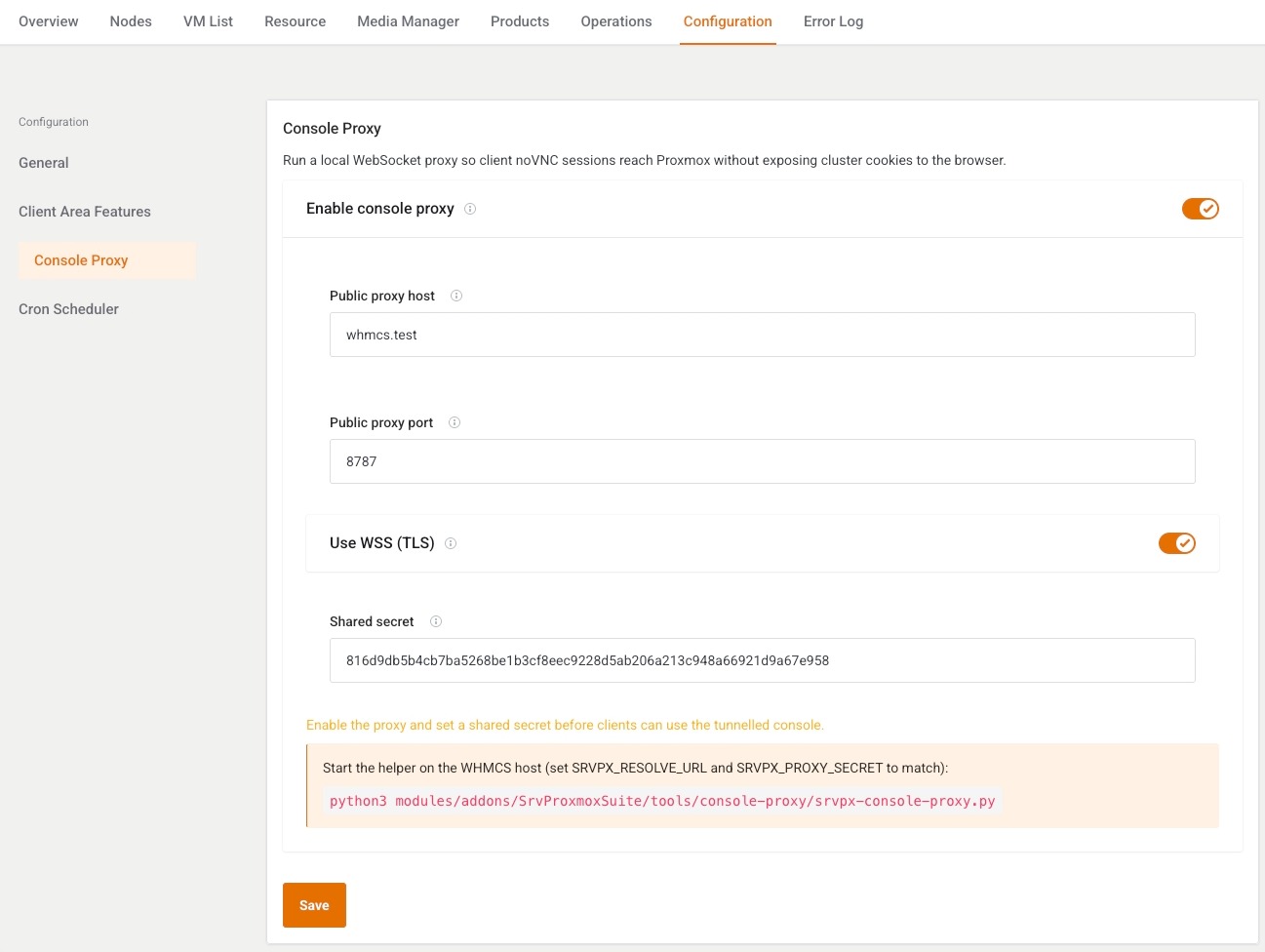
This page chooses how the browser reaches noVNC and xterm. It is written for the administrator whose WHMCS host and Proxmox host do not share a parent domain.
Menu: Addons → Proxmox Suite → Configuration → Console
Purpose
Default is direct: the browser opens Proxmox. Turn the proxy on only when that direct WebSocket cannot be used.
The cluster still needs Console username and Console password (or a token user that can mint PVEAuthCookie). The API token alone does not authenticate the browser upgrade. Tickets are short-lived. The client AJAX response does not include the raw VNC or SPICE ticket.
Fields
| Field | What it does |
|---|---|
| Enable optional console proxy | Off: noVNC and xterm go to Proxmox. On: the helper srvpx-console-proxy.py must be running. Ready means enabled and a shared secret is stored. |
| Public proxy host | Host the browser connects to. Blank uses the current WHMCS host. |
| Public proxy port | 1–65535. Default 8787. |
| Use WSS (TLS) | wss:// when on, ws:// when off. Default on. |
| Shared secret | Sent as SRVPX_PROXY_SECRET. Blank on save keeps the existing secret. If none exists, save generates 24 random bytes as hex. |
The page states when direct mode is active, and when the proxy is enabled but incomplete.
Helper, from the WHMCS root:
python3 modules/addons/SrvProxmoxSuite/tools/console-proxy/srvpx-console-proxy.py
The helper must see the same secret the form saved.
Note
Console access on Client Area Features still has to be on. This page only chooses the path, not whether the button exists.
Example
WHMCS is billing.example and Proxmox is pve.internal with no shared parent:
- Turn Enable optional console proxy on.
- Public proxy host
console.example, port8787, Use WSS on. - Save, copy the secret into the helper environment, start the helper.
- The overview System health card Console proxy should read ready with
wss://console.example:8787.