
Guide
Cloud-init Snippets
This page stores cloud-init YAML uploaded to Proxmox snippet storage. It is written for the operator who ships a guest agent or a first-boot script with a KVM package.
Menu: Addons → Proxmox Suite → Resource → Templates Center → Cloud-init Snippets
Purpose
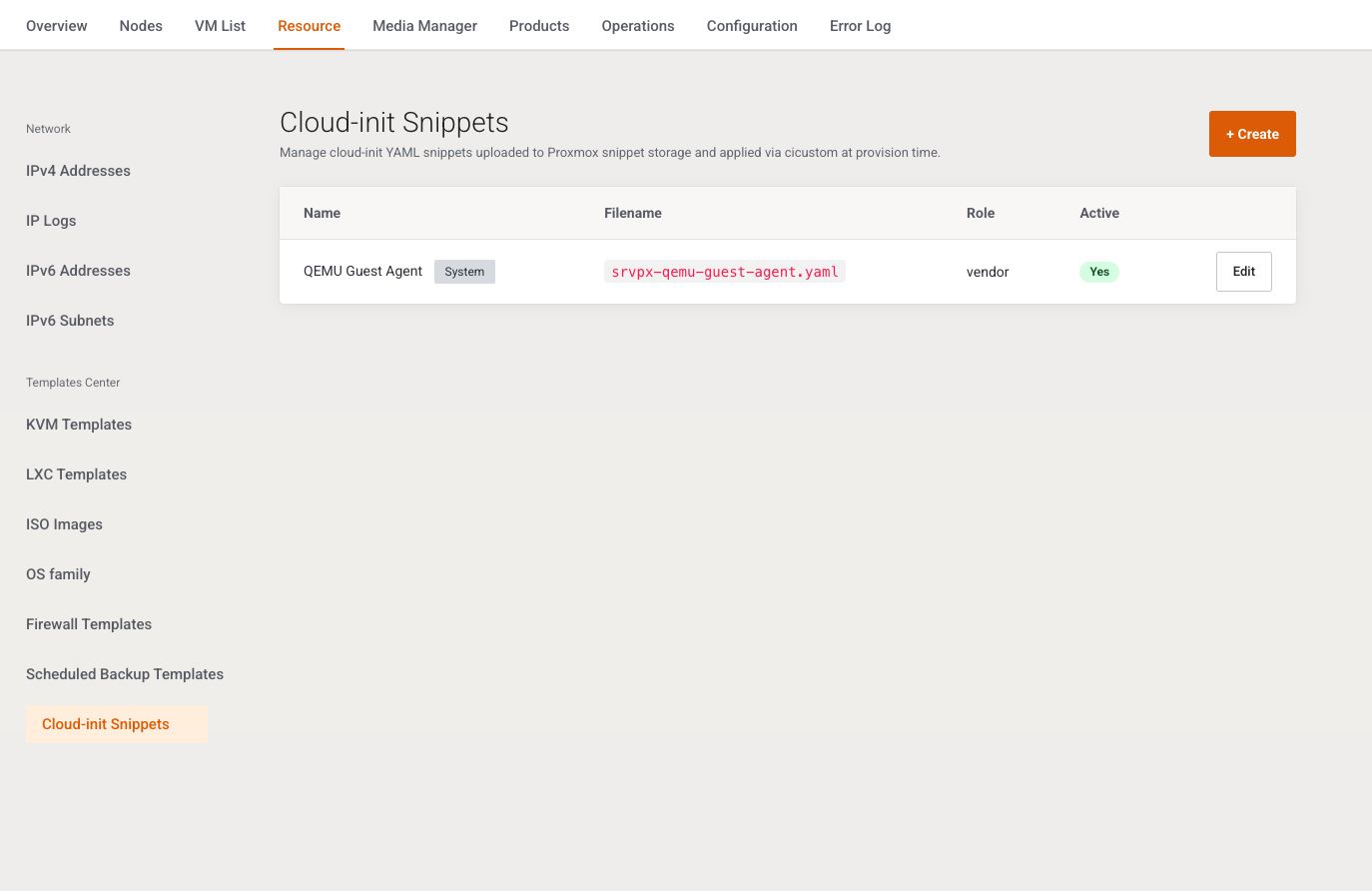
Intro: Manage cloud-init YAML snippets uploaded to Proxmox snippet storage and applied via cicustom at provision time.
Activation seeds the built-in snippets from the addon resources/ directory, including the QEMU guest agent snippet. A package Cloud-init snippet field (Advanced, KVM System tab) points here. KVM templates can also carry their own Cloud-init script.
List
+ Create. Columns: Name (plus a System badge on built-ins), Filename, Role (vendor, user, or meta), Active (Yes / No), Edit. Empty: No snippets yet. Create one or keep the built-in QEMU Guest Agent snippet.
There is no list delete, bulk action, or row switch. The server can refuse System snippets cannot be deleted., and this screen does not offer delete.
Add / Edit
Intro: Edit YAML uploaded to Proxmox snippet storage and linked via cicustom.
| Field | Type | What it does |
|---|---|---|
| Name | Text, required | Label in package lists. Empty: Name is required. |
| Filename | Text, required, placeholder my-snippet.yaml |
Basename only. Must match letters, digits, ., _, -, and end in .yaml or .yml. Otherwise: Filename must end with .yaml or .yml and use safe characters. Read-only on a system snippet. Uniqueness is not checked on save. |
| Role | Select | vendor, user, or meta. Maps to Proxmox cicustom keys. New rows default to vendor. Disabled on a system snippet; the existing role is posted hidden. Unknown values become vendor. |
| Snippet content | Text area, required | Full #cloud-config YAML, uploaded when the package is provisioned. Empty: Snippet content is required. |
| Active | Switch, default on | Inactive snippets stay in the catalog and are not offered on new packages. |
Cancel / Save. A system snippet stays marked system after save.
Example
+ Create, name ops-user, filename ops-user.yaml, role user, content a #cloud-config users block, Active on, Save. On the KVM package, Advanced mode, System tab, set Cloud-init snippet to ops-user.
Next step
Select the snippet on VM Plan.