
Guide
LXC Templates
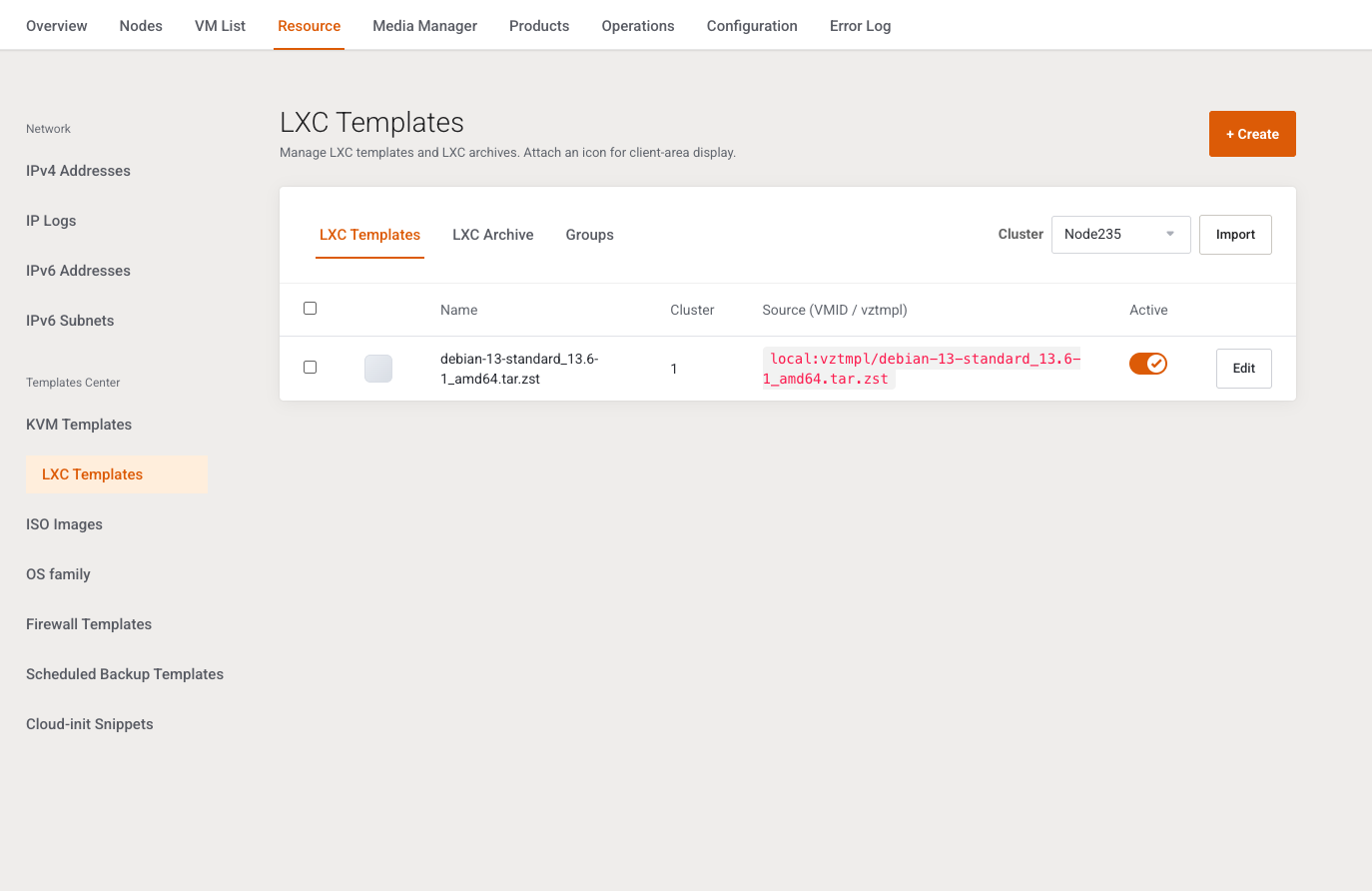
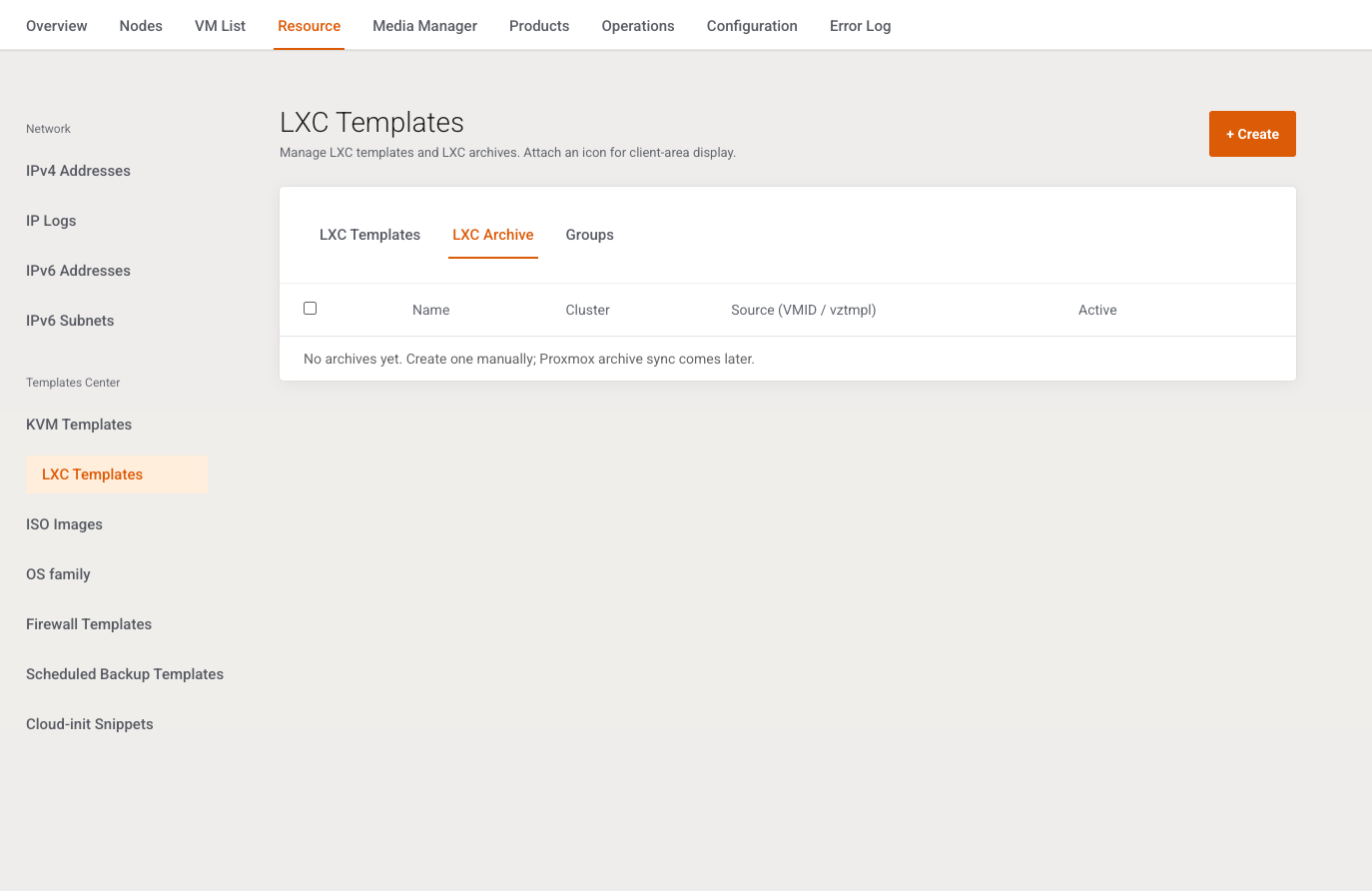
This page registers LXC templates and archives. It is written for the operator selling containers. List, import, archive, and groups match KVM Templates except for the fields below.
Menu: Addons → Proxmox Suite → Resource → Templates Center → LXC Templates
Purpose
Intro: Manage LXC templates and LXC archives. Attach an icon for client-area display.
Tabs: LXC Templates, LXC Archive, Groups.
Empty templates tab: No LXC templates registered yet. Use Import or Create.
Add / Edit
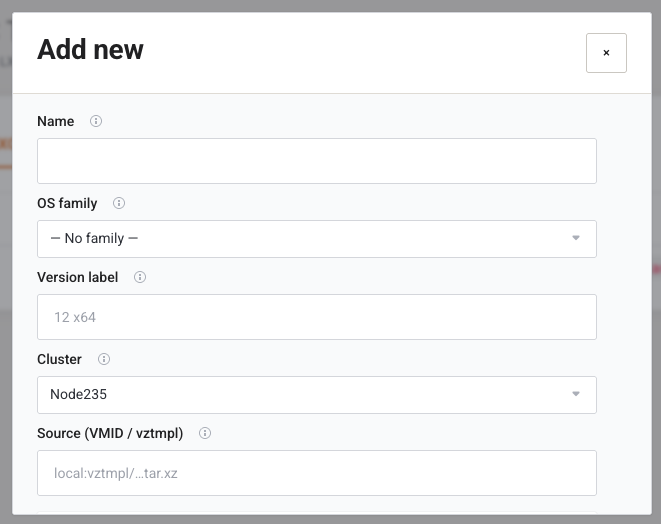
| Field | Type | What it does |
|---|---|---|
| Name | Text, required | Display name. |
| OS family | Select | Same family list as KVM. |
| Version label | Text | Version under the family card. |
| Cluster | Select, required | Active clusters. |
| Source (VMID / vztmpl) | Text, placeholder local:vztmpl/…tar.xz |
LXC volume id, for example local:vztmpl/ubuntu-24.04-standard.tar.xz. Stored as the path. There is no separate VMID field. |
| Active | Switch, default on | Hides the row from selection lists when off. |
There is no Cloud-init script field on LXC. Save still requires a cluster, a name, and a source path.
Groups
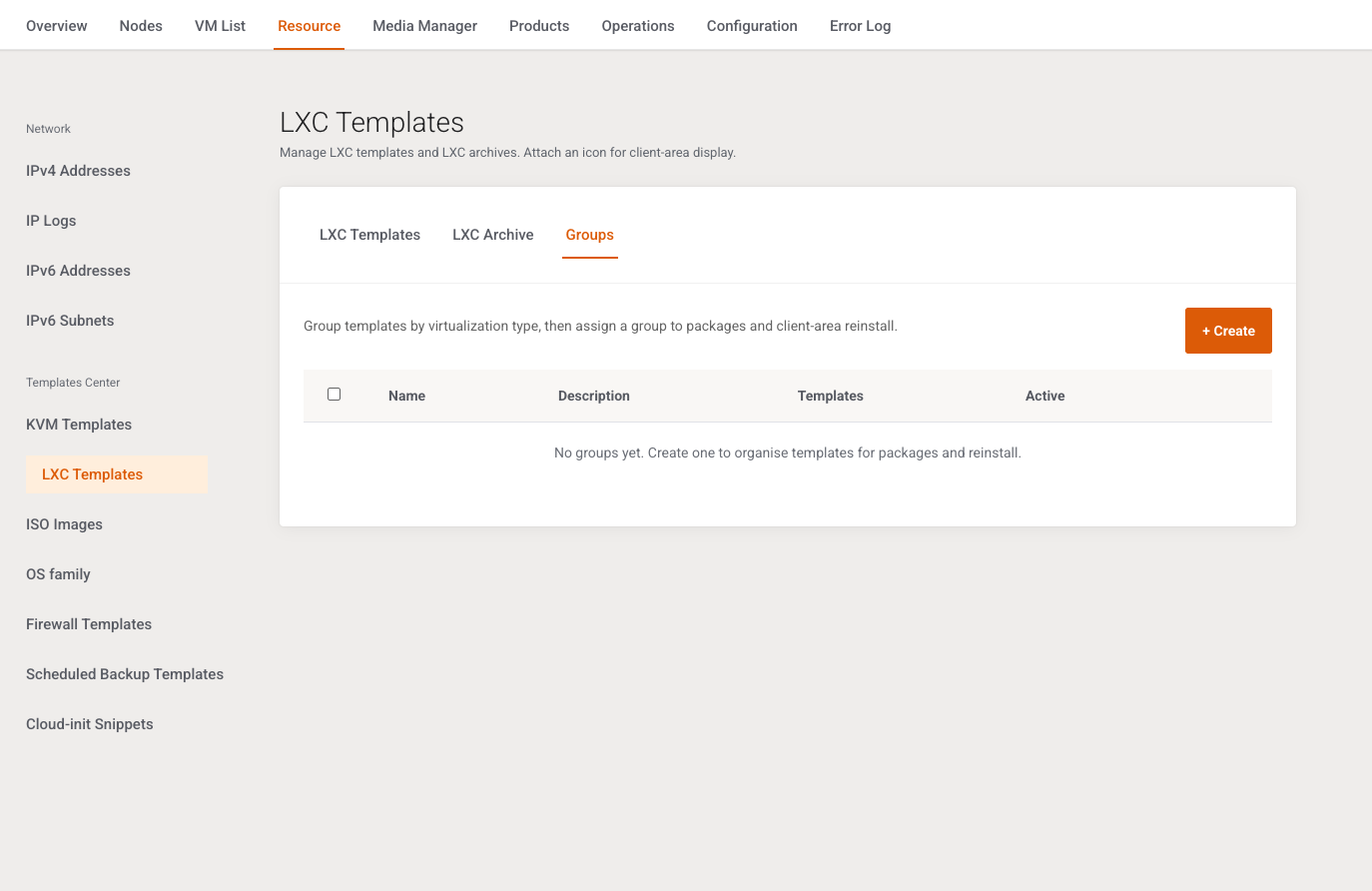
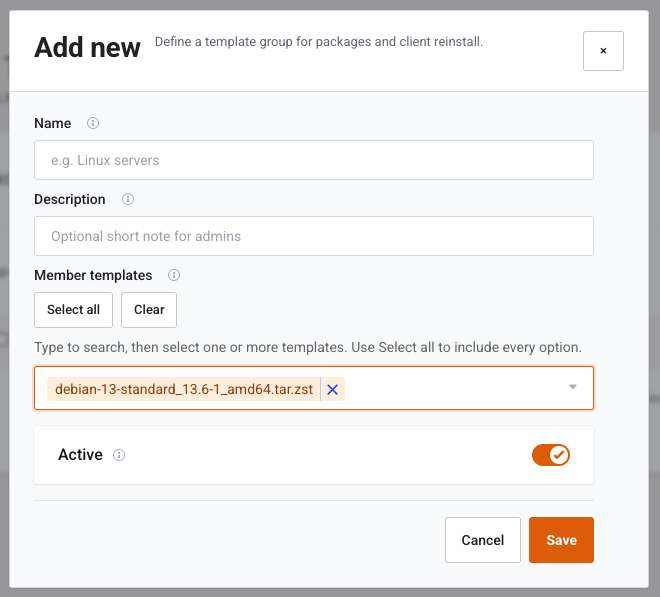
Members are LXC templates only (media_kind template). The fields are Name, Description, Member templates, and Active, same rules as KVM groups.
Example
+ Create, name Ubuntu 24.04, source local:vztmpl/ubuntu-24.04-standard.tar.zst, OS family Ubuntu, Version label 24.04, Save. Select the template on an LXC policy and an LXC VM Plan.
Next step
ISO Images when KVM plans boot from CD instead of a template.