
Guide
Scheduled Backup Templates
This page stores vzdump schedules applied when a package creates a guest. It is written for the operator defining daily or weekly backups.
Menu: Addons → Proxmox Suite → Resource → Templates Center → Scheduled Backup Templates
Purpose
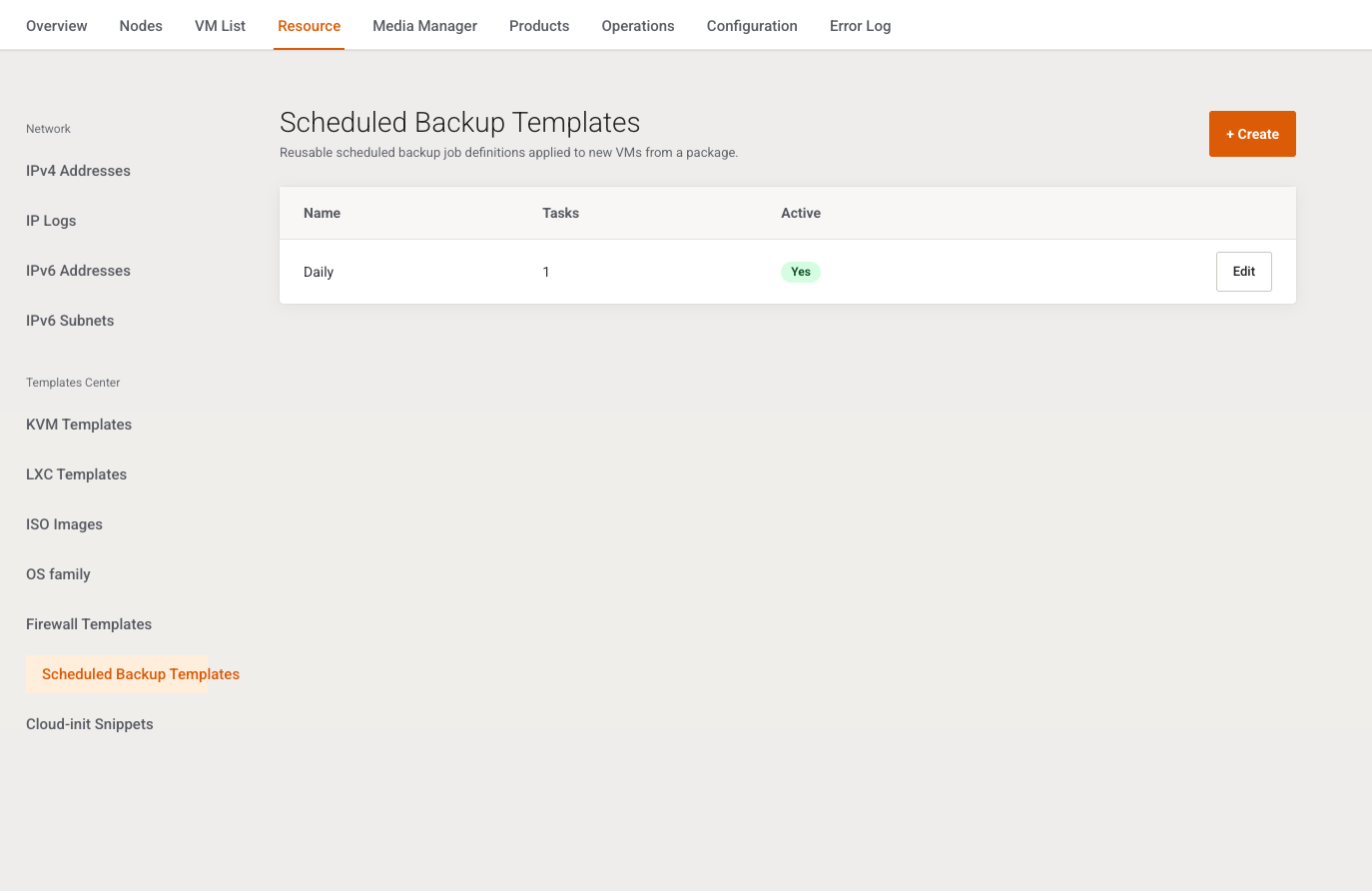
Intro: Reusable scheduled backup job definitions applied to new VMs from a package.
The VM Plan Limits tab has Scheduled backup template. Cron task Schedules & alerts runs the resulting guest schedules.
List
+ Create. Columns: Name, Tasks (count), Active (Yes / No), Edit. Empty: No backup templates yet.
Add / Edit
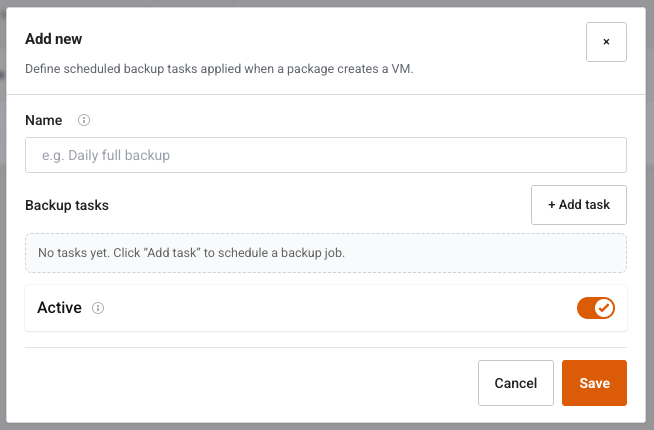
Intro: Define scheduled backup tasks applied when a package creates a VM.
| Field | Type | What it does |
|---|---|---|
| Name | Text, required, placeholder e.g. Daily full backup |
Label on the package. Empty: Name is required. |
| Backup tasks | Repeating rows | Each saved task becomes a Proxmox vzdump schedule on the guest. |
| + Add task | Button | The empty hint says to add at least one task. Save still accepts zero tasks. |
| Active | Switch, default on | Inactive templates are hidden from package lists. |
Each task:
| Field | What it does |
|---|---|
| Start time | Text, placeholder 07:05. Kept only when it is HH:MM. Other text is skipped, not rejected. |
| Compression | zstd, lzo, gzip, or none. |
| Mode | snapshot, suspend, or stop. |
| Email notify | Always, On failure, or Never. |
| Days | Switches Mon through Sun. Sunday is 0, Monday is 1, through Saturday 6. |
| Recipients | Text, placeholder {clientEmail}, [email protected]. |
| Delete | Removes that task row in the browser. |
Edit can Delete the whole template after Delete this record?
Example
Name nightly, one task at 02:30, compression zstd, mode snapshot, notify On failure, days Mon–Sun, recipient {clientEmail}. Save and select it on the package Limits tab. Schedules & alerts must be in crontab or the job never starts.