
Guide
KVM Templates
This page registers KVM templates and KVM archives. It is written for the operator who fills the OS list used by VM Plans and client reinstall.
Menu: Addons → Proxmox Suite → Resource → Templates Center → KVM Templates
Purpose
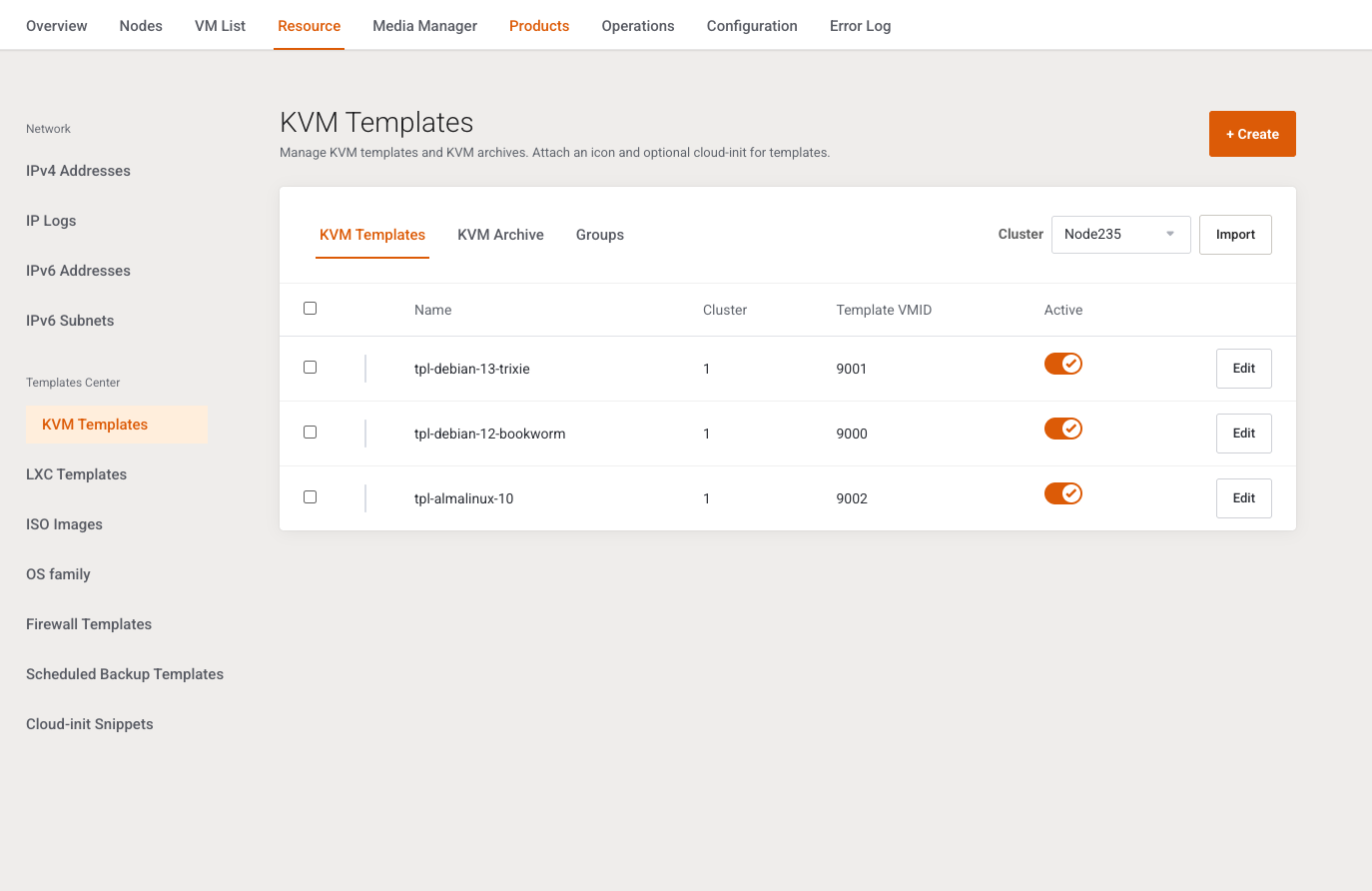
Intro: Manage KVM templates and KVM archives. Attach an icon and optional cloud-init for templates.
Tabs: KVM Templates, KVM Archive, Groups. + Create is hidden on Groups (that tab has its own + Create).
Inactive templates stay in the database and drop out of package and policy dropdowns.
Templates tab
| Control | What it does |
|---|---|
| Cluster + Import | Active clusters only. Disabled, with Add an active cluster first., when none exist. |
| + Create | Manual row. |
| Active switch on a row | Saves immediately. |
| Edit | Opens the modal. |
Import scans online nodes for QEMU and LXC guests marked as templates, and for vztmpl volumes, even when you start from this KVM page. Success: Imported %d templates (%d already registered).
Columns: selection, family icon, Name, Cluster (numeric cluster id), Template VMID, Active, Edit. Empty: No VM templates registered yet. Use Import or Create.
Checked rows: Enable, Disable, Archive (confirms Move the selected templates to Archive?), Delete (confirms Delete the selected items?). Nothing checked: Select at least one row first.
Archive tab
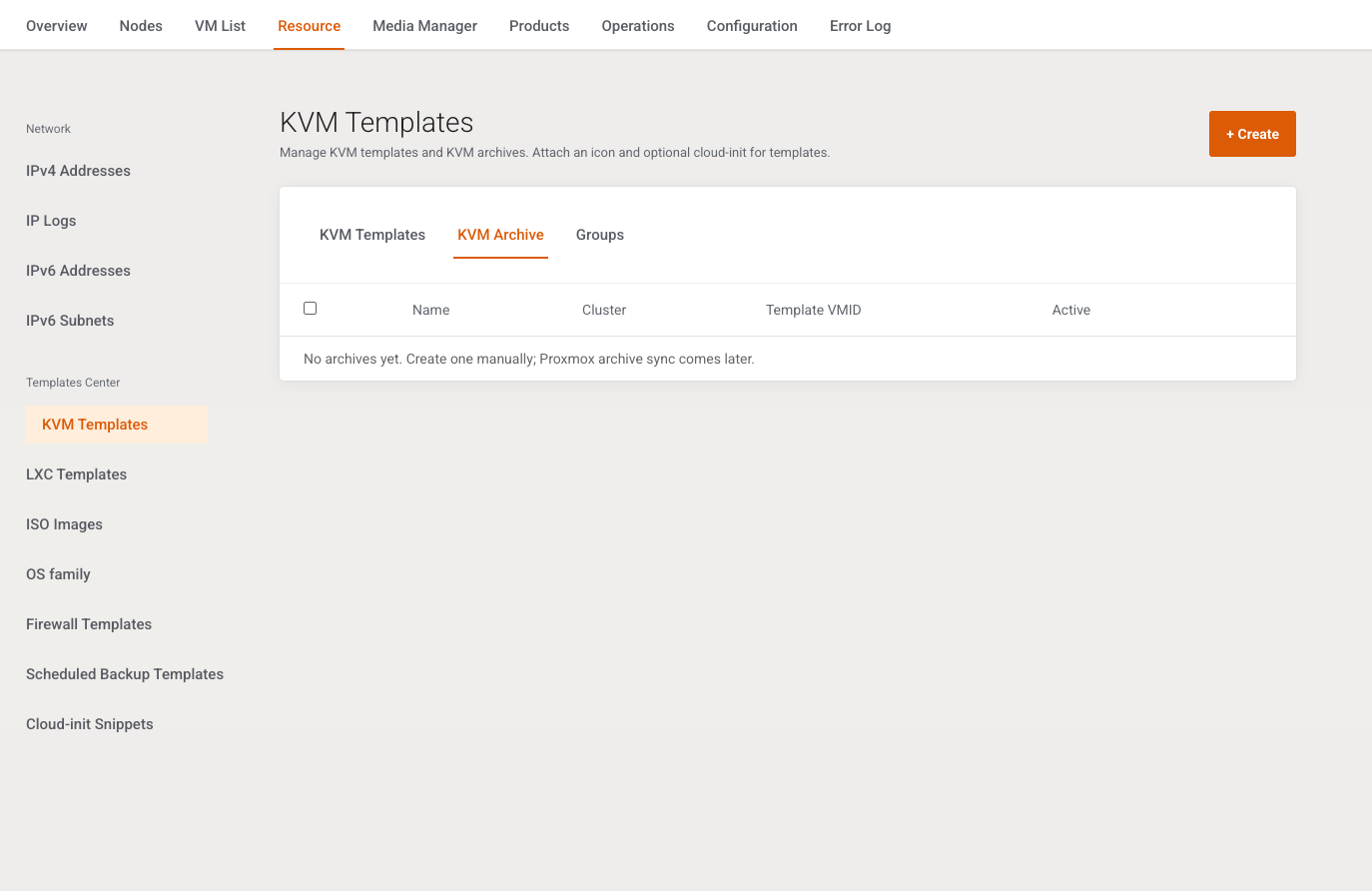
Import on this tab returns: Archive import from Proxmox is not available yet. Create archives manually. Archive in the mass menu is refused: Archive is only available on the Templates tab. Empty: No archives yet. Create one manually; Proxmox archive sync comes later.
Add / Edit
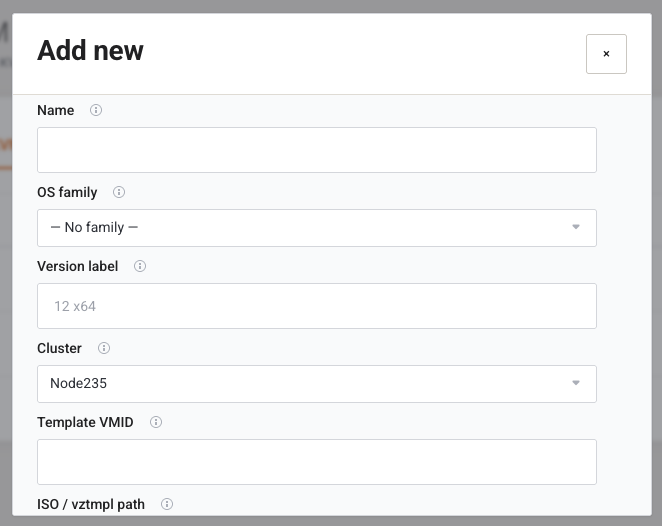
Cancel / Save. Success: Changes saved successfully.
| Field | Type | What it does |
|---|---|---|
| Name | Text, required | Display name. |
| OS family | Select | Active families, or — No family —. Invalid or inactive: OS family not found. Link Manage OS families when the list is empty. |
| Version label | Text, placeholder 12 x64 |
Shown under the family card. Empty uses the template name. |
| Cluster | Select, required | Active clusters. |
| Template VMID | Number | Proxmox template VMID. |
| ISO / vztmpl path | Text | Storage path or volid when there is no VMID. |
| Cloud-init script | Text area | Optional #cloud-config applied when this template is used to provision or reinstall. |
| Active | Switch, default on | Hides the row from selection lists when off. |
Save needs a cluster, a name, and either a VMID or a path. Cluster and name are required. / Template VMID or storage path is required.
Groups
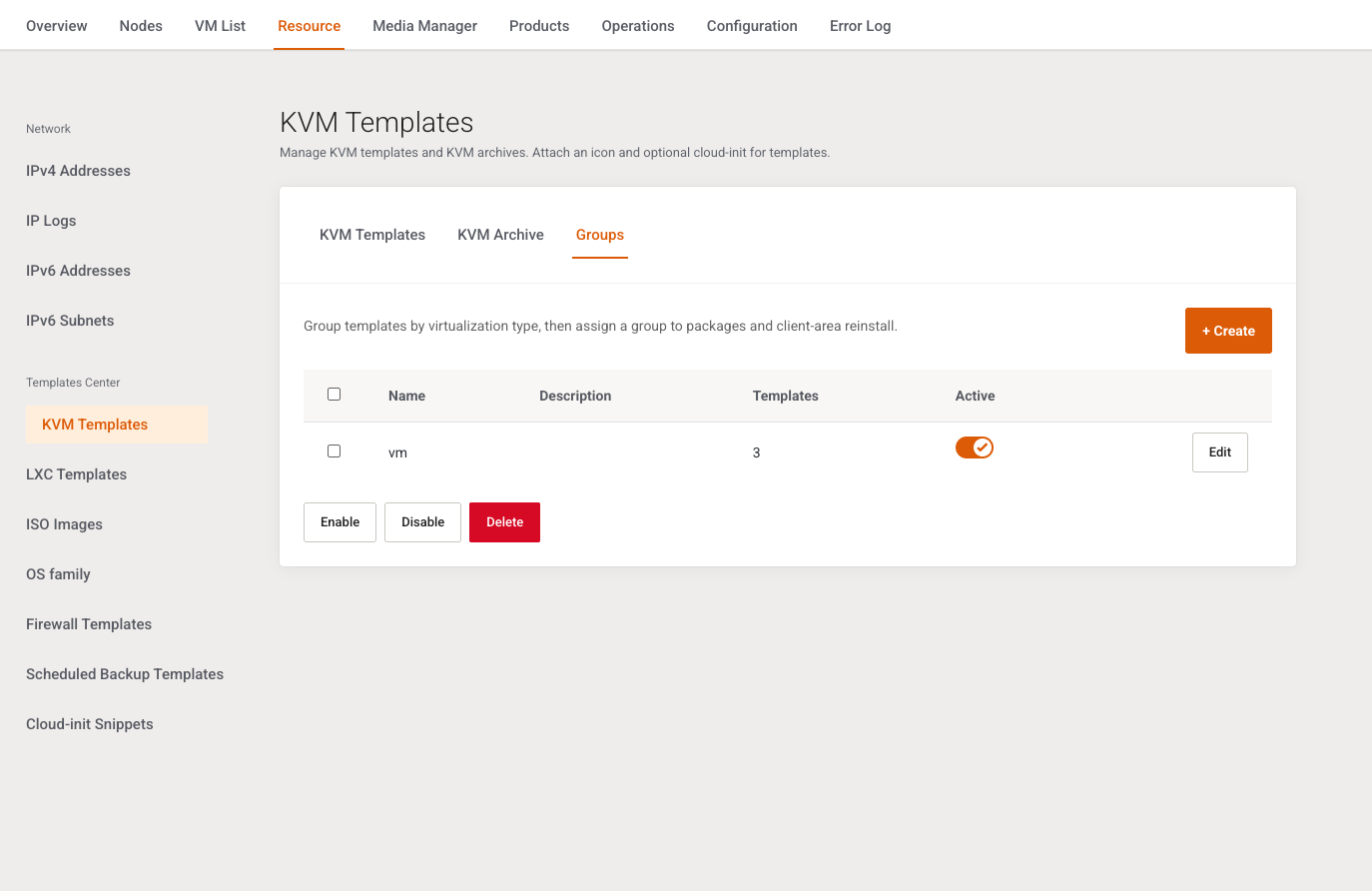
Intro: Group templates by virtualization type, then assign a group to packages and client-area reinstall.
Columns: Name, Description, Templates (member count), Active, Edit. Empty: No groups yet. Create one to organise templates for packages and reinstall.
Bulk Enable, Disable, Delete (confirms Delete the selected items?).
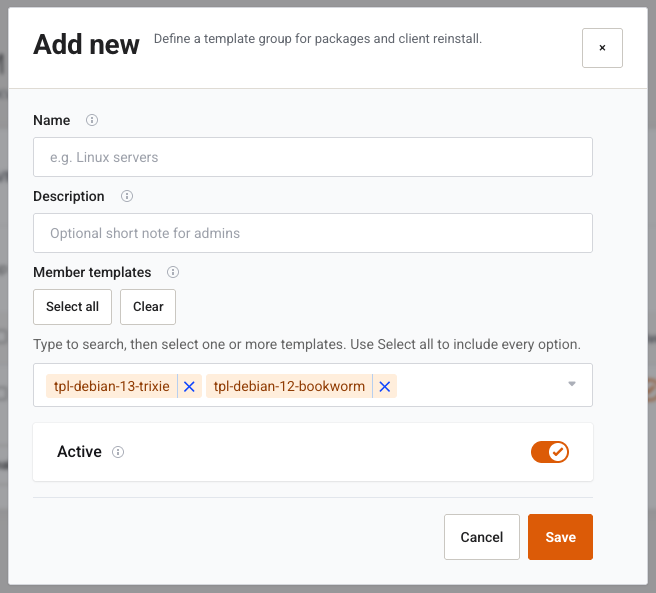
| Field | Type | What it does |
|---|---|---|
| Name | Text, required, placeholder e.g. Linux servers |
Used when a package or reinstall menu points at the group. Empty: Group name is required. |
| Description | Text | Admin note. |
| Member templates | Multi-select | KVM templates only. Archives are excluded. Inactive members are labelled (inactive). |
| Active | Switch | Same hide-from-lists behaviour. |
Select all and Clear sit above the member list. Edit can Delete the group after Delete this record? Missing group: Group not found.
Example
Import the cluster, open Edit on Debian 12, set OS family and Version label 12 x64, leave Active on, Save. Put it in a group named Linux and select that group on the VM Plan App templates tab.
Next step
LXC Templates for containers, or OS family if the family list was empty.