
Guide
VM Plan
This page is the hardware package editor. It is written for the operator defining what a WHMCS product provisions on Proxmox.
Menu: Addons → Proxmox Suite → Products → VM Plan → VM Plan
Purpose
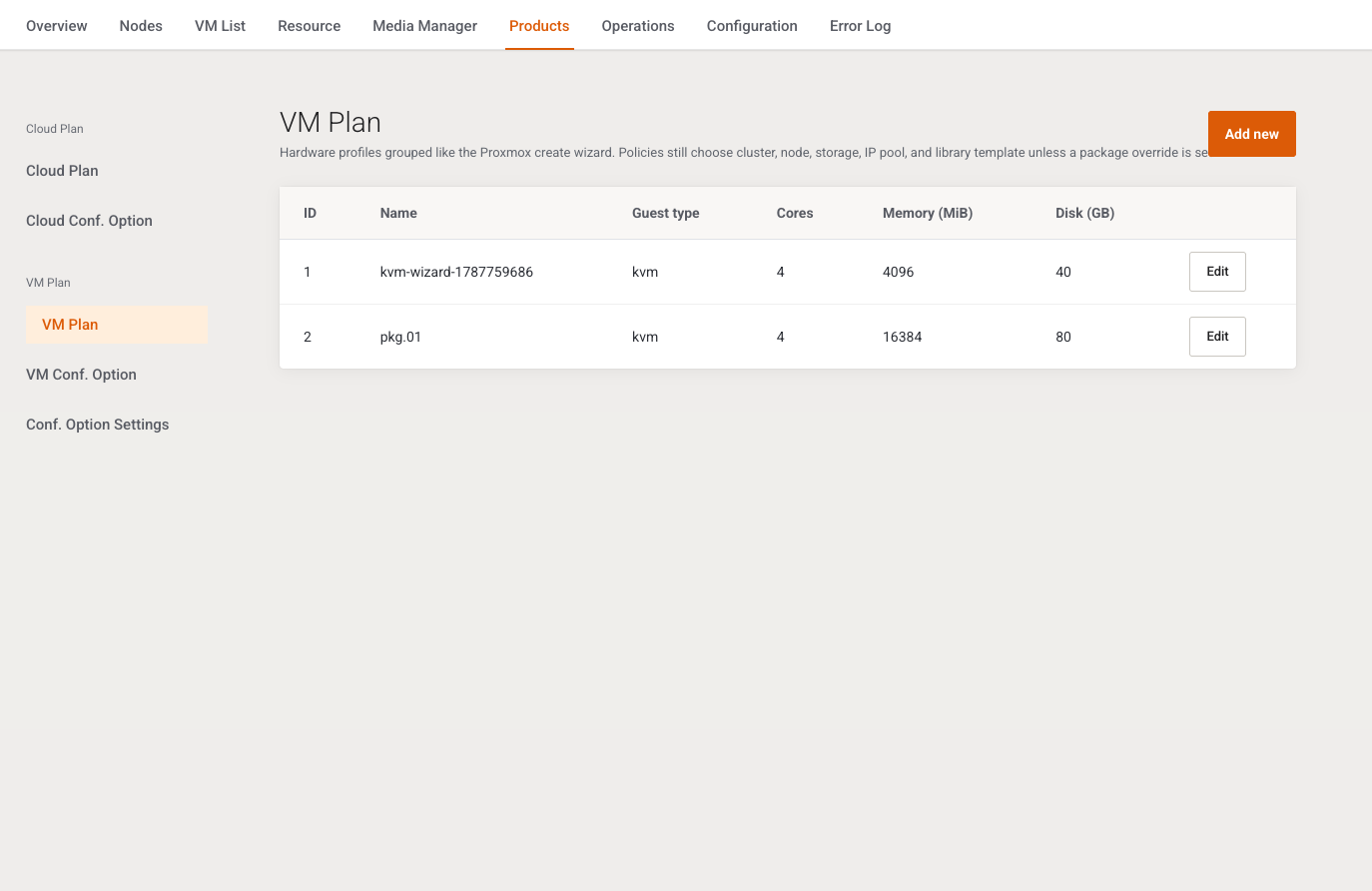
Intro: Hardware profiles grouped like the Proxmox create wizard. Policies still choose cluster, node, storage, IP pool, and library template unless a package override is set.
The list shows packages with product mode VPS. Columns: ID, Name, Guest type, Cores, Memory (MiB), Disk (GB), Edit. Add new opens the form. There is no delete button on the list.
Cloud Plan and Cloud Conf. Option are not in the menu. The Product mode dropdown offers VPS only. A saved cloud mode is forced back to VPS.
Header
These fields sit above the tabs.
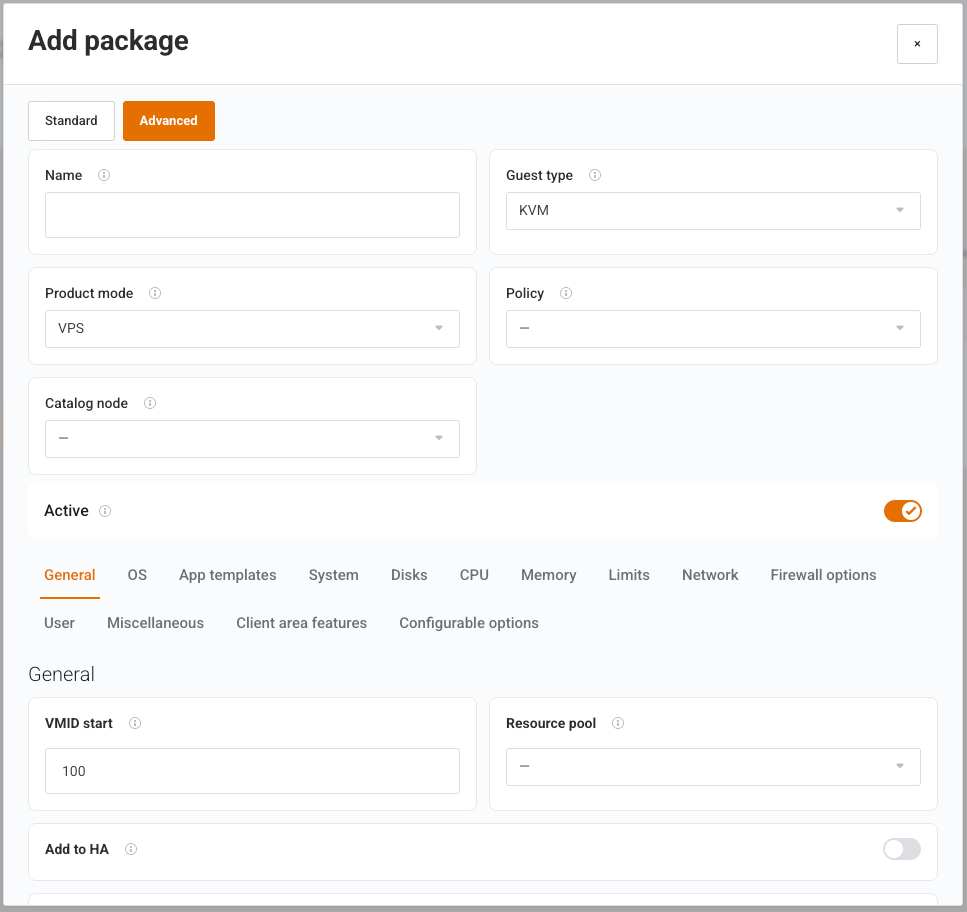
| Field | Type | What it does |
|---|---|---|
| Standard / Advanced | Buttons | Standard hides Advanced fields. Advanced shows QEMU, disk, and CPU tuning. Stored as the form mode. New packages open in Standard. |
| Name | Text, required | Catalog name. Clients usually see the WHMCS product name, not this string. |
| Guest type | Select | KVM or LXC. Switches the tab set. Do not flip it on a package that already has live services. |
| Product mode | Select | VPS: one service, one guest. The cloud sentence in the hint describes a mode this build does not save. |
| Policy | Select | An Active distribution policy, or an em dash. Empty placement falls through to the WHMCS product’s Distribution Policy. When both are set, the package policy wins at create. |
| Catalog node | Select, Advanced | Optional node filter for catalog lookups. Blank uses the cluster-wide cache. |
| Active | Switch | Off hides the package from product dropdowns. Existing services stay linked. |
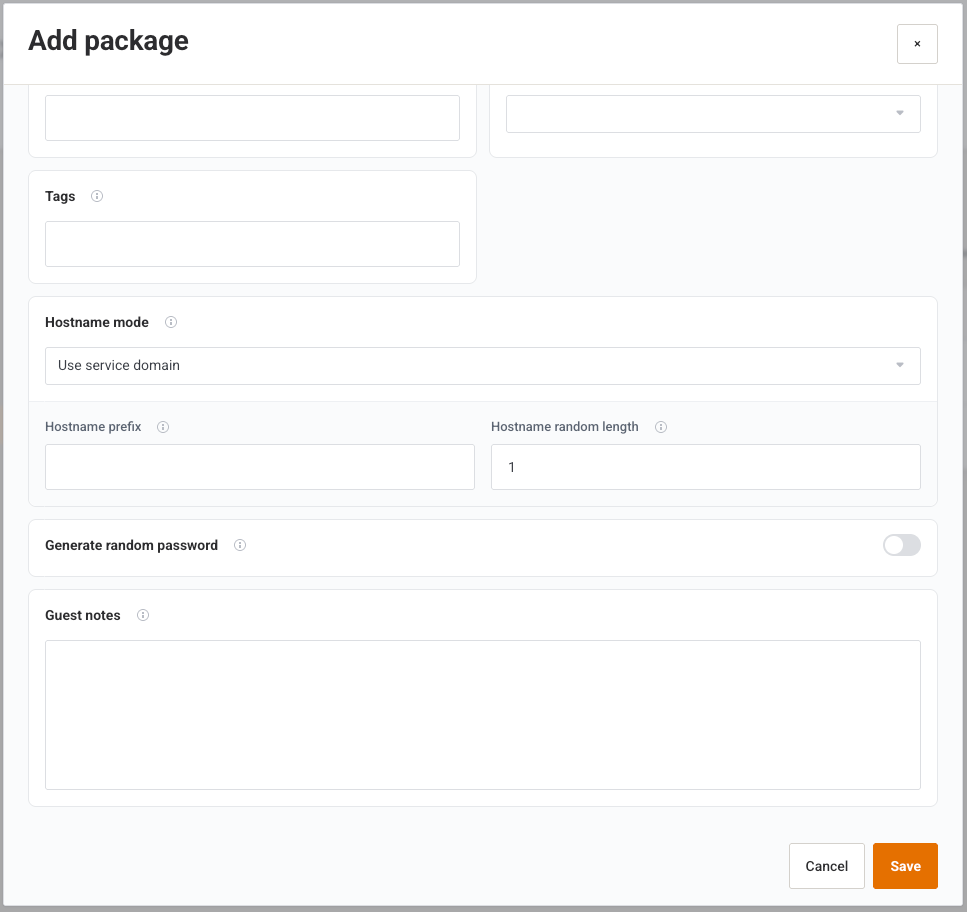
Cancel closes. Save posts the form. Success: Changes saved successfully. Validation includes name required, sockets / vCPUs / memory / disk at least 1, VMID start at least 1, and IPv4 count at least 1. Add additional drive for VirtIO drivers requires a VirtIO ISO.
KVM — General
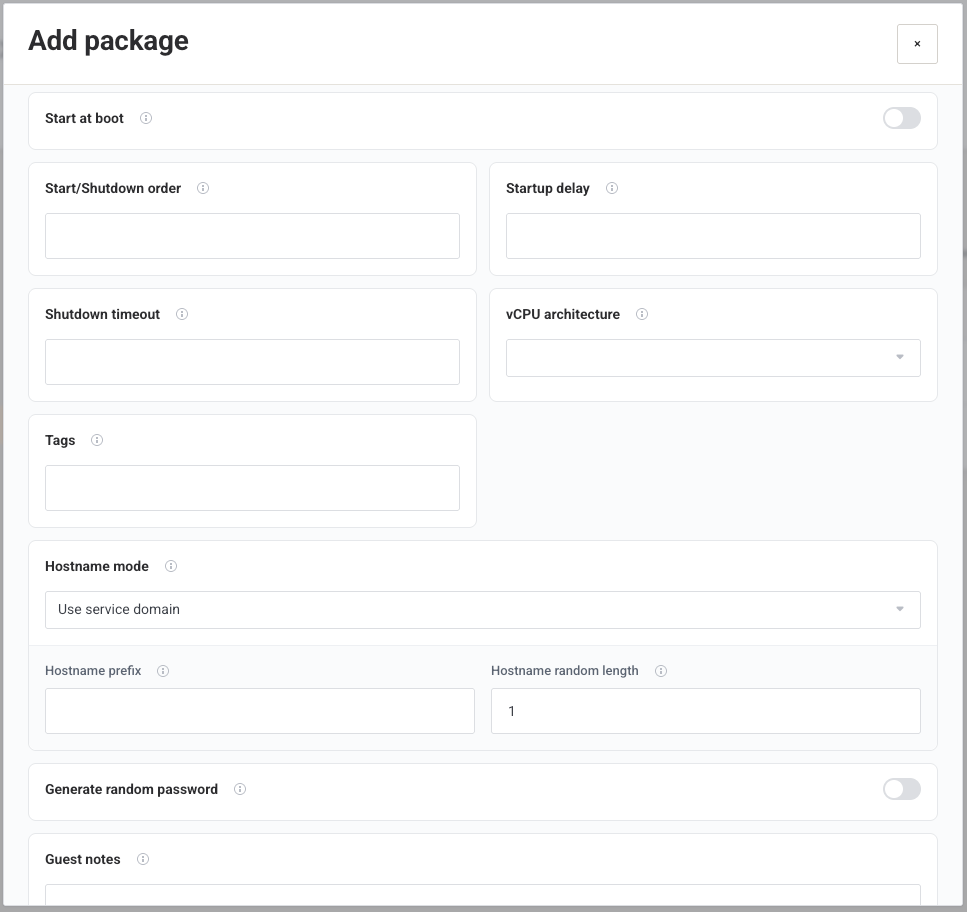
| Field | Advanced | Default | What it does |
|---|---|---|---|
| VMID start | No | 100 | First VMID the suite tries for this package. |
| Resource pool | No | — | Proxmox pool the guest joins. |
| Add to HA | No | Off | Registers the guest with Proxmox HA. Leave off unless HA is configured. |
| Start at boot | No | Off | Start the guest when the node boots. |
| Start/Shutdown order | Yes | any |
Order among other guests. |
| Startup delay | Yes | default |
Wait before start. |
| Shutdown timeout | Yes | default |
How long a clean shutdown may take. |
| vCPU architecture | Yes | Host architecture | Default (Host Architecture), x86_64, or aarch64. |
| Tags | Yes | Empty | Proxmox tags. |
| Hostname mode | No | Use service domain | How the guest hostname is chosen. |
| Hostname prefix | No | vps{$service_id}- |
Used by prefix mode. |
| Hostname random length | No | 8 | Used when the mode appends random characters. |
| Generate random password | No | On | Mints a service password at create. |
| Password character set | No | Letters, digits, and symbols | Letters and digits, Letters, digits, and symbols, Letters only, Digits only. |
| Password length | No | 16 | Minimum 4. |
| Guest notes | No | Empty | Operator notes. Clients do not see them. |
Hostname mode values: Use service domain, Prefix + service ID, Random string, Do not overwrite.
When the mode is Use service domain, the global hostname template on General settings fills a missing domain, and Override WHMCS domain with generated hostname can replace a domain that is already set.
KVM — OS
| Field | What it does |
|---|---|
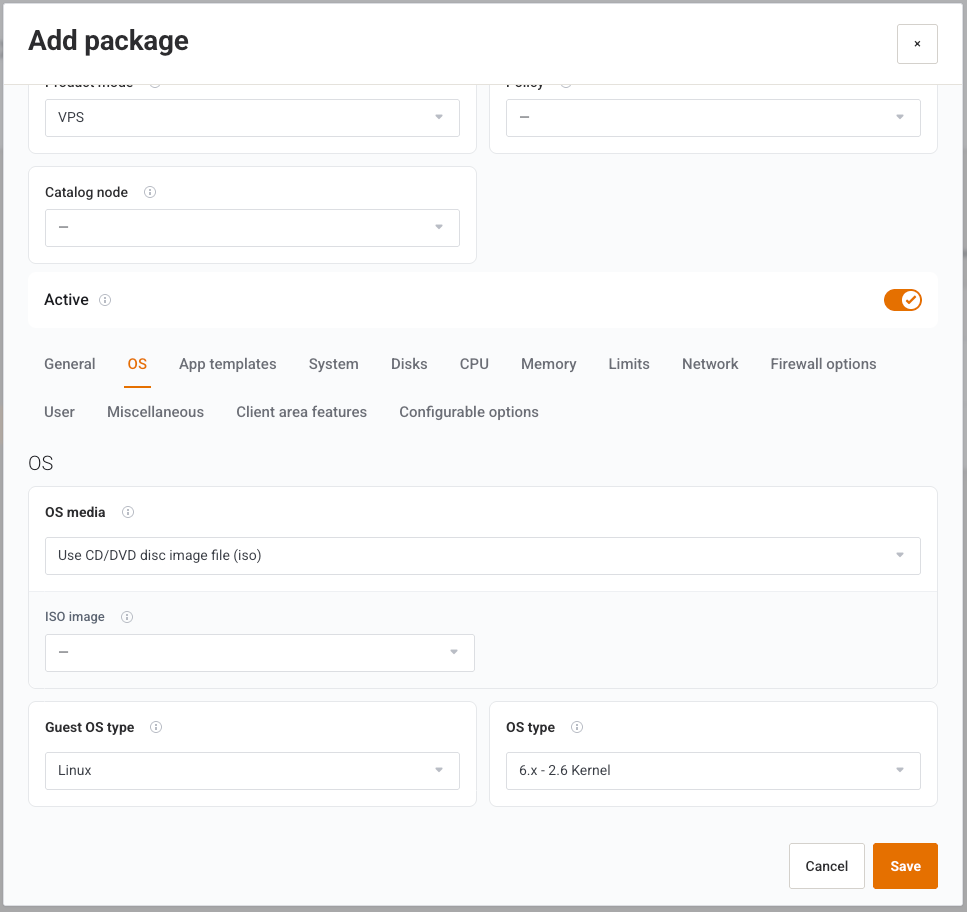
| OS media | Use CD/DVD disc image file (iso) or Do not use any media. ISO mode shows ISO image. |
| Guest OS type | Linux, Microsoft Windows, Solaris, or Other. |
| OS type | Proxmox ostype, filtered by family. Default l26. |
| Add additional drive for VirtIO drivers | Windows only. Nested VirtIO ISO. Save fails if the switch is on and the ISO is empty. |
KVM — App templates
| Field | What it does |
|---|---|
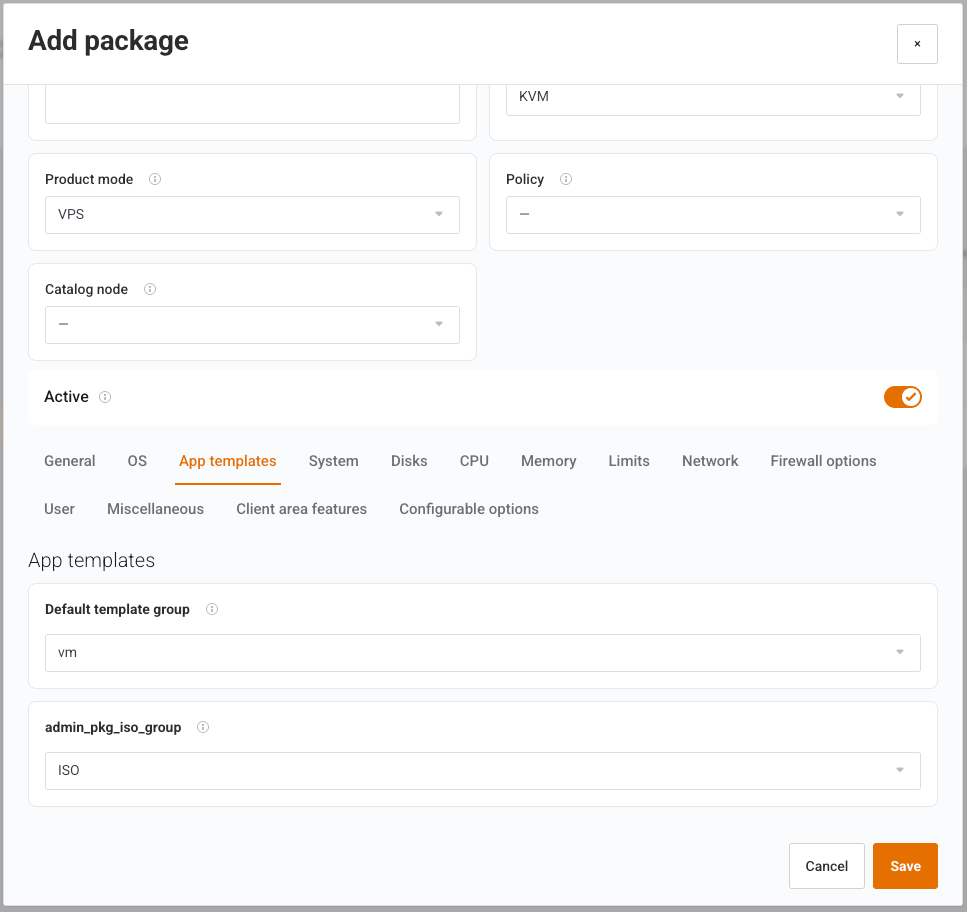
| Default template group | Group from KVM Templates → Groups. |
| Default ISO group | Group from ISO Images → Groups. |
KVM — System
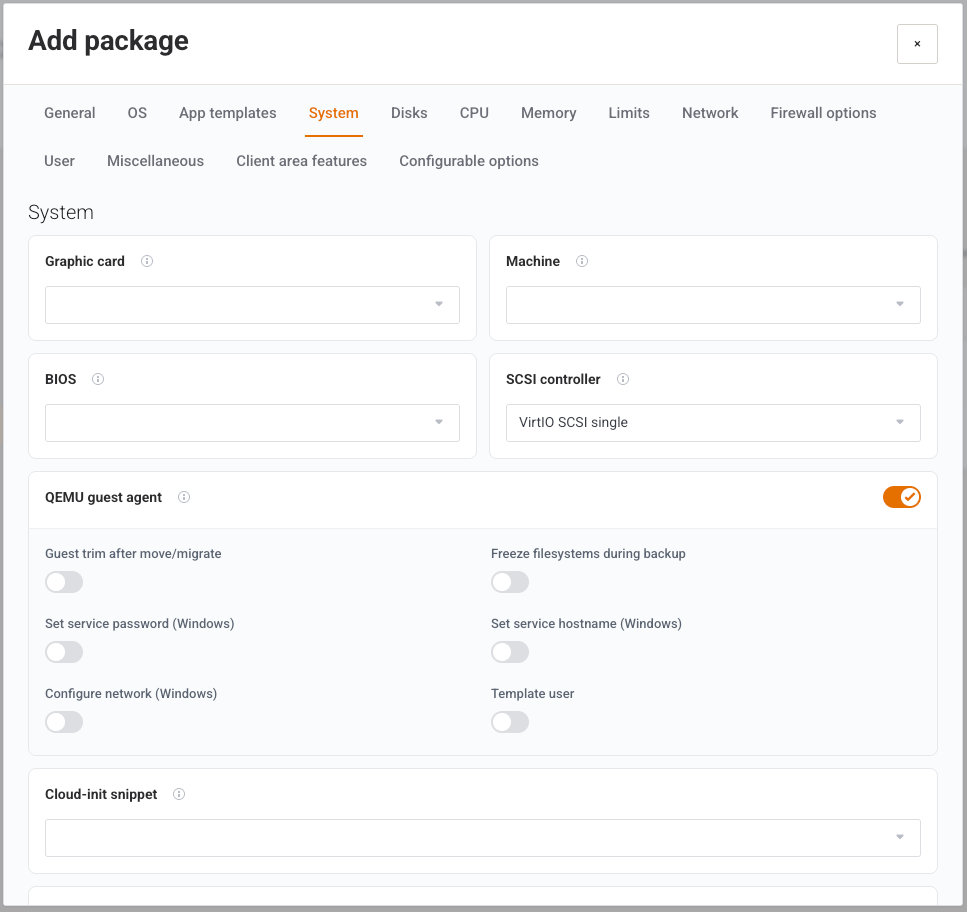
Advanced fields unless noted. QEMU guest agent defaults on. Its children are Advanced: Guest trim after move/migrate, Freeze filesystems during backup, Set service password (Windows), Set service hostname (Windows), Configure network (Windows), Template user.
Also: Graphic card, Machine, BIOS, SCSI controller (default VirtIO SCSI single), Cloud-init snippet, Extra cloud-init snippet IDs, Add TPM with TPM storage and TPM version (v2.0 / v1.2), Restart after crash, Freeze CPU at startup, Extra QEMU arguments, RTC uses local time, Watchdog device, Max migration downtime (s), Migration speed (MB/s), RTC start date, Time drift fix (TDF), Clone bandwidth limit (MB/s), Boot order — device 1/2/3 (defaults scsi0 / ide2 / net0), Boot disk (default scsi0).
KVM — Disks
Disk (GB) is visible in Standard. The rest are Advanced: Bus/Device (SCSI, VirtIO, SATA, IDE), Device number, SCSI controller (display), Format, Cache, Discard, IO thread (default on), SSD emulation, Read-only, Backup (default on), Skip replication, Async IO, and read/write MB/s and IOPS including burst. Rates of 0 mean no cap where the control is a minimum of 0.
KVM — CPU
Sockets, vCPUs per socket, CPU type, Total cores (display). Advanced: CPU units, CPU limit (unlimited), NUMA, CPU affinity (All Cores), Nested virtualization.
KVM — Memory
Memory (MiB) default 2048. Balloon default on. Advanced: Minimum memory (MiB), Memory shares, Allow KSM (default on).
KVM — Limits
| Field | What it does |
|---|---|
| IPv4 addresses | Minimum 1. Stored as extra addresses = count − 1. |
| IPv6 addresses | Host count from IPv6 pools. |
| IPv6 subnets | Child prefixes from an IPv6 Subnet pool. |
| Bandwidth limit (GB) | 0 means unlimited. |
| Minimum network rate | Advanced. |
| Backup file limit / Backup size limit (GB) | Caps on backup files. |
| Scheduled backup template | Template from Templates Center. |
| Snapshot limit / Snapshot jobs limit | Snapshot caps. |
| Additional disk space (GB) | Extra disk allowance. |
| Private network rate limit (MB/s) | Advanced. |
| Protected backup files | How many backups are kept from deletion. |
| Protected backup files calculation method | Advanced. Percentage… or Fixed…. |
KVM — Network
No network device hides the NIC fields. VLAN tag. Firewall default on. Advanced: Disconnect, Model (default virtio), MAC address (auto), MTU, Rate limit (MB/s) (unlimited), Multiqueue.
KVM — Firewall options
Firewall template, then the same switches as a firewall template: Enable firewall, Enable DHCP (on), Enable NDP (on), Allow router advertisement, MAC filter (on), IP filter, Input policy, Output policy (Default, ACCEPT, DROP, REJECT).
KVM — User
| Field | Default | What it does |
|---|---|---|
| One username per VPS | On | One Proxmox user for the service. |
| Default username prefix | ProxmoxVPS_{$serviceid} |
User name template. |
| Realm | PVE or PAM | Proxmox realm. |
| User comment | User from Proxmox Suite for WHMCS |
Comment on the Proxmox user. Token buttons insert placeholders. |
| User permission | — | PVEVMUser, PVEVMAdmin, PVEAdmin, or PVEAuditor. |
KVM — Miscellaneous
Notification parents for client and admin mail, with Welcome, Created, and Reinstall children. Also:
| Field | Default | What provision does today |
|---|---|---|
| Backup before reinstall | — | Stored on the package. |
| Delete backups on terminate | On | Stored on the package. |
| Delete backups on package change | — | Stored on the package. |
| Suspend on bandwidth overage | — | Stored on the package. |
| Destroy unreferenced disks | On | Stored on the package. |
| Use service ID as VMID | — | Stored on the package. |
| Use server nameservers | — | Stored on the package. |
| Change package action | Reconfigure resources | Stored only. Change Package always enqueues an upgrade job. Options: Reconfigure resources, Reinstall guest, No automatic action. |
| Suspension action | Suspend VM | Stored only. Suspend always stops the guest. Options: Suspend VM, Stop VM, Shutdown VM. |
| Terminate action | Destroy VM | Stored only. Terminate follows Configuration → General → Terminate mode. Options: Destroy VM, Stop then destroy, Keep VM (unlink only). |
Note
Do not use Suspension action, Terminate action, or Change package action to change live behaviour. Set terminate timing on General.
KVM — Client area features
Switches named for client buttons (Start guest, Stop guest, and the keys that have no separate label, such as novnc). New VPS packages default on for start, stop, reboot, shutdown, novnc, xtermjs, graphs, task history, VM info, billing info, console, reinstall, snapshots, network, disks, settings, and edit hostname. They default off for pause, resume, spice, snapshot job, backup job, backup schedule, power scheduler, reinstall from ISO, reinstall from template, backup, and firewall.
Note
For VPS these switches are saved and ignored. The client sees Client Area Features: global gates, then per-product overrides. Package switches apply only to Cloud packages, which this build does not offer.
KVM — Configurable options
Multi-select of the same eleven options as VM Conf. Option. An empty catalog shows a dash. Save syncs a WHMCS configurable-option group named from the package.
LXC
LXC uses the same header. Tabs: General, App templates, Disks, CPU, Memory, Limits, Network, Firewall options, User, Mount point, DNS, Miscellaneous, Client area features, Configurable options. There is no OS or System tab.
LXC-only fields:
| Area | Fields |
|---|---|
| General | CT ID start. Unprivileged container and Nesting default on. Advanced: SSH public key(s), OS type text (default l26). |
| CPU | Cores. |
| Memory | Swap (MiB). |
| Network | Network rate limit (MB/s). Advanced: Interface name (default eth0), IPv4 mode, IPv6 mode, Host-managed. |
| Mount point | Enable quota, ACLs, Mount options, Skip replication, ID mapping passthrough, ID mapping table. |
| DNS | DNS domain, DNS servers. |
Example
Add new, Standard, name kvm-2c-2g, guest type KVM, policy kvm-a, 1 socket, 2 vCPUs, memory 2048, disk 40, OS media a Debian ISO or no media plus a template group, Active on, Save. On the WHMCS product set module Proxmox Suite, Guest Type KVM, Hardware Package kvm-2c-2g.
Next step
Order-time options: VM Conf. Option.