
Guide
Clusters List
This page registers Proxmox API connections. It is written for the operator who adds or rotates a cluster token.
Menu: Addons → Proxmox Suite → Nodes → Clusters List
Purpose
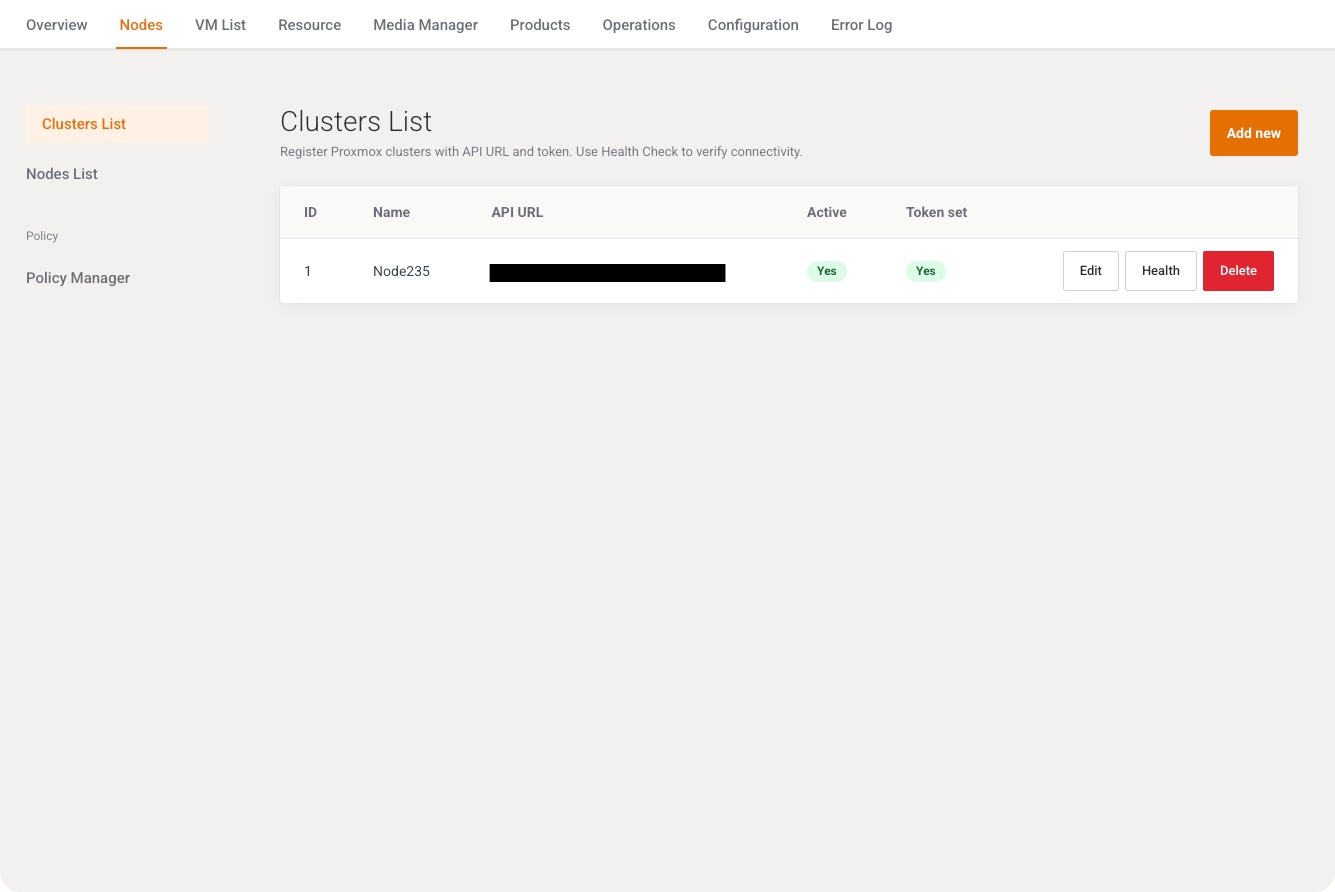
Each row is one Proxmox cluster: API URL, token, and optional console user. Inactive clusters are kept in the database and omitted from node inventory, guest inventory, VM Cleaner, and catalog dropdowns.
The page intro is: Register Proxmox clusters with API URL and token. Use Health Check to verify connectivity.
List
Add new opens the modal. Columns: ID, Name, API URL, Active (Yes / No), Token set (Yes / No). Empty list: No records yet.
| Row action | What it does |
|---|---|
| Edit | Opens the same modal with the saved row. |
| Health | Calls Proxmox. Success: Cluster health check succeeded. plus the Proxmox version and how many nodes are online. Failure: Cluster health check failed. with Cluster not found., API token is not configured., or the API error. |
| Delete | Confirms Delete this record?, deletes the cluster row, flashes Record deleted. |
Add / Edit
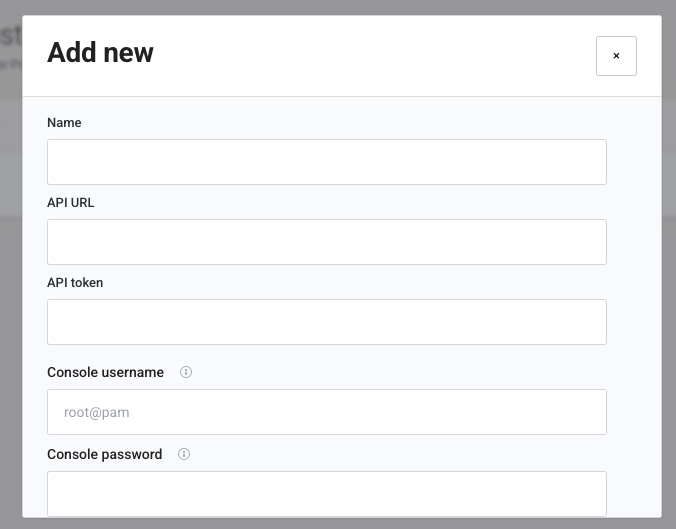
Cancel closes the modal. Save posts the form.
| Field | Type | What it does |
|---|---|---|
| Name | Text, required | Operator label. Empty name or URL: Name and API URL are required. |
| API URL | URL, required | Trailing / is stripped. |
| API token | Password | Required on create: API token is required for new clusters. On edit, blank keeps the stored token. Placeholder: Leave blank to keep existing token. |
| Console username | Text, placeholder root@pam |
Proxmox user for browser console auth (PVEAuthCookie). Blank stores nothing and the suite uses the user from the API token. |
| Console password | Password | Password for that console user. Required for noVNC and xterm: the API token alone cannot authenticate the browser WebSocket upgrade. Blank on edit keeps the stored password. |
| Active | Switch, default on | Inactive clusters disappear from selection lists. |
| Verify SSL | Switch, default on | Verifies the Proxmox TLS certificate. Turn off only for a lab host with a self-signed certificate. |
Success flash: Changes saved successfully.
Note
Console username and Console password are for the browser console, not for the API token. Direct console mode still needs a user that can mint PVEAuthCookie.
Example
- Add new. Name
pve-a. API URLhttps://pve.example:8006. Paste the token. - Leave Verify SSL and Active on. Save.
- Click Health. The flash should include the Proxmox version.
Next step
Run Farm catalog cache, then open Nodes List.