
Settings
Cron Scheduler
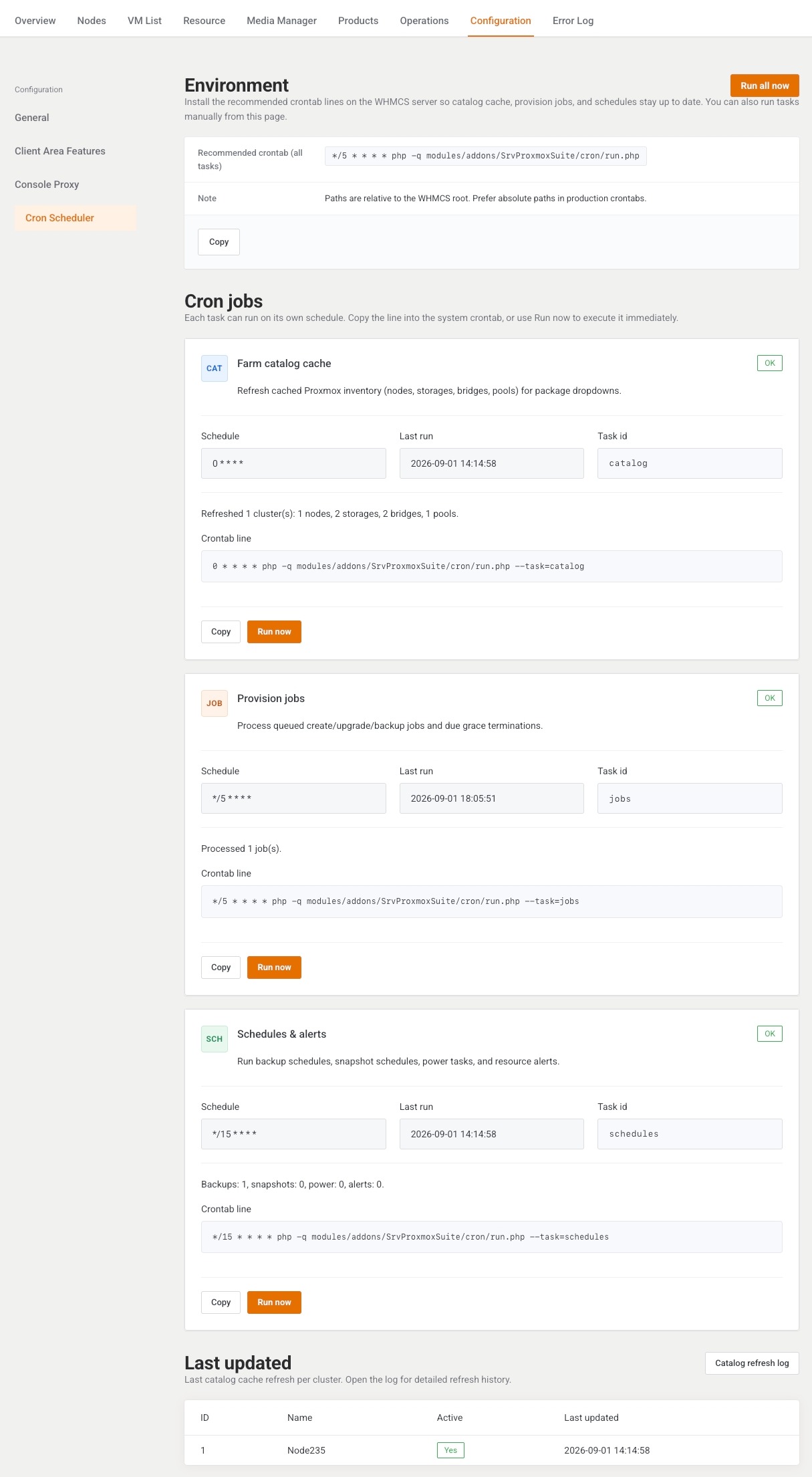
This page lists the three cron tasks and runs them by hand. It is written for the operator installing crontab and checking the last catalog refresh.
Menu: Addons → Proxmox Suite → Configuration → Cron Scheduler
Purpose
Nothing on this page is a persistent on/off switch. The tasks run when system cron calls the addon, or when you click Run now. WHMCS AfterCronJob shares storage/cron.lock with the CLI script, so the two entry points do not run the queue at the same time.
CLI, from the WHMCS root:
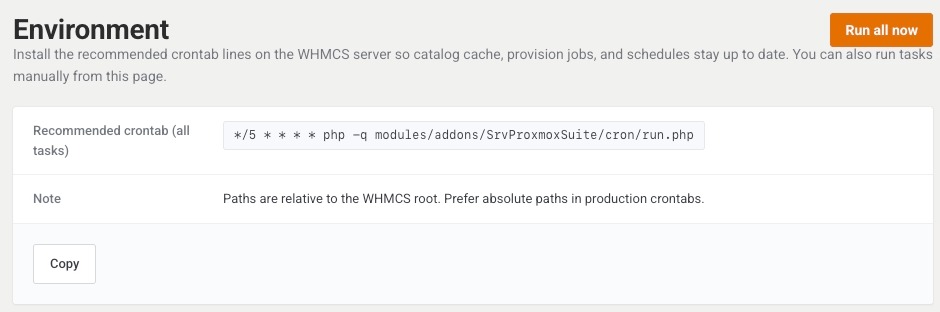
php -q modules/addons/SrvProxmoxSuite/cron/run.php
Tasks
| Task | Schedule | What a run does |
|---|---|---|
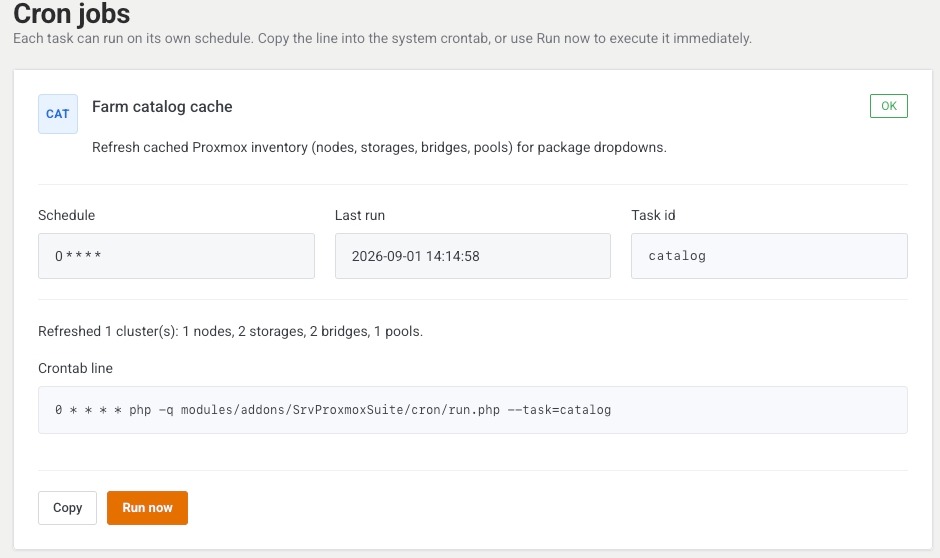
| Farm catalog cache | 0 * * * * |
Refreshes cached nodes, storages, bridges, and pools for package and policy dropdowns. |
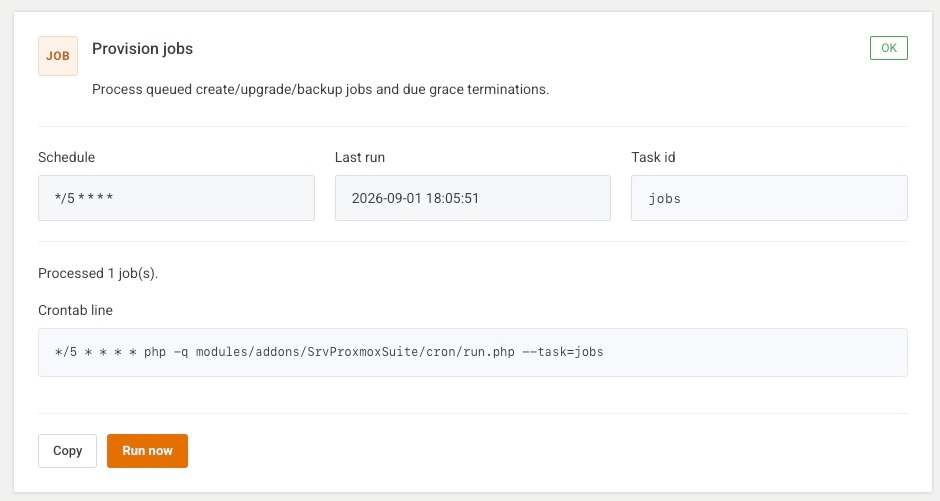
| Provision jobs | */5 * * * * |
Processes queued create, upgrade, and backup jobs, and grace-period destroys that are due. Each CLI pass handles up to 10 jobs. |
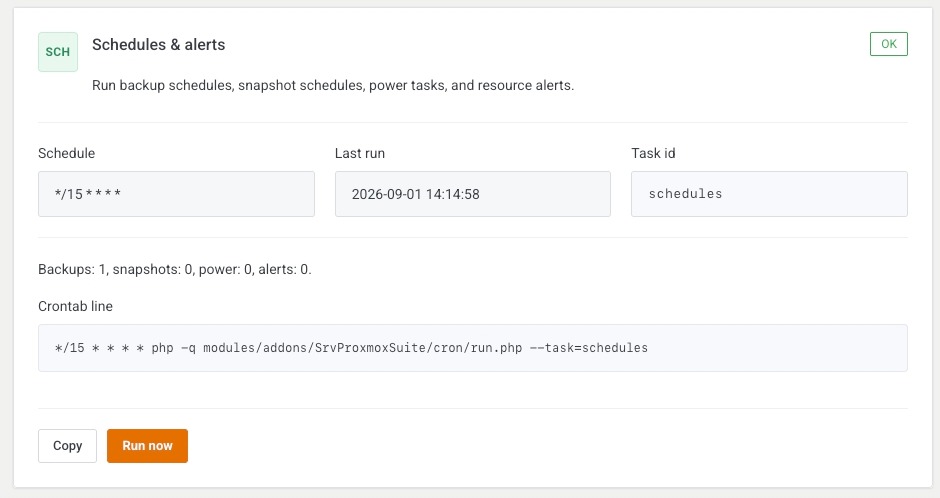
| Schedules & alerts | */15 * * * * |
Runs backup schedules, snapshot schedules, power tasks, and resource alert mail. |
Farm catalog cache description on screen: Refresh cached Proxmox inventory (nodes, storages, bridges, pools) for package dropdowns.
Provision jobs: Process queued create/upgrade/backup jobs and due grace terminations.
Schedules & alerts: Run backup schedules, snapshot schedules, power tasks, and resource alerts.
| Button | What it does |
|---|---|
| Run all now | Runs every task once. |
| Run now | Runs that task. |
| Copy | Copies the recommended crontab line. |
Last update

The cluster table shows cluster ID, Name, Active (Yes / No), and Last updated. Catalog refresh log opens the log section also listed on Task History.
Example
Policy storage dropdowns show only an em dash: Run now on Farm catalog cache, then reopen the policy. If Last updated does not move, the cluster is inactive or Health is failing. Install the three crontab lines before the first paid order so the manual click is not the only runner.
Next step
Return to first steps if the farm is still empty.