
Guide
Configurable Options
This page explains the Configurable Options generator, which turns the live Hetzner catalog into WHMCS Configurable Option groups for location and add-on pricing. It is written for WHMCS administrators setting product pricing for Hetzner Cloud plans.
Menu: Addons → Hetzner Data Center Core → Cloud → Configurable Options
Purpose
The generator creates WHMCS Configurable Option groups from the live Hetzner catalog: a per-server-type location group, plus shared x86 and ARM option bundles.
Page sections
Toolbar
| Button | Action |
|---|---|
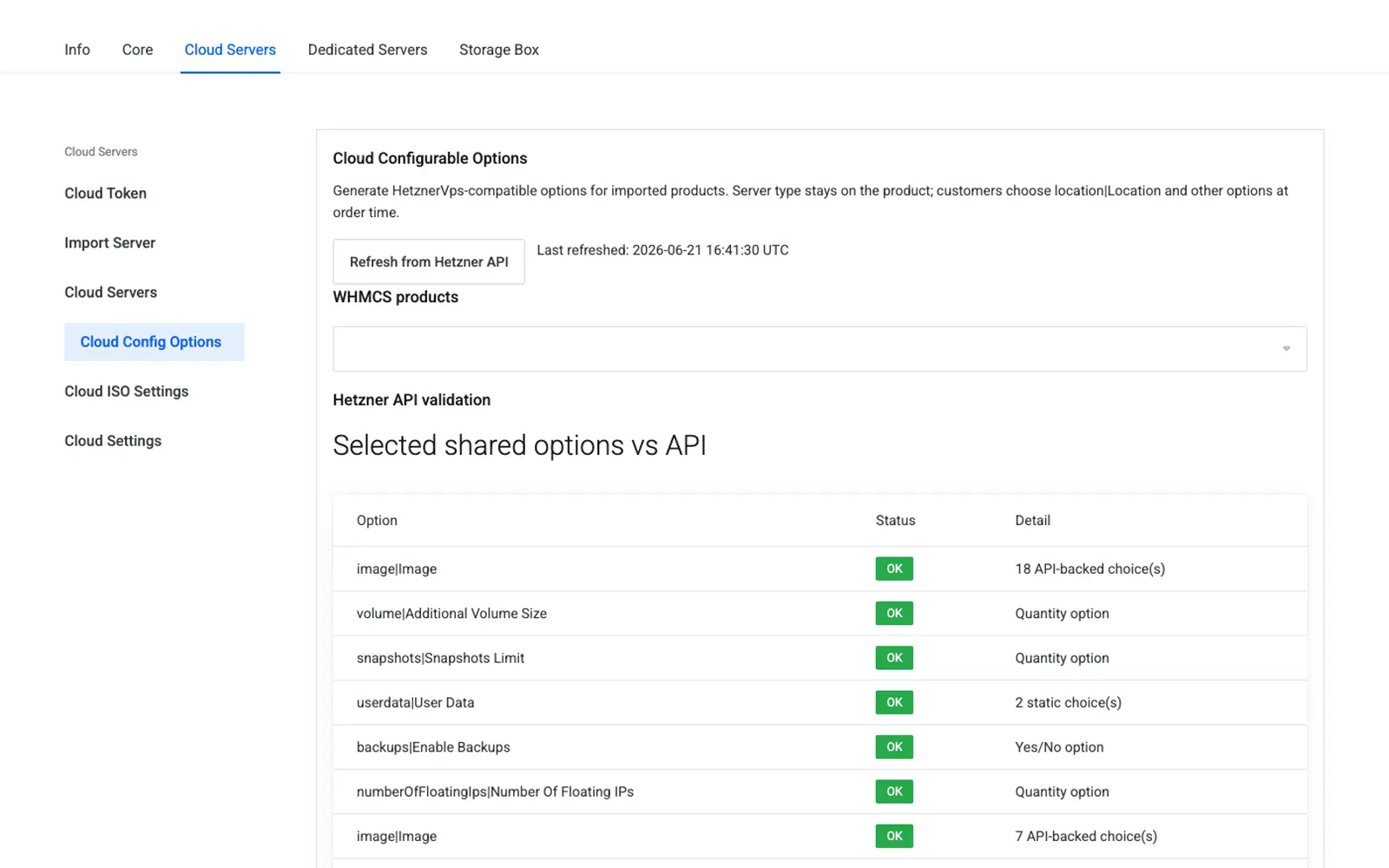
| Refresh from Hetzner API | Fetches a fresh catalog and updates the "Last refreshed" timestamp only |
| Last refreshed | Display only — the UTC time of the last successful refresh |
Product multi-select
Select one or more WHMCS Cloud products. The preview panels update to show what will be generated for each selection.
Group 1 — Hetzner Locations — {server_type}
Always includes a location option. One group is generated per server type (for example Hetzner Locations — cx23), and generation requires server type context from the selected products.
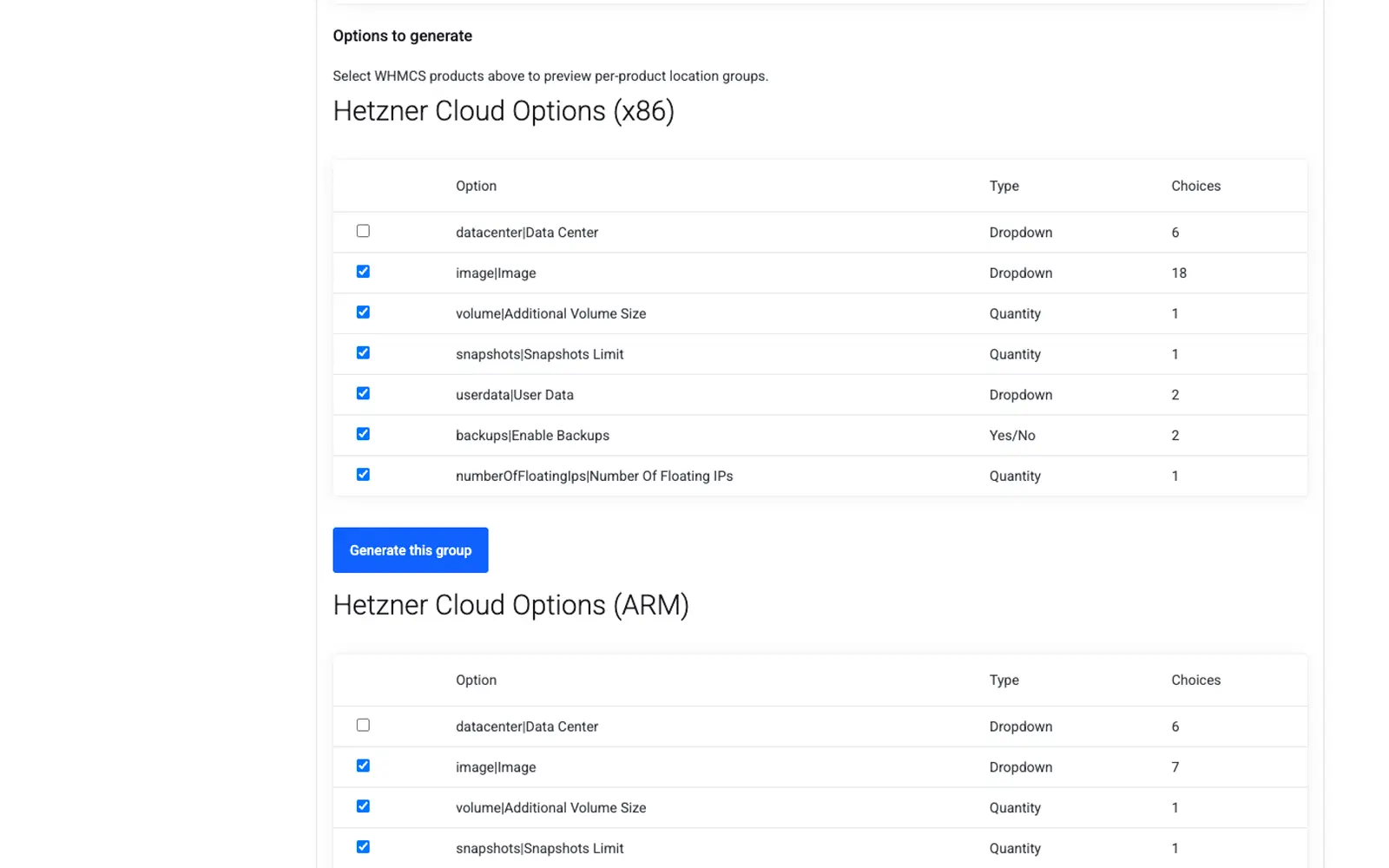
Group 2 — Hetzner Cloud Options (x86)
Shared options for Intel/AMD x86 products:
| Option key | Typical WHMCS label |
|---|---|
datacenter |
Datacenter |
image |
Image / OS |
volume |
Extra volume |
snapshots |
Snapshots |
userdata |
Cloud-init user data |
backups |
Automated backups |
numberOfFloatingIps |
Floating IPs |
Checkboxes control which keys are included when you click Generate this group.
Group 3 — Hetzner Cloud Options (ARM)
Same option keys as x86, but image and datacenter choices are filtered for ARM (cax*) types.
Save as default
Persists the checkbox state to the addon settings (cloud.config_options.enabled) so future imports use your preferred subset of options without re-selecting them.
Typical workflow
- Click Refresh from Hetzner API.
- Select products (for example, all imported CX and CPX types).
- Enable the desired shared keys for x86 and, if applicable, ARM.
- Click Generate this group on Locations for each server type (or per product batch).
- Click Generate this group on the x86 shared section.
- Click Generate this group on the ARM shared section (if you sell
cax*types). - Click Save as default.
Architecture behavior
- Images in generated options respect the server's architecture.
- Order-time validation rejects incompatible image selections.
- Client rebuild lists only architecture-compatible images.
Cron integration
When Sync availability to WHMCS stock is enabled in Product Settings:
- Unavailable locations get
qty=0in the location group. - Server types unavailable in all locations can be zeroed out.
Settings reference
| Friendly name | System name | Type | Default |
|---|---|---|---|
| Enabled shared option keys | cloud.config_options.enabled |
JSON ({ "shared_x86": [...], "shared_arm": [...] }) |
— |
| Last refreshed timestamp | cloud.config_options.last_refreshed |
Unix timestamp | — |
Troubleshooting
| Problem | Fix |
|---|---|
| Preview panel is empty | Token missing, or no products selected |
| Duplicate groups appear | The generator updates existing group names by name; safe to re-run |
| ARM images show on an x86 product | Regenerate the shared group for the correct architecture |