
Guide
Dedicated Servers — Getting Started
This page introduces the Dedicated Servers family inside Hetzner Data Center Core: what it manages, what you need before selling bare-metal servers, and how the Hetzner Robot ordering model works. It is written for WHMCS administrators setting up dedicated server products for the first time.
What the Dedicated Servers family manages
Dedicated Servers are Hetzner's bare-metal machines, managed through the Hetzner Robot Webservice rather than the Cloud or Storage Box APIs. Inside WHMCS, the srv_hetzner_dedicated server module — backed by the shared srv_hetzner_dc core addon — lets you:
- Import Hetzner's live Standard catalog (fixed-configuration order products) and Market/Auction catalog (one-off discounted hardware) as WHMCS products.
- Track a live inventory of Robot servers and link existing servers to WHMCS services.
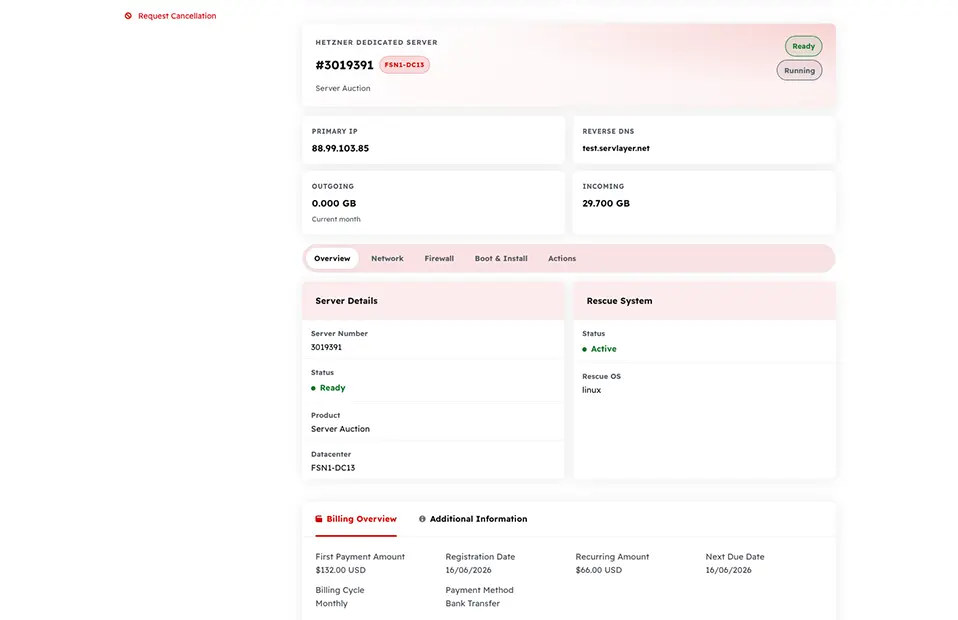
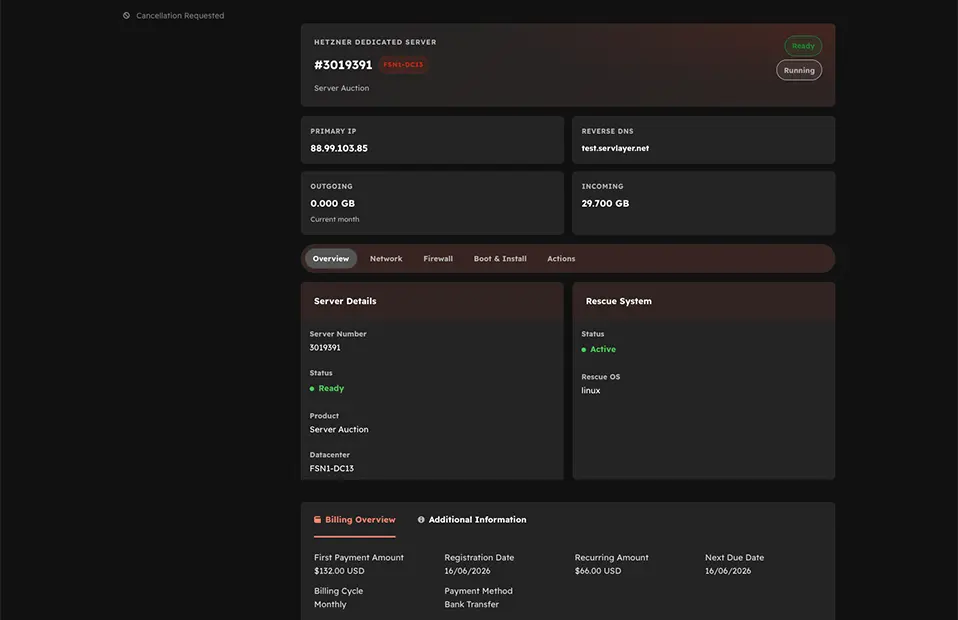
- Let customers manage boot options, rescue mode, firewall rules, and network details from the client area.
- Reconcile asynchronous Robot orders into active WHMCS services automatically via cron.
Prerequisites
Before configuring Dedicated Server products, confirm you have:
- A Hetzner account with Robot access to at least one dedicated server (an existing server, or the ability to order/purchase one in the Hetzner Robot panel).
- A Hetzner Robot webservice user (username and password) with ordering enabled — see Robot Webservice User.
- Hetzner Data Center Core (
srv_hetzner_dc) installed and activated, with thesrv_hetzner_dedicatedserver module present under modules/servers. - WHMCS product group(s) to hold your standard and auction dedicated products.
Note
Dedicated Servers use the Hetzner Robot Webservice (https://robot-ws.your-server.de) with HTTP Basic Auth — a different authentication model from Hetzner Cloud and Storage Box, which use Bearer tokens.
How ordering works: order, market, and async provisioning
Unlike Hetzner Cloud, Robot does not support instant, free-form server creation. Every dedicated server reaches a customer through one of two paths:
- Order (Standard): the customer buys a fixed-configuration product identified by a Robot product ID and a datacenter location.
- Market (Auction): the customer buys a specific, one-off piece of discounted hardware currently listed in the Hetzner auction.
Both paths are asynchronous. Placing an order does not return a server immediately — Hetzner returns a transaction ID, and the actual server number is assigned later, once Hetzner provisions the physical hardware. The addon's cron job polls Robot and reconciles the transaction into an active WHMCS service when the server becomes available. See Pending Orders for how this reconciliation works.
Note
Cancellation works the same way in reverse: dedicated servers are cancelled by date, not deleted instantly. See Client Area.
Admin navigation map
Dedicated Server administration lives under the Hetzner Data Center Core addon page, with a dedicated submenu:
Addons → Hetzner Data Center Core → Dedicated Servers
| Submenu page | Purpose |
|---|---|
| Credentials | Save and test the Robot webservice username/password used for API calls |
| Import | Browse the live Standard and Market/Auction catalogs and create WHMCS products |
| Servers | View live Robot server inventory and link servers to WHMCS services |
| Settings | Configure markup, client-area permissions, and import defaults |
| Pending Orders | Reconcile asynchronous Robot orders into active services |
Dedicated Server products themselves are still created and billed like any other WHMCS product, under Setup → Products/Services → Products/Services, with Module Name set to Hetzner Dedicated Server.
Recommended setup order
- Robot Webservice User — create the webservice user and save credentials.
- Settings — configure product groups, prefixes, and stale policy.
- Import Standard and Auction Products — import your catalog.
- WHMCS Product Module — assign the server module to your products.
- Servers Inventory — link existing Robot servers to clients.
Next step
Continue to Robot Webservice User to connect the addon to your Hetzner Robot account.