
Guide
Storage Box — API Token
This page explains how to generate a Hetzner API token and save it in WHMCS so the addon can manage Storage Boxes on your behalf. It is written for WHMCS administrators performing first-time setup.
Why a token is required
Storage Boxes are managed through the official Hetzner API (https://api.hetzner.com/v1) using Bearer authentication. Every provisioning, listing, and management call the addon makes for Storage Boxes — creating sub-accounts, resetting passwords, reading usage — is authenticated with this token. Without a valid token, the Storage Box submenu cannot reach Hetzner and product ordering will fail.
Note
This is the same token family used for Hetzner Cloud, generated from the same Hetzner Cloud Console Security → API tokens screen — it is not the Robot web service credential used for Dedicated Servers.
Step 1 — Generate the token in Hetzner Cloud Console
- Log in to the Hetzner Cloud Console.
- Open Security in the left-hand menu.
- Select the API tokens tab.
- Click Generate API token.
- Enter a clear description (for example, "WHMCS Storage Box").
- Choose the permission Read & Write.
- Copy the token immediately — it is shown only once and cannot be retrieved later.
Warning
If you lose the token, you must generate a new one and update it in WHMCS. Hetzner does not display existing tokens again after creation.
Tip
Use a Read & Write token for the Storage Box module. A Read-only token will let the addon list boxes but will fail on any provisioning or management action (sub-account creation, password reset, lock/unlock).
Step 2 — Save the token in WHMCS
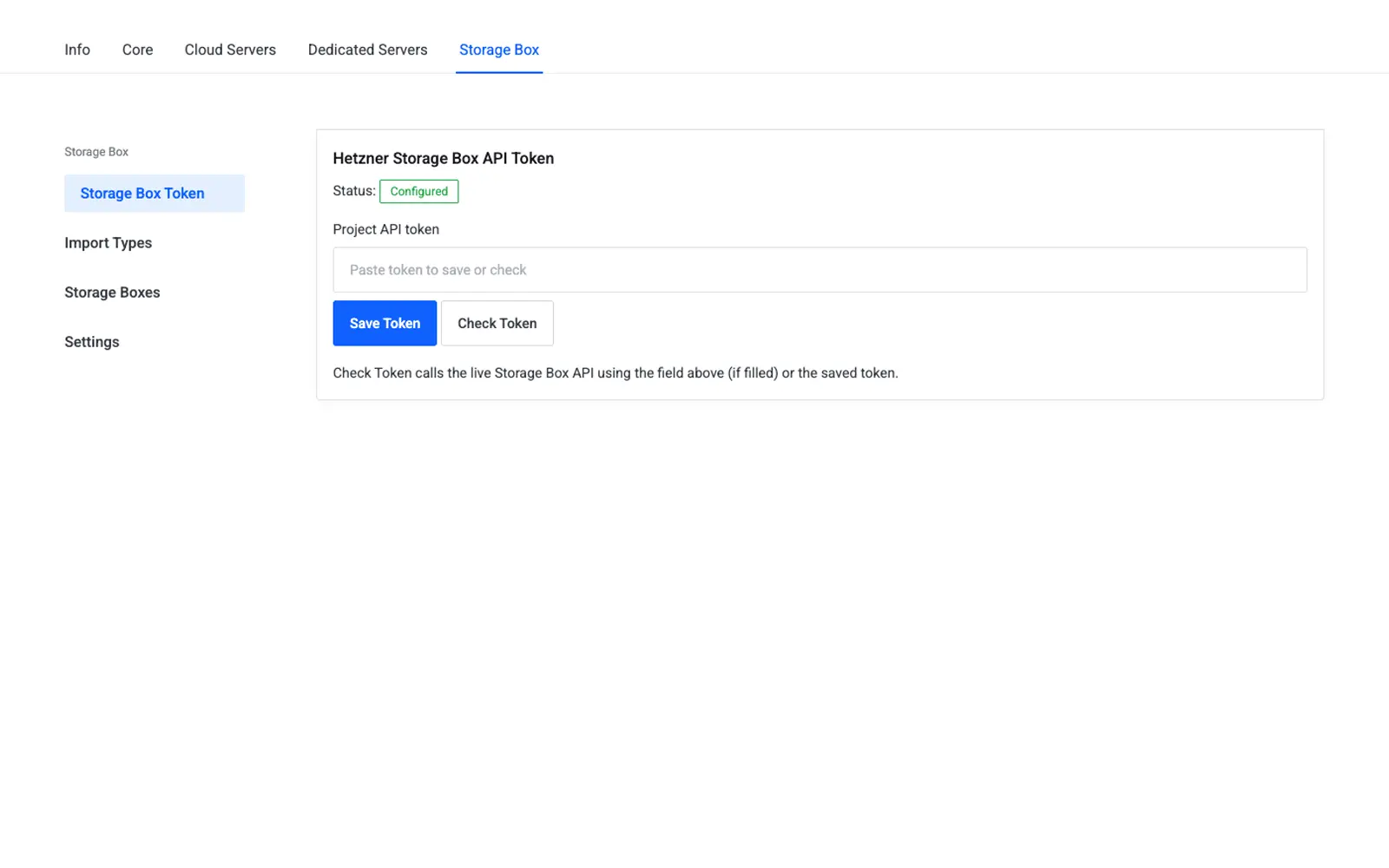
- Go to Addons → Hetzner Data Center Core → Storage Box → API Token.
- Paste the token into the API Token field.
- Click Save, then use the on-page Test Connection action to confirm WHMCS can reach
https://api.hetzner.com/v1.
| Friendly name | System name | Type | Default |
|---|---|---|---|
| Storage Box API Token | storagebox_api_token |
password | — |
Caution
The token grants full read/write access to your Storage Boxes. It is never stored in plaintext and must never be shared in support tickets, logs, or screenshots.
Troubleshooting
| Problem | Fix |
|---|---|
| Test Connection fails | Confirm the token was copied in full and has not expired or been revoked in the Hetzner Cloud Console |
| Provisioning succeeds but management actions fail | Regenerate the token with Read & Write permission instead of Read only |
| Import Types page shows no plans | Complete this page first, then revisit Import Types |
References
- Generating an API token — Hetzner Cloud API docs
- Storage Box product documentation
- Creating a Storage Box — Hetzner Console guide
Next step
Continue to Import Types to bring Hetzner Storage Box plans into WHMCS as sellable products.