
Guide
Hetzner Cloud — Getting Started
This page introduces the Hetzner Cloud family inside Hetzner Data Center Core: what it connects, what you need before you start, and where everything lives in the WHMCS admin panel. It is written for WHMCS administrators setting up Hetzner Cloud for the first time.
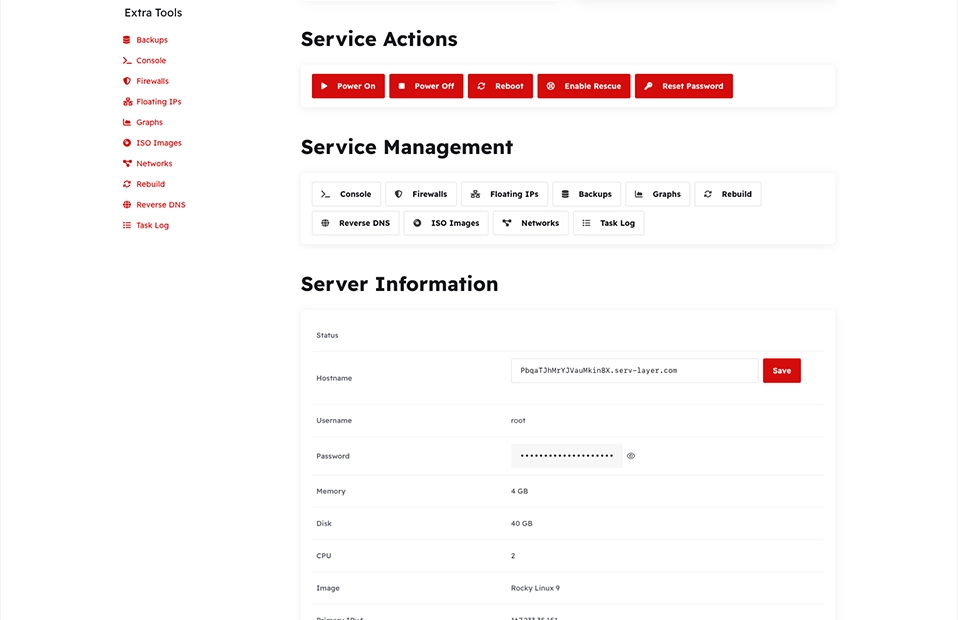
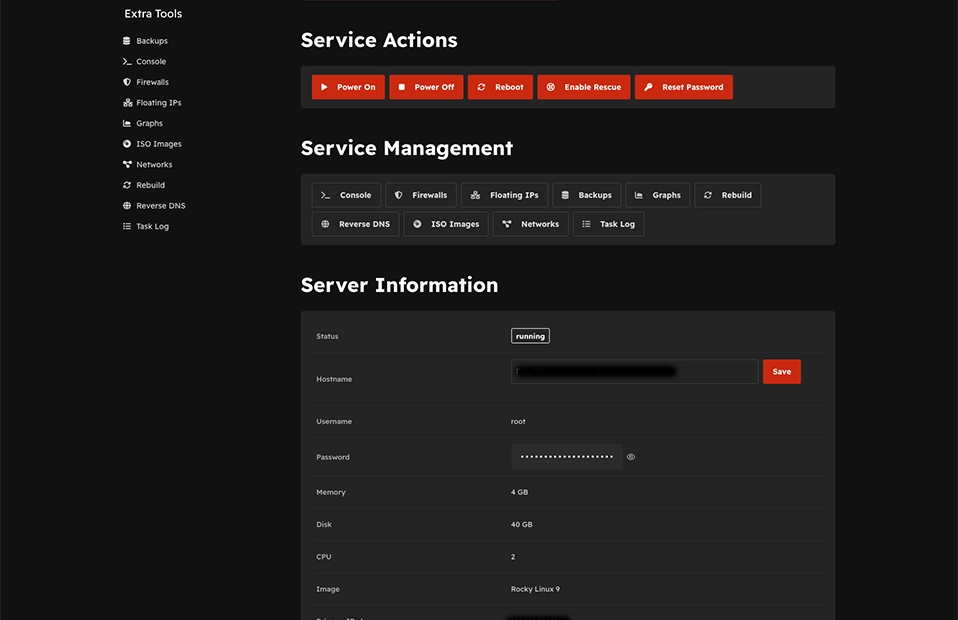
What the Cloud family does
Hetzner Cloud is one of three service families managed by the shared Hetzner Data Center Core addon, paired with the thin server module srv_hetzner_cloud. Together they connect WHMCS to the Hetzner Cloud API so that you can:
- Store a Hetzner Cloud project API token in the addon admin.
- Create WHMCS products from live Hetzner server types, either manually or with Import Server.
- Optionally generate Configurable Options for location, image, and other add-ons.
- Let customers provision and manage cloud servers (VMs) from the WHMCS client area — power actions, console, firewall, networks, floating IPs, backups, and more.
Prerequisites
| Requirement | Notes |
|---|---|
| WHMCS 8.13+ | PHP 8.1+ |
| A Hetzner Cloud account | Sign up at hetzner.com/cloud if you do not have one |
| A Hetzner Cloud project | Each WHMCS server record maps to one Hetzner Cloud project |
| API token | Read & Write token generated per project — see Cloud API Token |
| Addon activated | Setup → Addon Modules → Hetzner Data Center Core |
Note
The addon ships its own admin theme assets, so no separate admin styling addon is required.
Admin navigation map
All Cloud-specific admin pages live under a Cloud submenu inside the addon:
Addons → Hetzner Data Center Core → Cloud
| Submenu page | Purpose |
|---|---|
| API Token | Store and verify the Hetzner Cloud project token |
| Import Server | Create WHMCS products from Hetzner server types |
| Cloud Servers | Live inventory, import/transfer existing servers |
| Configurable Options | Generate location and add-on option groups |
| ISO Settings | Global whitelist of client-mountable ISO images |
| Cloud Settings | Per-product markup, cron sync, client-area toggles |
Recommended first-time order
- Cloud API Token — save and verify the API token.
- Import Server Types — create WHMCS products per server type.
- Configurable Options — generate location and shared option groups.
- Product Settings — per-product client toggles and markup.
- ISO Settings — optional ISO whitelist.
Two configuration layers
| Layer | Where | Scope |
|---|---|---|
| Addon admin | Addons → Hetzner Data Center Core → Cloud | Token, import, catalog, global ISO list |
| WHMCS product/server | Setup → Products/Services, Setup → Servers | Module settings, configurable options, pricing, server record |
Next steps
- Cloud API Token — create and save the API token.
- WHMCS Server & Product Module — set up the server record and a sellable product.
- Client Area — see what customers can do once a server is provisioned.