
Guide
Dashboard
This page explains the Core addon's health dashboard: the per-family health cards and what each status indicator means. It is written for administrators who manage the addon day to day.
Where to find it
The dashboard is the landing page of the Core addon, at Addons → Hetzner Data Center Core. It is the first thing an admin with access to the addon sees, and gives a one-glance summary of every configured Hetzner family.
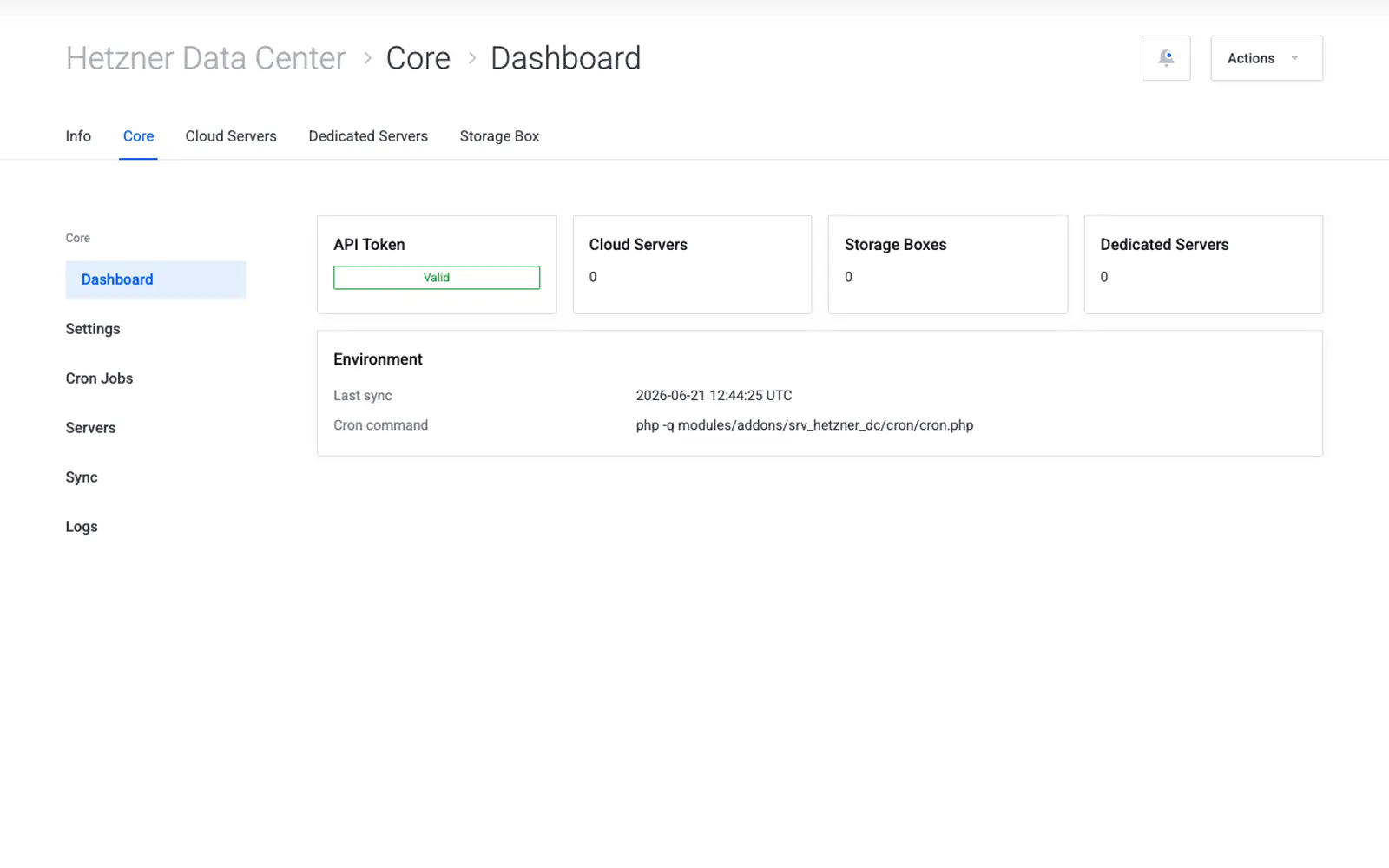
Health cards per family
The dashboard shows one card per service family — Hetzner Cloud, Storage Box, and Dedicated Servers. Each card reports:
- Connection status — whether the stored credentials for that family successfully authenticate against the corresponding Hetzner API.
- Service count — how many WHMCS services are currently linked to that family.
- Last sync time — when the family's cron job last ran successfully.
Status indicators
| Status | Meaning |
|---|---|
| Token not configured | No credentials have been saved yet for this family — see the family's getting-started guide |
| Connected | Credentials are valid and the API responded successfully on the last check |
| Connection error | Credentials are saved but the API rejected the request — re-check the token or Robot Webservice password |
| Sync pending | The cron job has not run yet since credentials were saved |
Tip
A card showing "Connection error" almost always means the token or password was mistyped or has since been rotated on the Hetzner side. Regenerate the credential in Hetzner and re-save it in the family's Settings page.
Snapshot cache status
Below the family cards, the dashboard also shows the snapshot cache status — a lightweight cache of Hetzner Cloud snapshot data used to speed up the client area and admin snapshot lists without calling the Hetzner Cloud API on every page load.
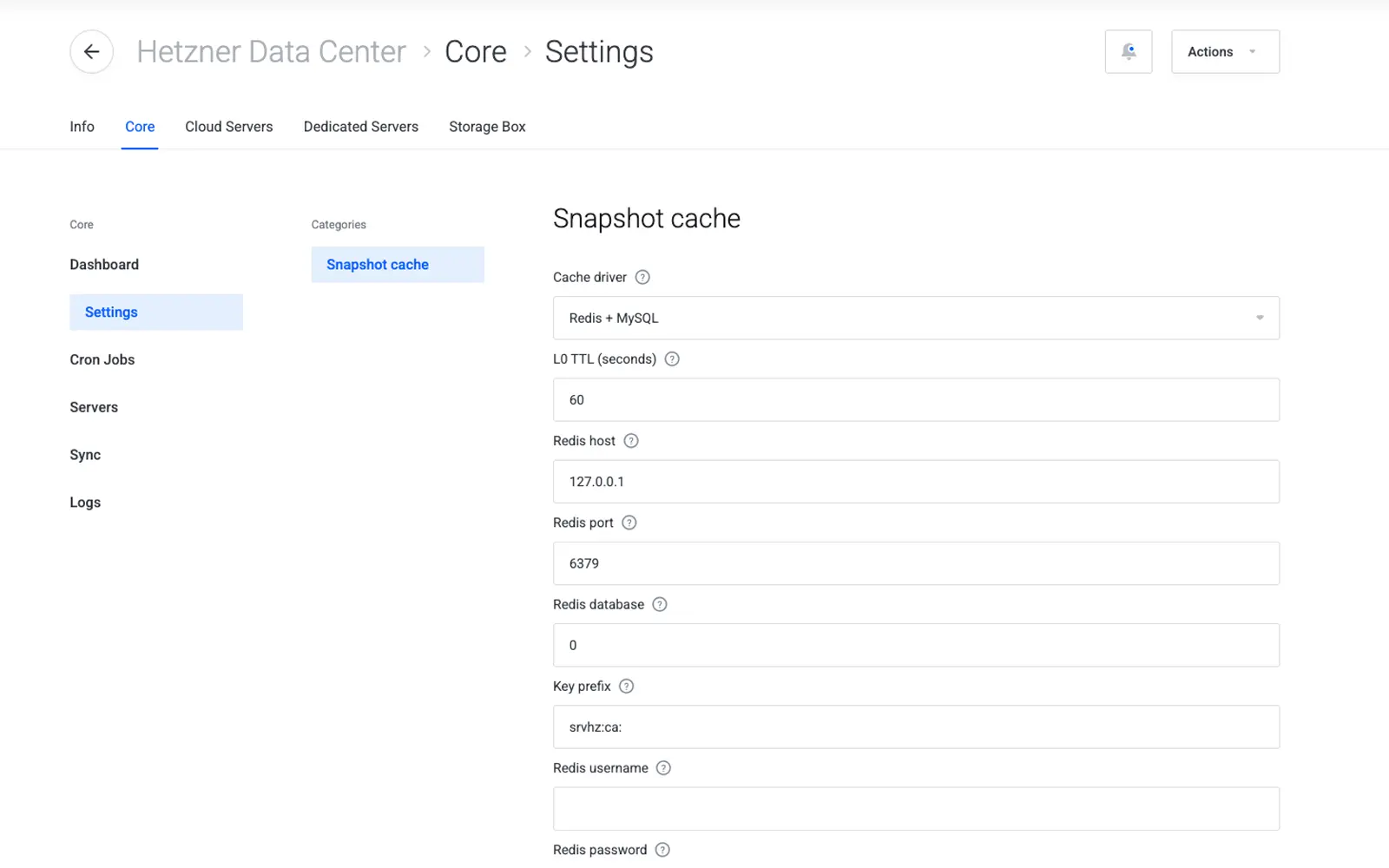
| Field | Meaning |
|---|---|
| Cache state | Whether the snapshot cache is populated and fresh |
| Last refreshed | Timestamp of the last successful cache refresh, driven by the cron job |
Note
The snapshot cache only applies to Hetzner Cloud. Storage Box and Dedicated Servers do not use this cache.
Next step
Continue to Cron Jobs to see how the sync that feeds this dashboard is configured.